import Tabs from '@theme/Tabs'; import TabItem from '@theme/TabItem';
SQL job actions
What is it?
This page lists the job types supported by the SQL Agent and shows reference examples for each one. Use it to:
- Confirm which job action fits the database platform you target.
- Compare configuration options for a single job type at a glance.
- Find a worked example to base a new job on.
For the full field-by-field reference, see SQL Job Details in the Concepts online help.
Job action quick reference
| Job action | Use it for | Field reference |
|---|---|---|
| MS SQL DTExec | Running SSIS packages with dtexec | Fields for MS SQL DTExec |
| MS SQL Job | Triggering SQL Server Agent jobs | Fields for MS SQL Job |
| MS SQL Script | Running ad-hoc T-SQL or script files | Fields for MS SQL Script |
| MySQL | Running queries or scripts against MySQL | Fields for MySQL |
| Oracle | Running queries or scripts against Oracle | Fields for Oracle |
| Other DB | ODBC or OLE DB connections to any other database | Fields for Other DB |
Each job-type section uses tabs to switch between configuration variants. Pick the tab that matches your scenario rather than scrolling through every variant.
MS SQL DTExec
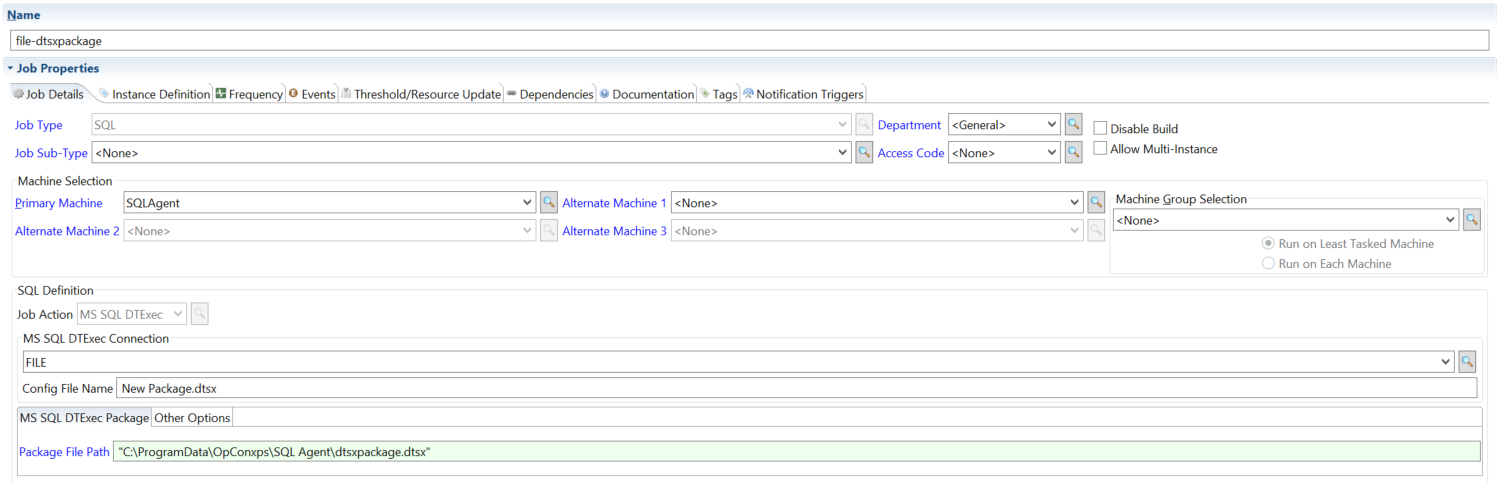
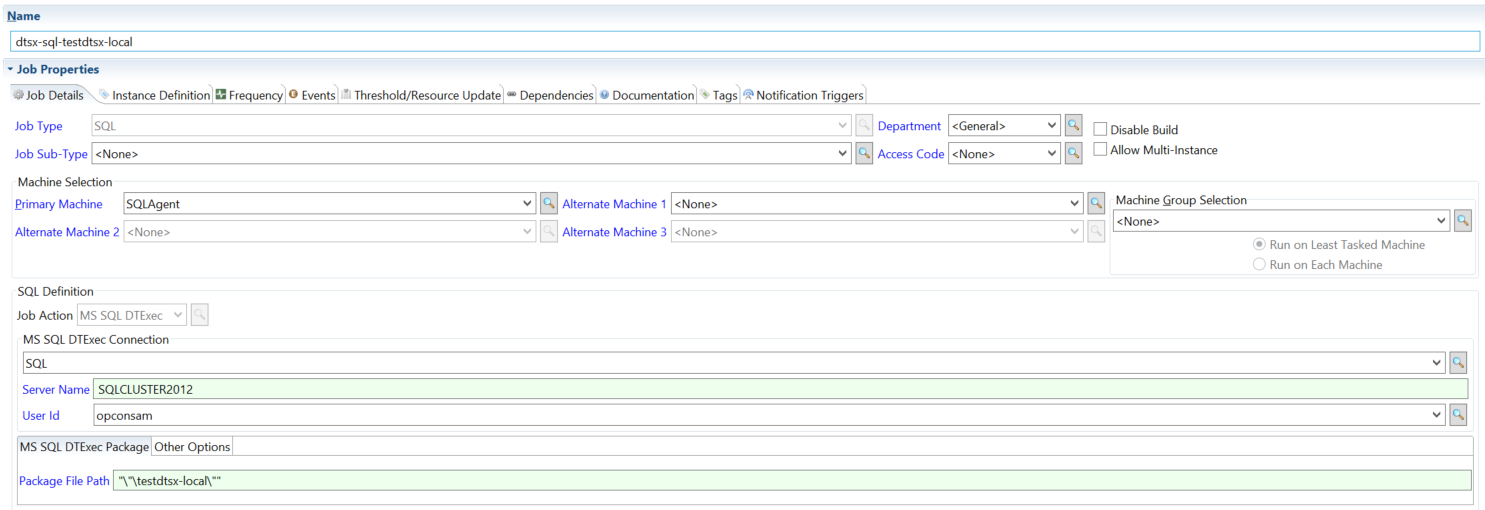
Run SQL Server Integration Services (SSIS) packages through dtexec. Choose the connection type tab that matches how your packages are stored — file system or SQL Server.
For the field reference, see Fields for MS SQL DTExec in the Concepts online help.
Use FILE when the SSIS package is stored on the file system.
Use SQL when the SSIS package is stored in MS SQL Server.
MS SQL Job
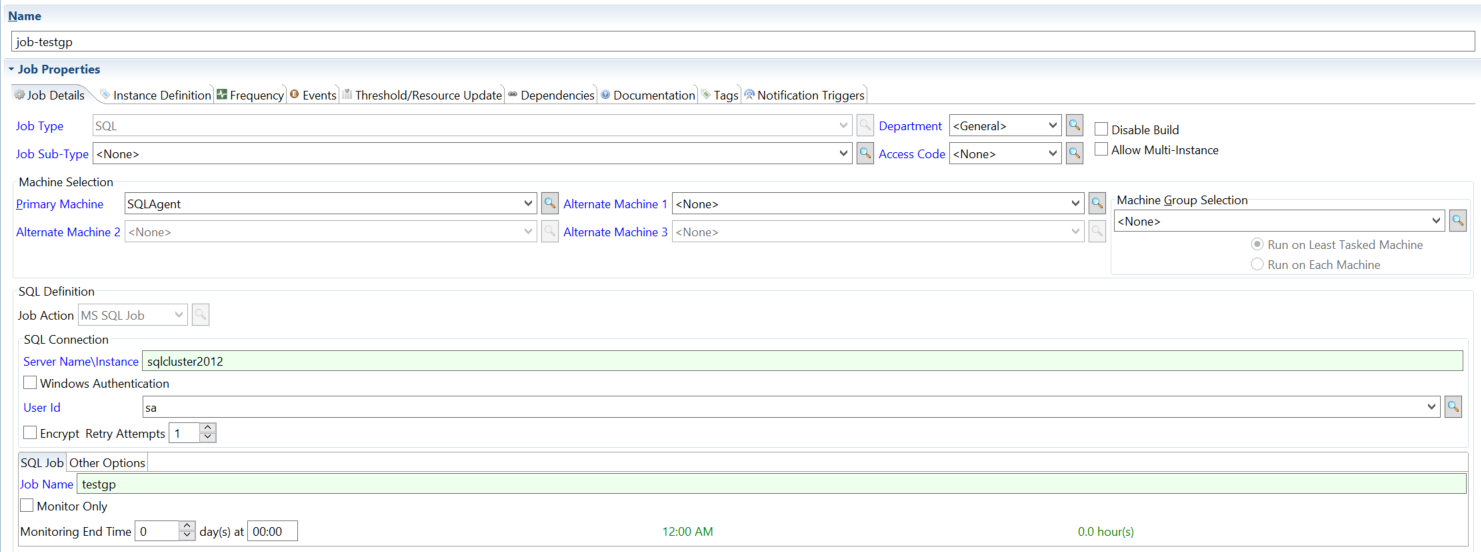
Start a SQL Server Agent job and control how the SQL Agent monitors it. Each tab shows a different monitoring strategy or option.
For the field reference, see Fields for MS SQL Job in the Concepts online help.
The SQL Agent reports the job's final status when it finishes.
The SQL Agent monitors the job only while the SQL Server Agent job is running.
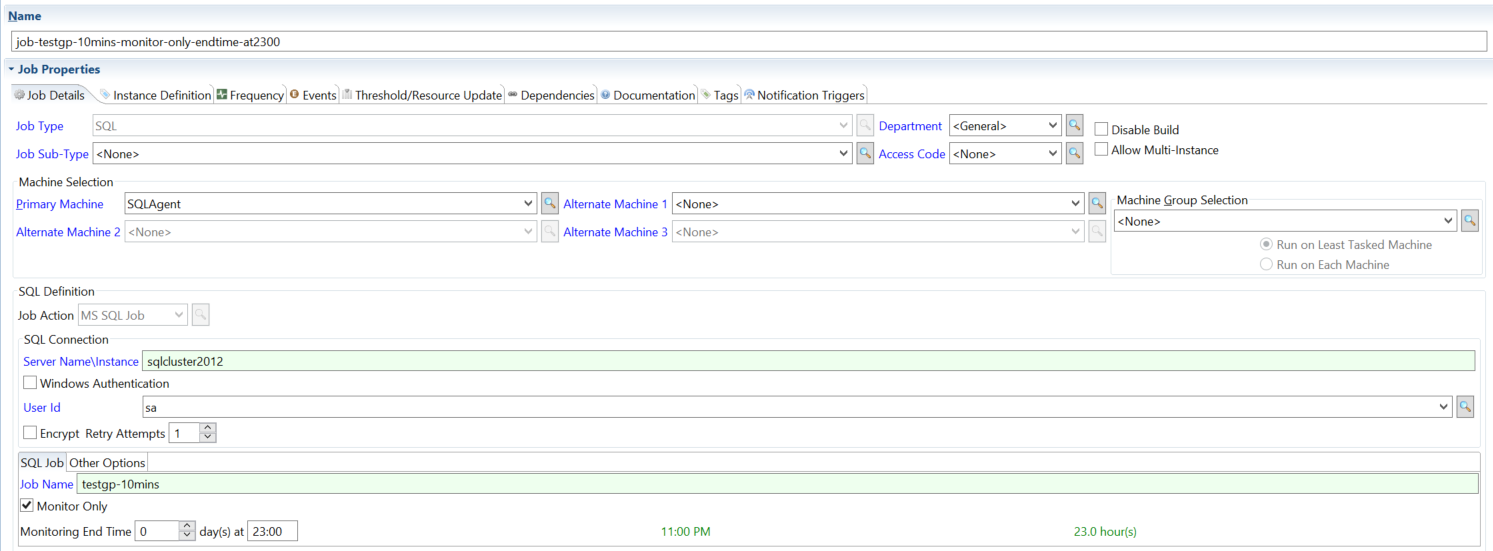
The SQL Agent monitors the job until the run time you specify.
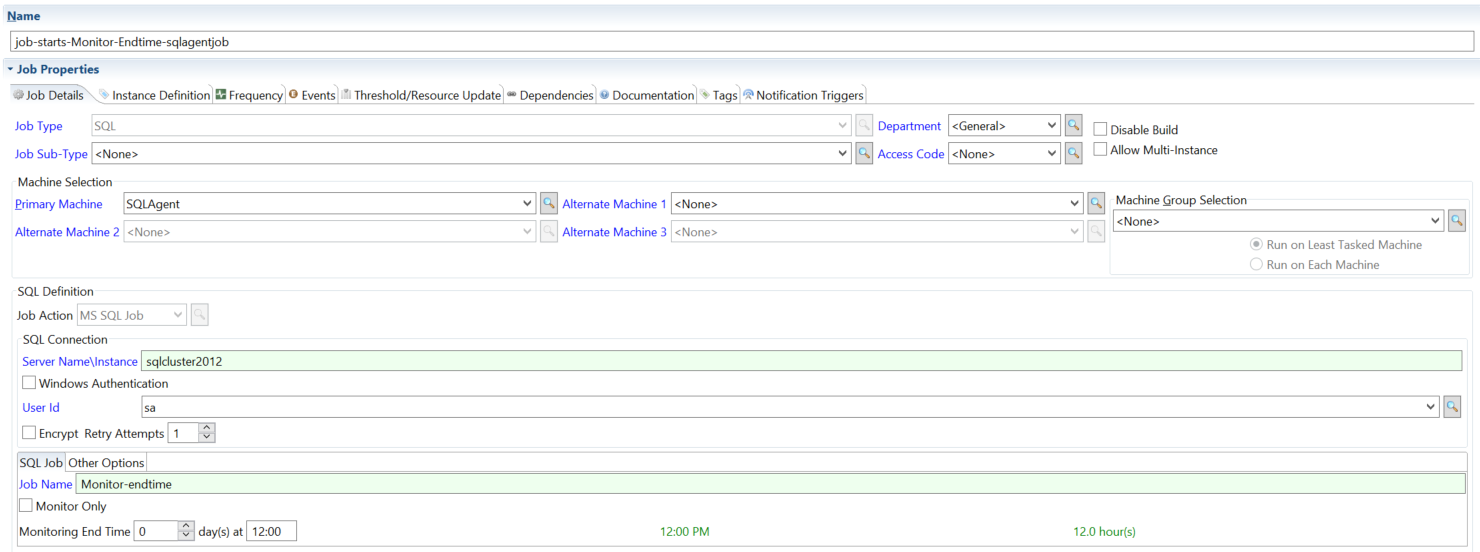
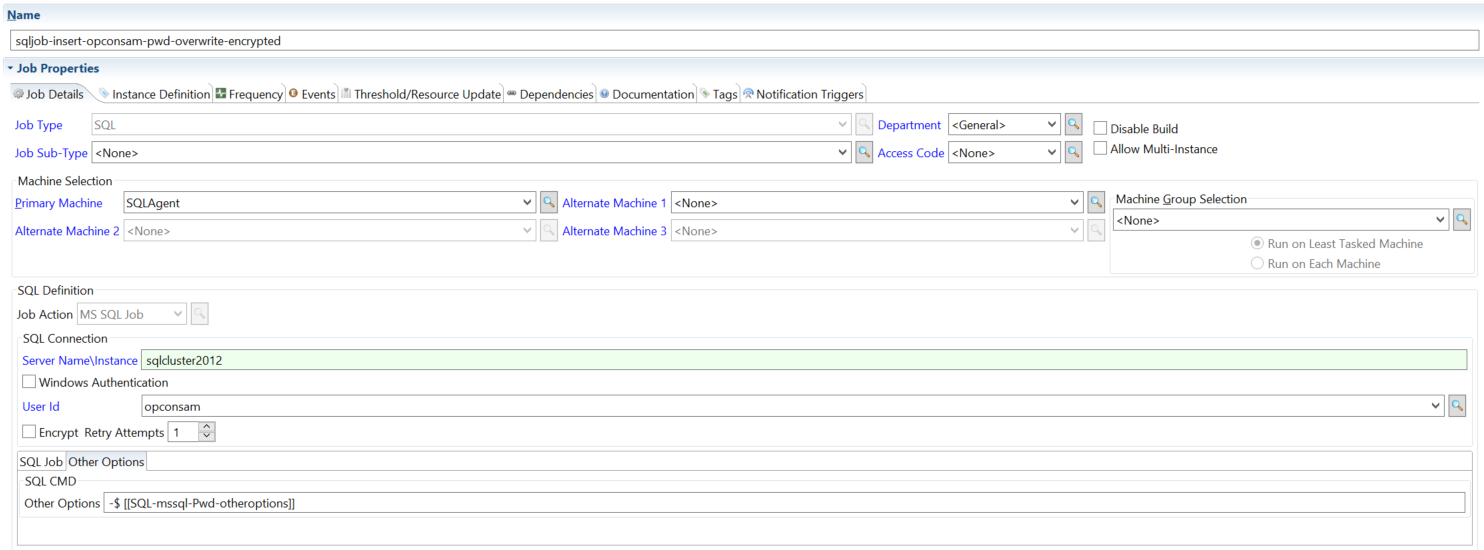
Start and monitor a job, overriding the saved credentials with a password supplied at runtime.
MS SQL Script
Run T-SQL against MS SQL Server. The script can be written in line in the job definition or pulled from a .sql file. Pick the tab that matches how you want the script and any runtime values supplied.
For the field reference, see Fields for MS SQL Script in the Concepts online help.
The script is written directly in the job definition.
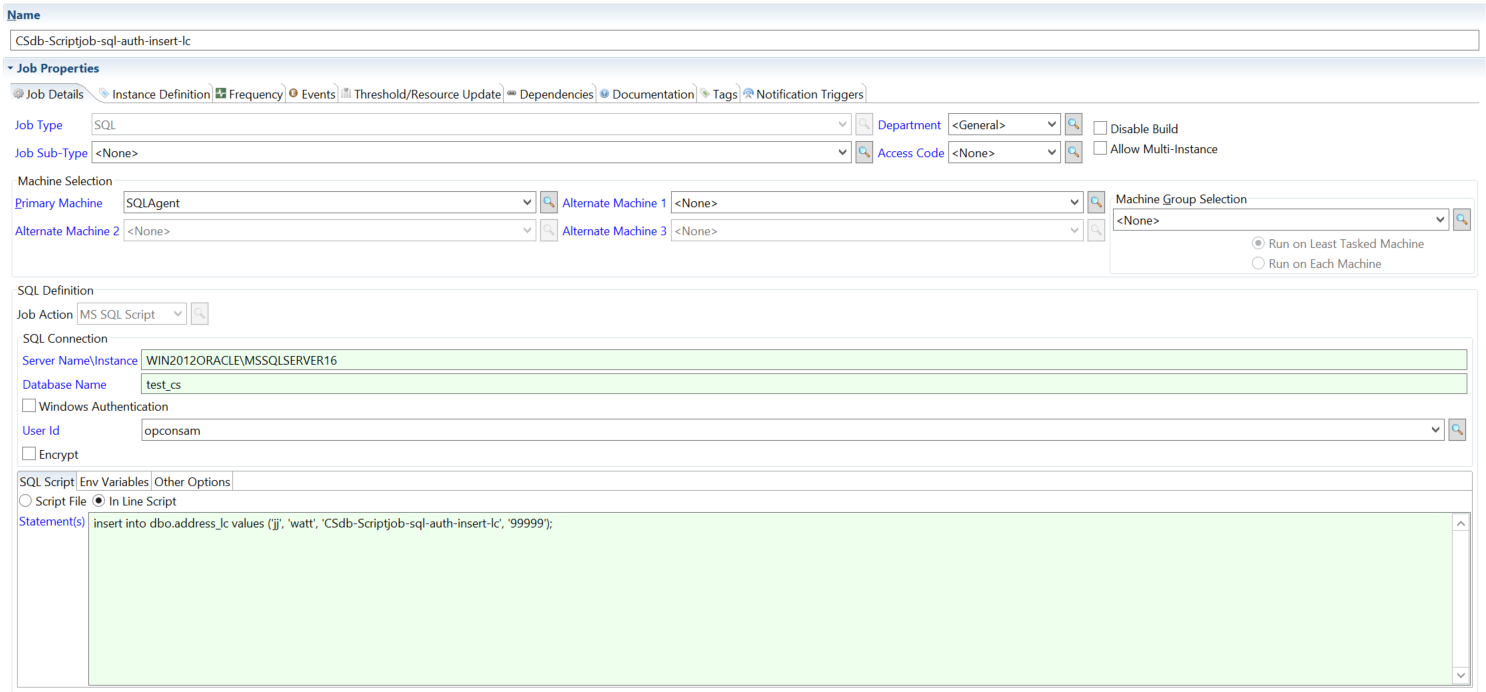
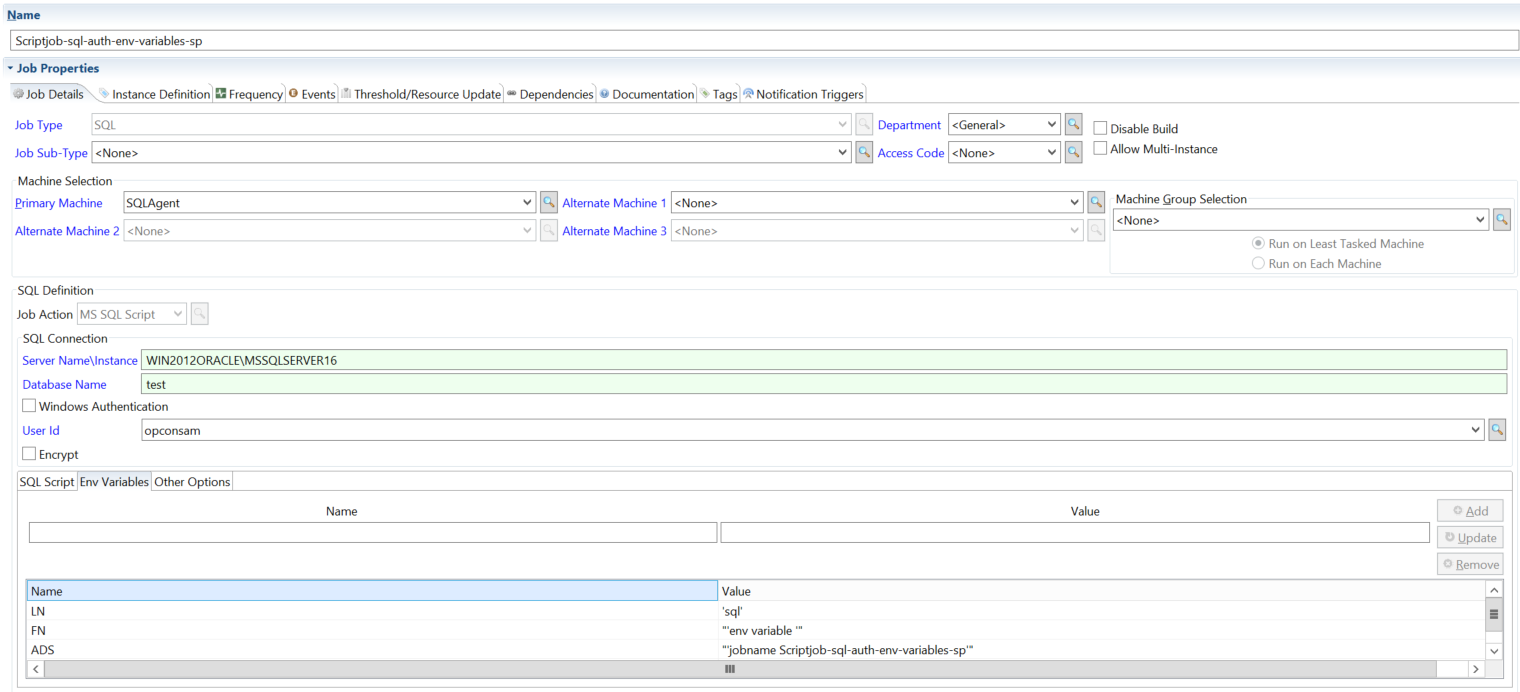
The job passes environment variables into the script at runtime.
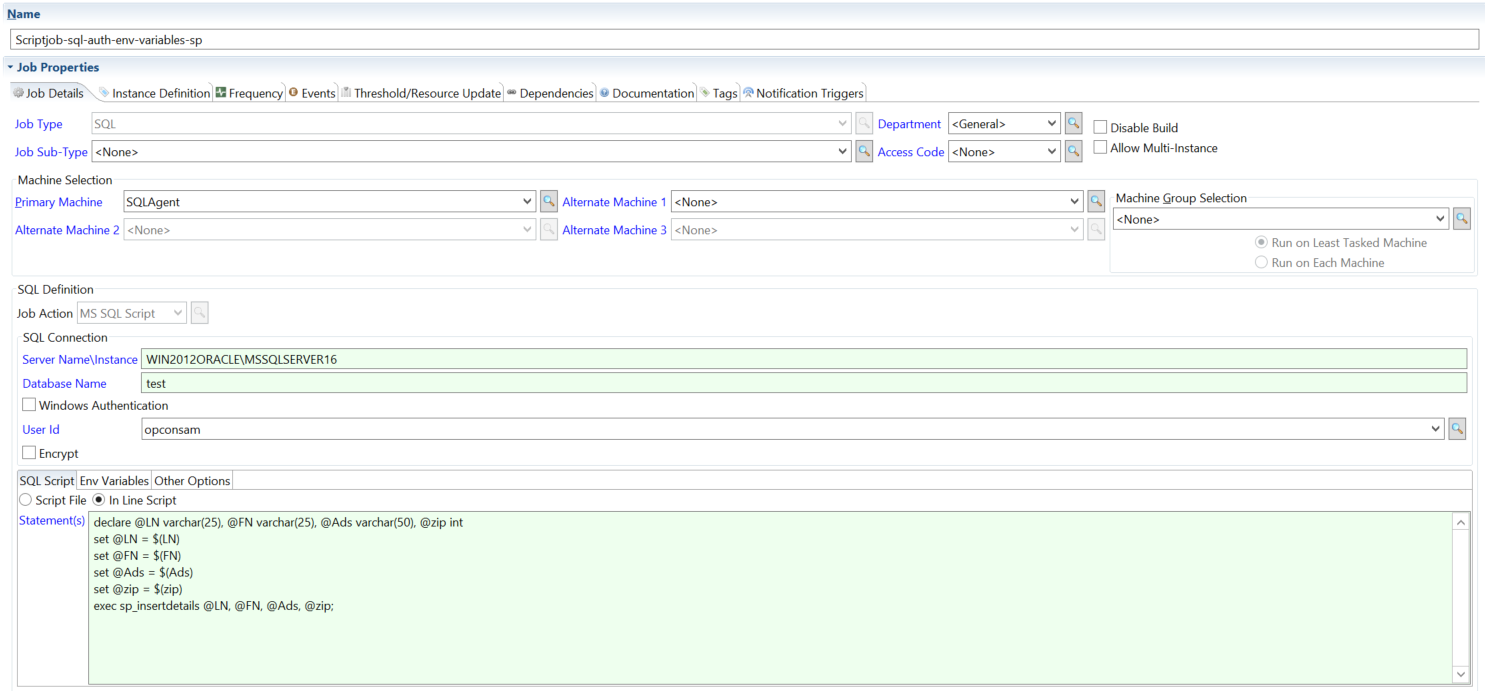
Combines an in-line script with environment variables.
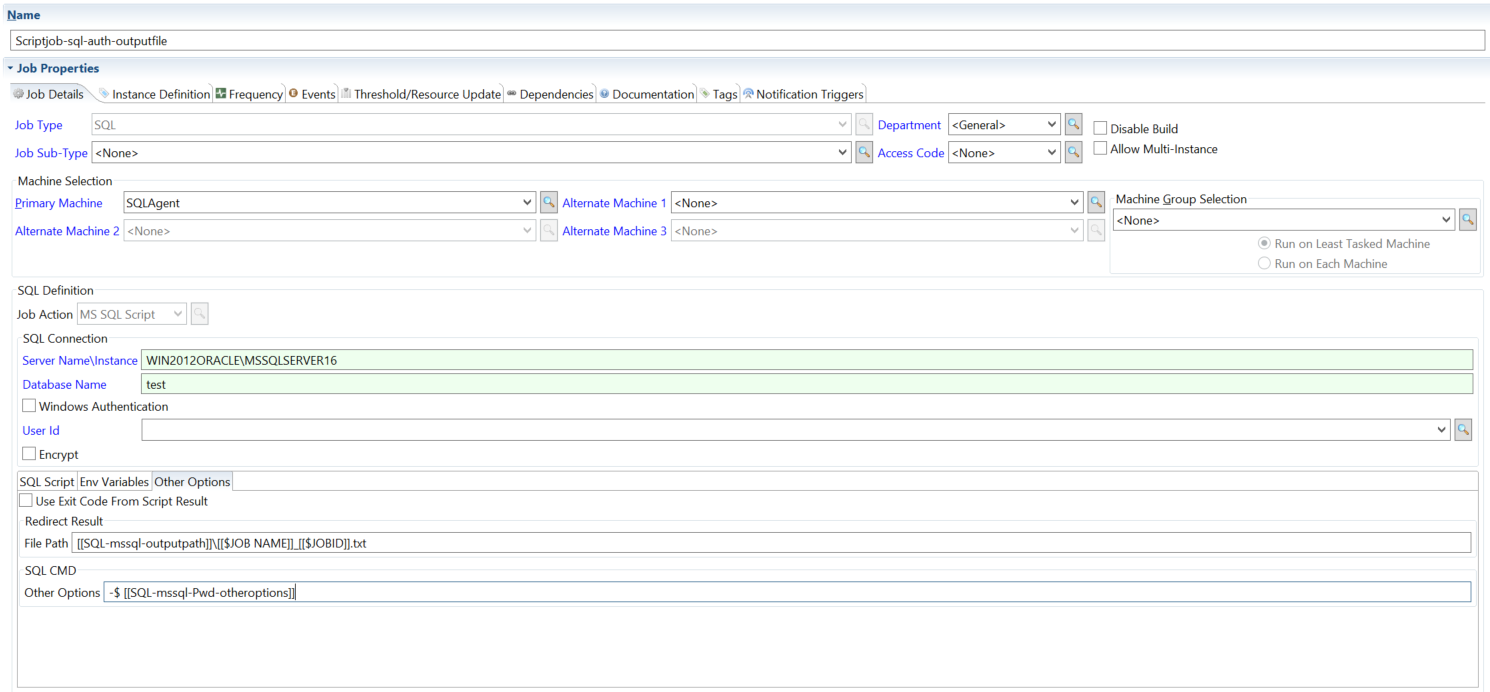
Specifies an output file path and applies a password overwrite at runtime.
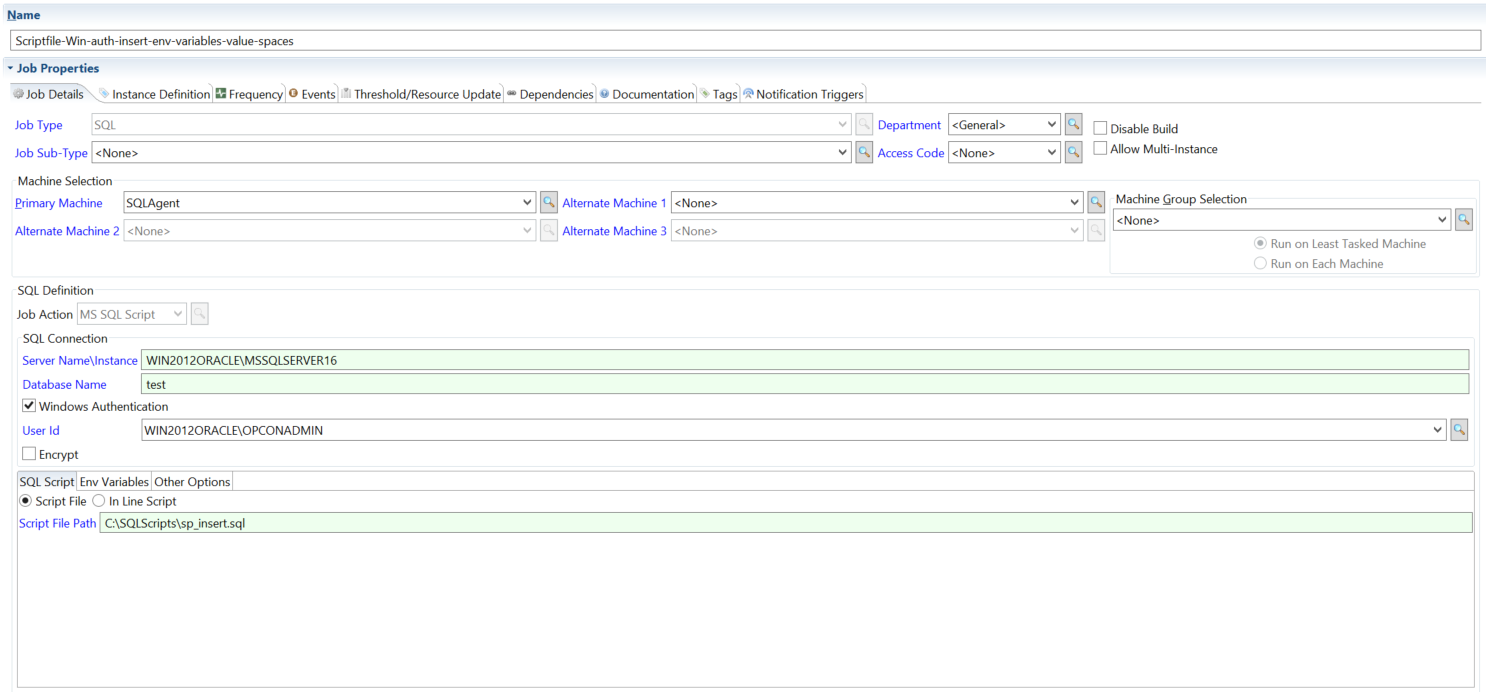
Authenticates with the agent's Windows account and runs a script from a .sql file.
When the Use Script Exit Code option is enabled and the job uses an inline script statement, the agent wraps the statement in EXIT(statement) when calling sqlcmd, causing sqlcmd to return the query result as its process exit code. This option has no effect when the job uses a script file path instead of an inline statement.
When the Encrypt Connection option is enabled in the job definition, the agent adds the -N flag to the sqlcmd command line, which tells sqlcmd to use an encrypted connection for the SQL Server session.
MySQL
Run queries or scripts against MySQL. The example tabs show the most common configurations.
For the field reference, see Fields for MySQL in the Concepts online help.
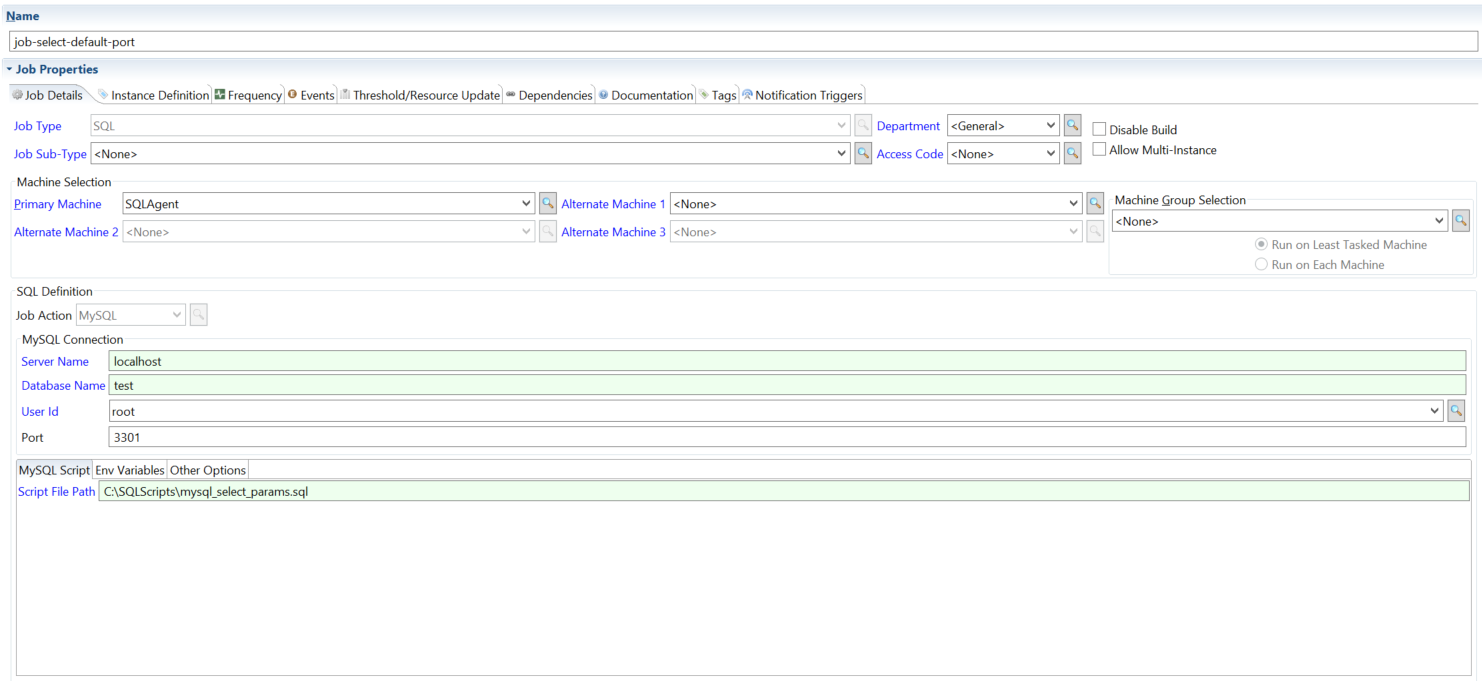
When no port is specified in the job definition, the agent connects to MySQL on the default port 3306.
Connects to MySQL on the default port.
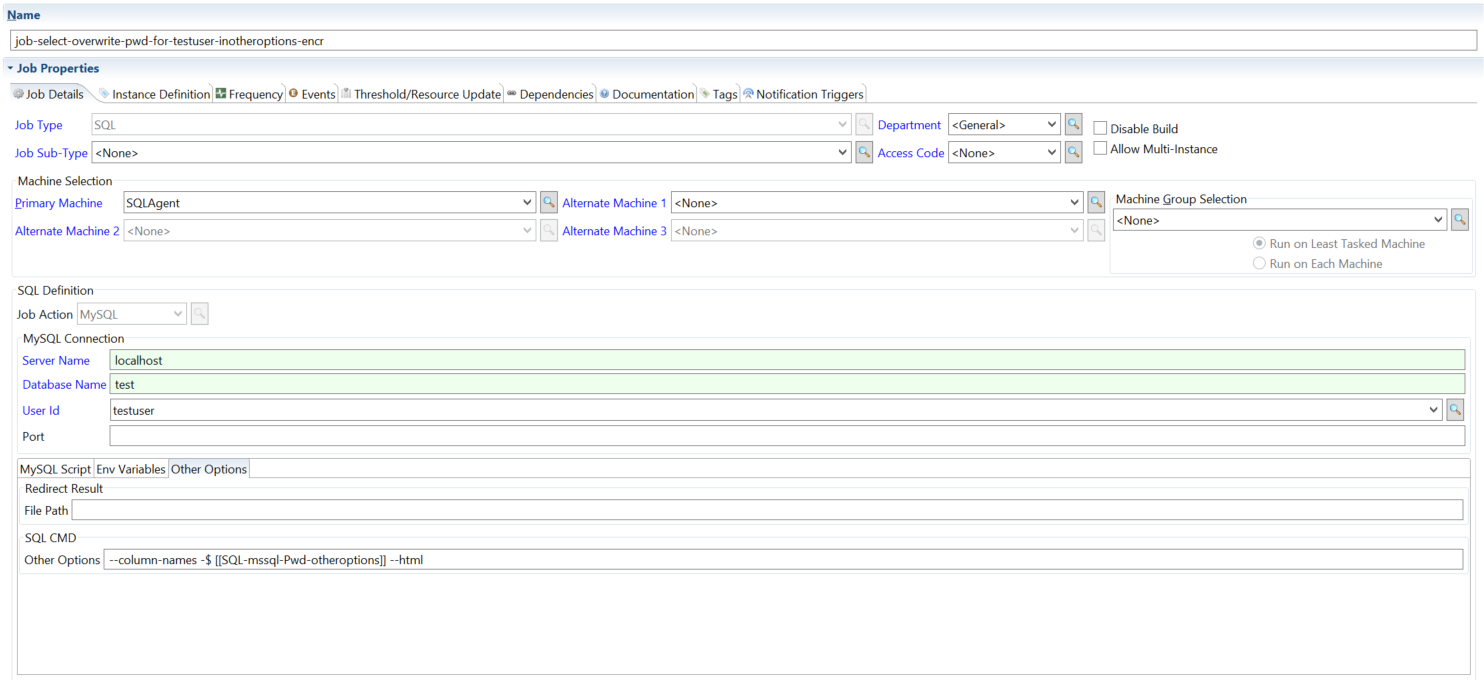
Overrides the saved password at runtime.
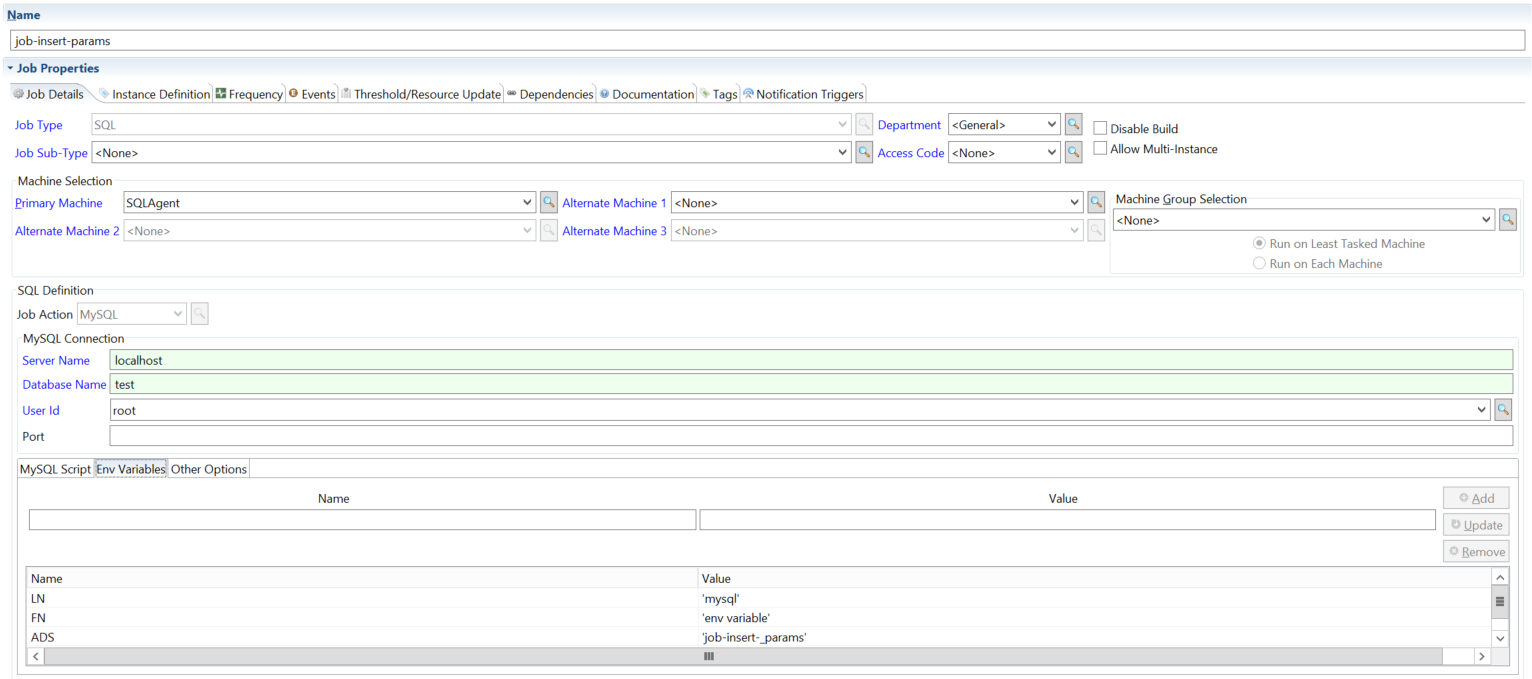
Runs a script file and substitutes environment variables into the SQL.
Script File Path: C:\SQLScripts\mysql_insert_params.sql
Mysql_insert_params.sql script details:
Insert into address (Lastname, Firstname, Address) values (@LN, @FN, @ADS);
Oracle
Run jobs against Oracle. The tabs cover the most common parameter and connection patterns.
For the field reference, see Fields for Oracle in the Concepts online help.
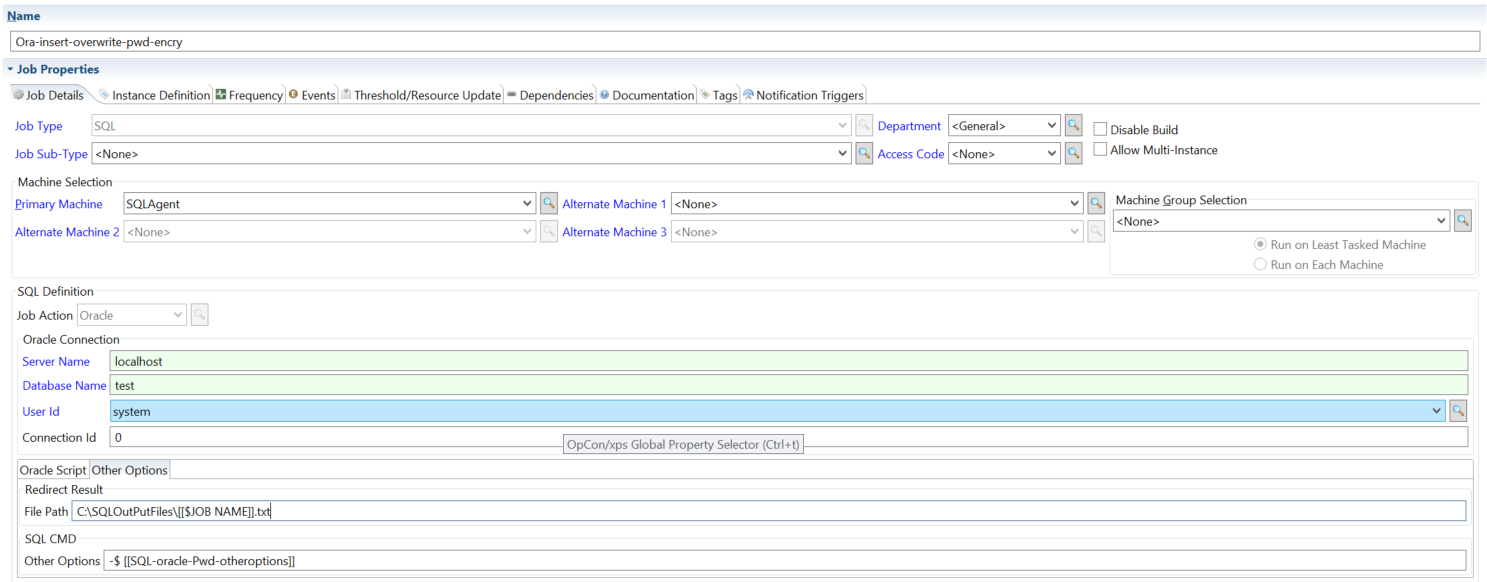
Writes job output to a specified file path and applies a password overwrite.
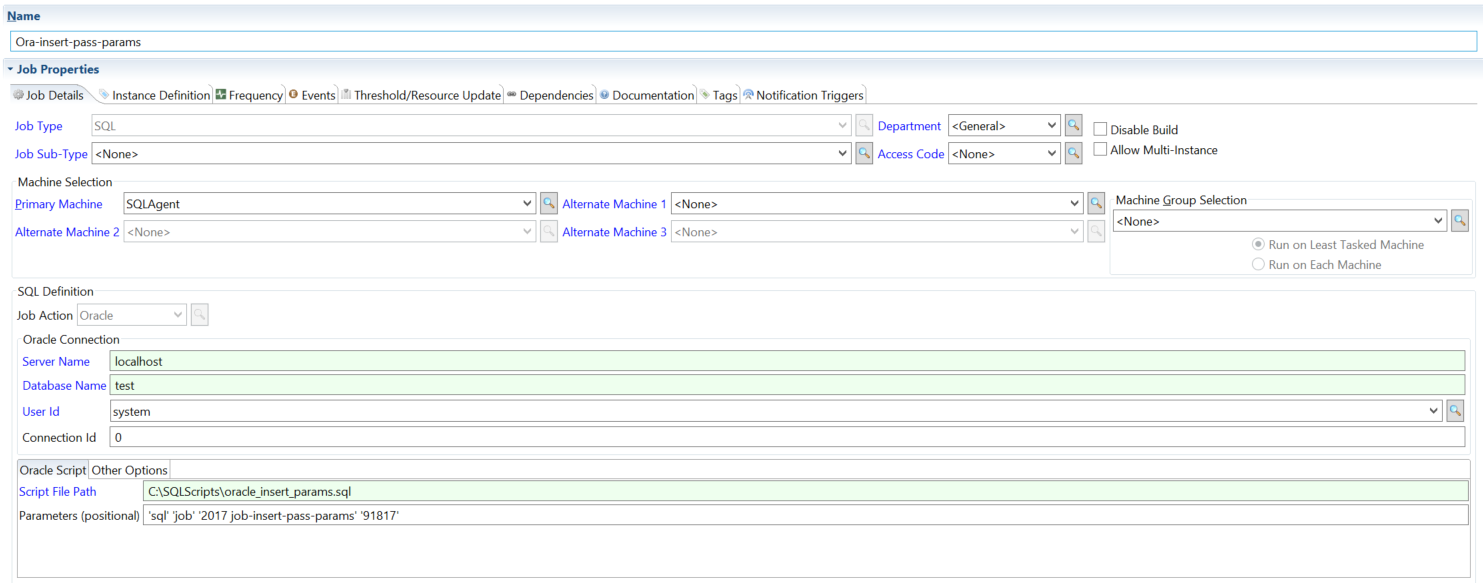
Passes parameters into the Oracle job at runtime.
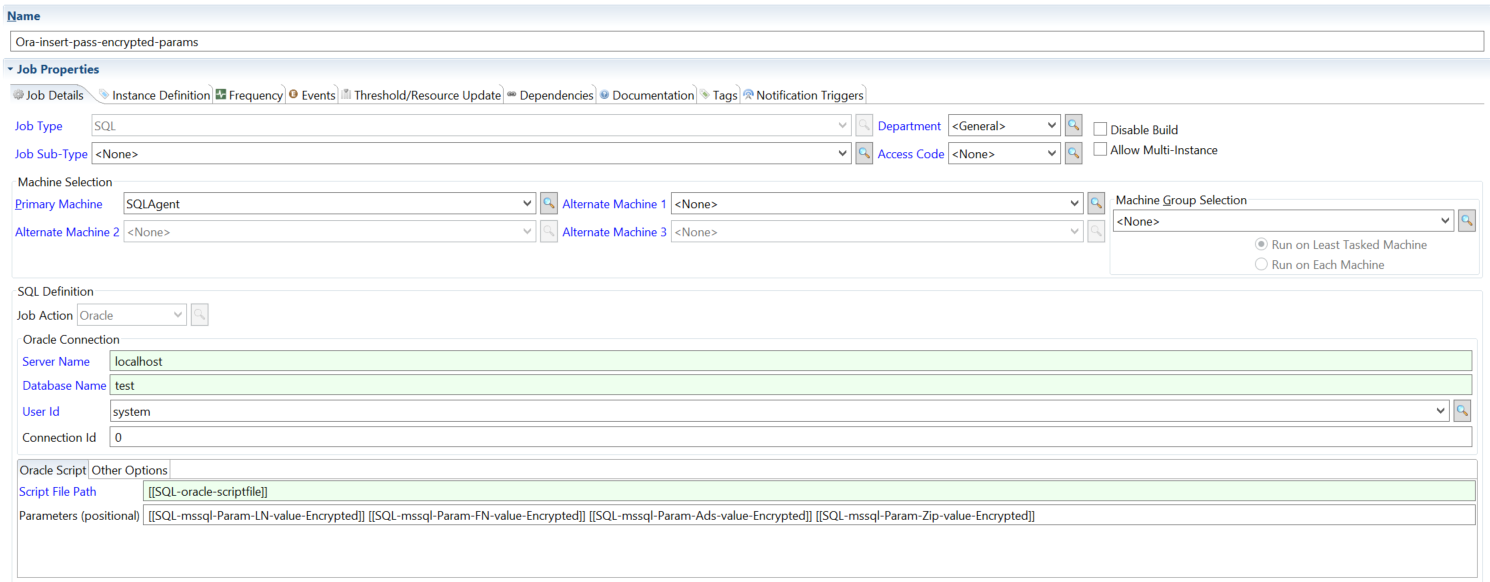
Passes encrypted parameters into the Oracle job.
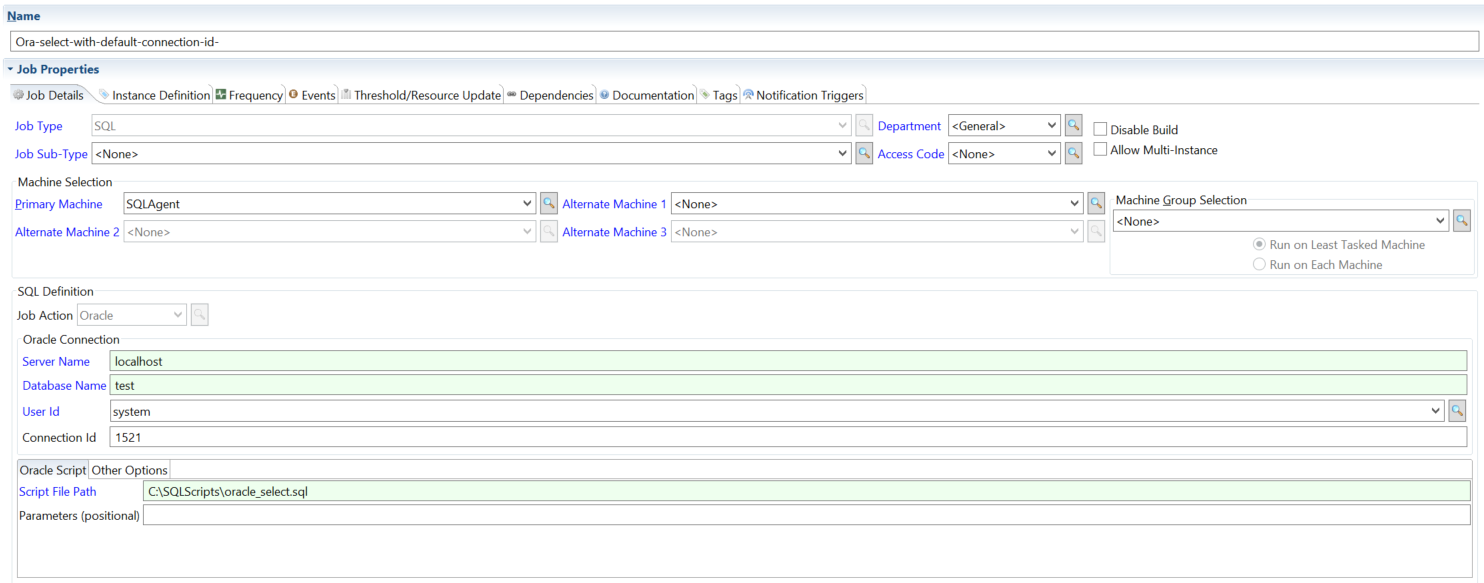
References a saved Oracle connection by ID rather than entering the connection details inline.
Other DB
Connect to any database through ODBC or OLE DB. Use this job action when the database isn't covered by one of the dedicated job types above. The three sub-sections below correspond to the three connection methods.
For the field reference, see Fields for Other DB in the Concepts online help.
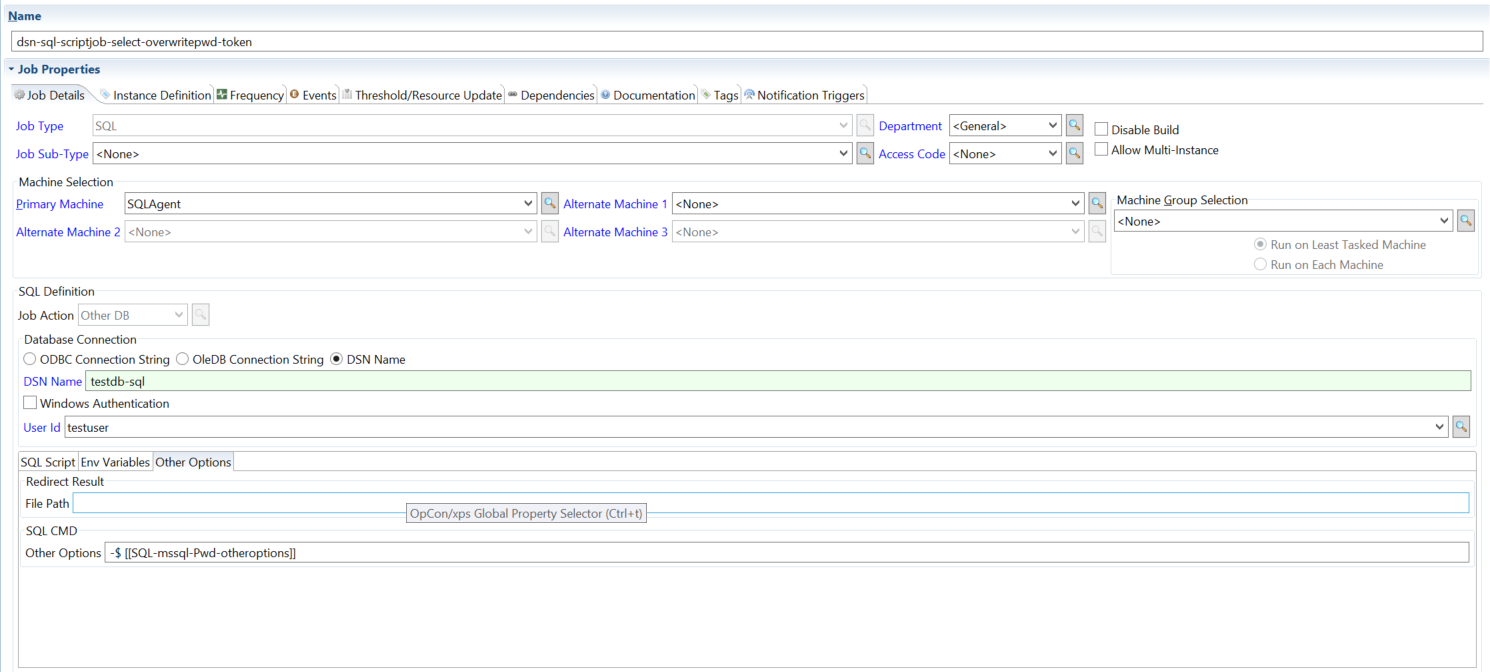
DSN Name connections
Connect through a Data Source Name configured on the agent machine.
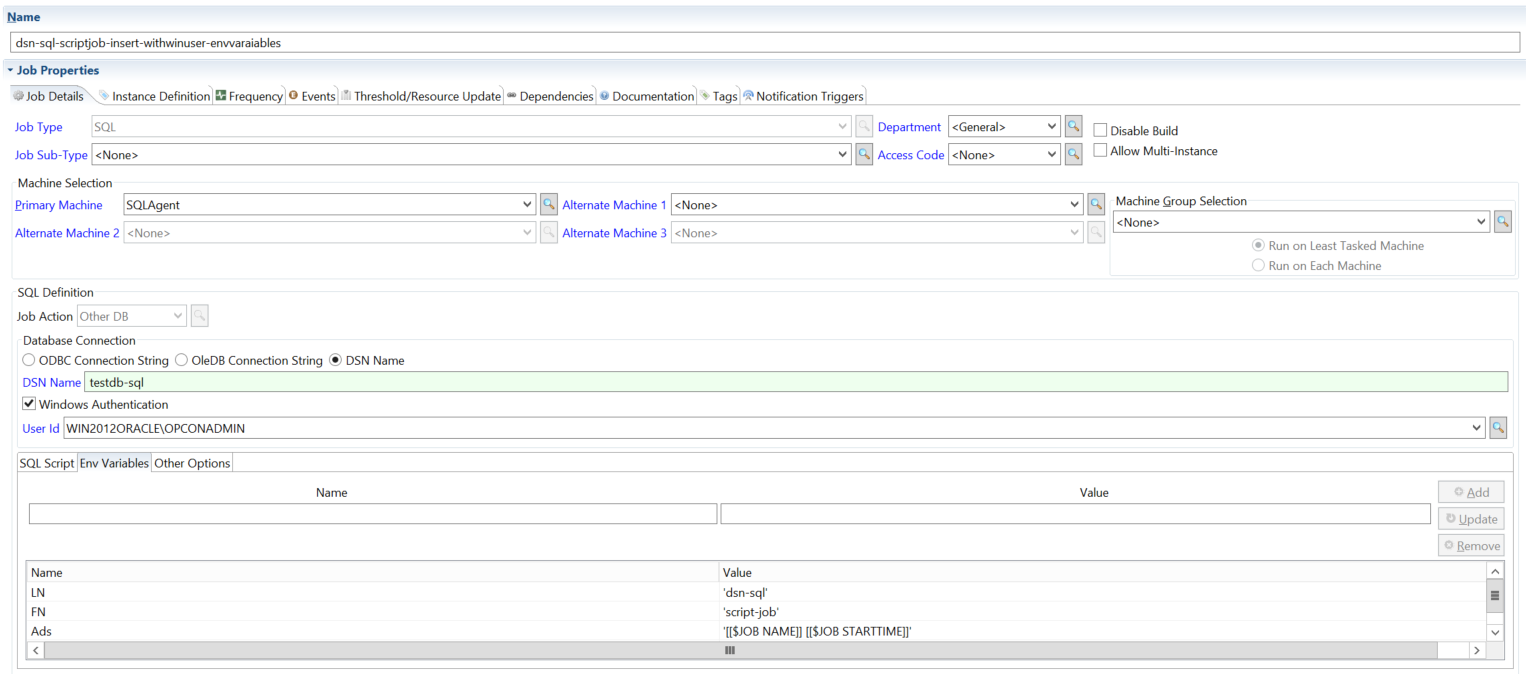
In Line Script with environment variables — first part.
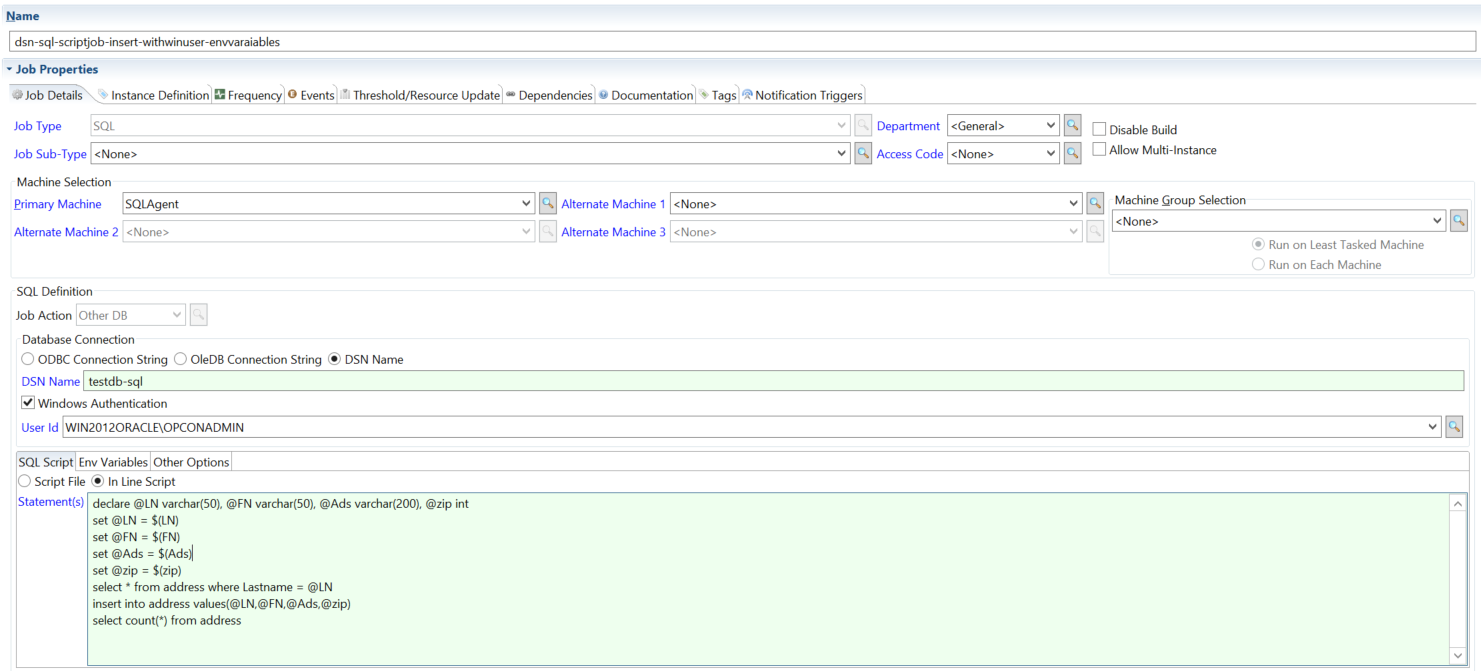
In Line Script with environment variables — second part.
DSN Name connection with password overwrite at runtime.
OleDB Connection String
Connect by supplying a full OLE DB connection string in the job definition.
OleDB connection string with an in-line script.
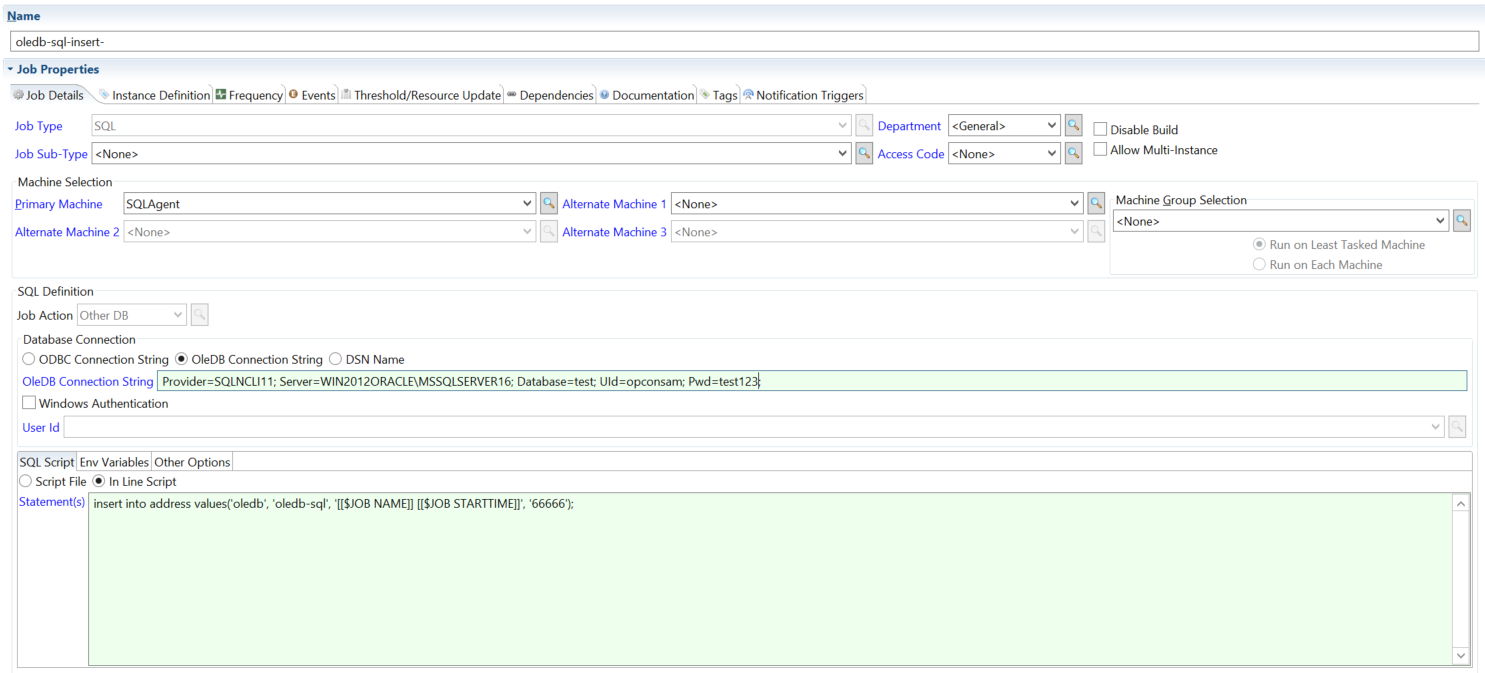
OleDB connection string with a .sql script file. The script accepts parameters supplied at runtime.
Insert-with-params.sql script file details:
declare @LN varchar(25), @FN varchar(25), @Ads varchar(50), @zip int;

set @LN = $(LN);

set @FN = $(FN);

set @Ads = $(Ads);

set @zip = $(zip);

select * from address where Lastname = @LN;

insert into address values(@LN,@FN,@Ads,@zip);
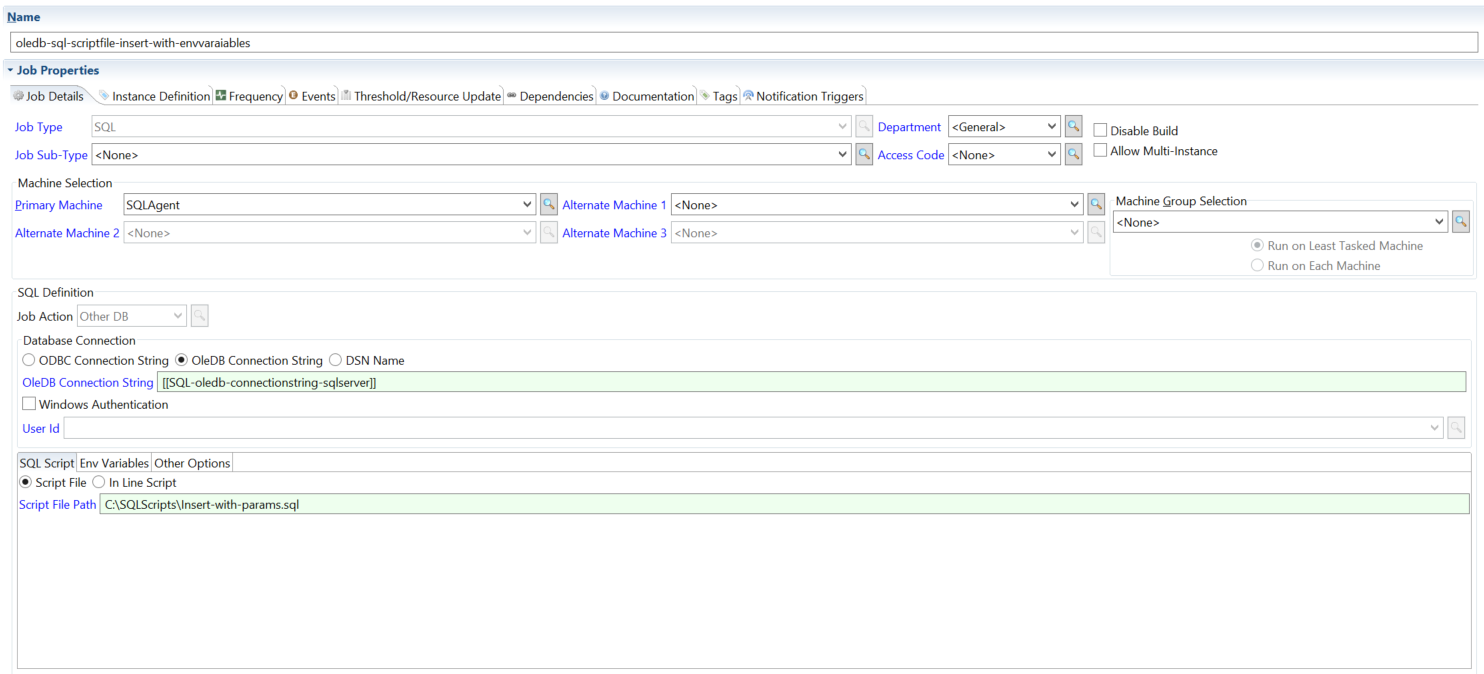
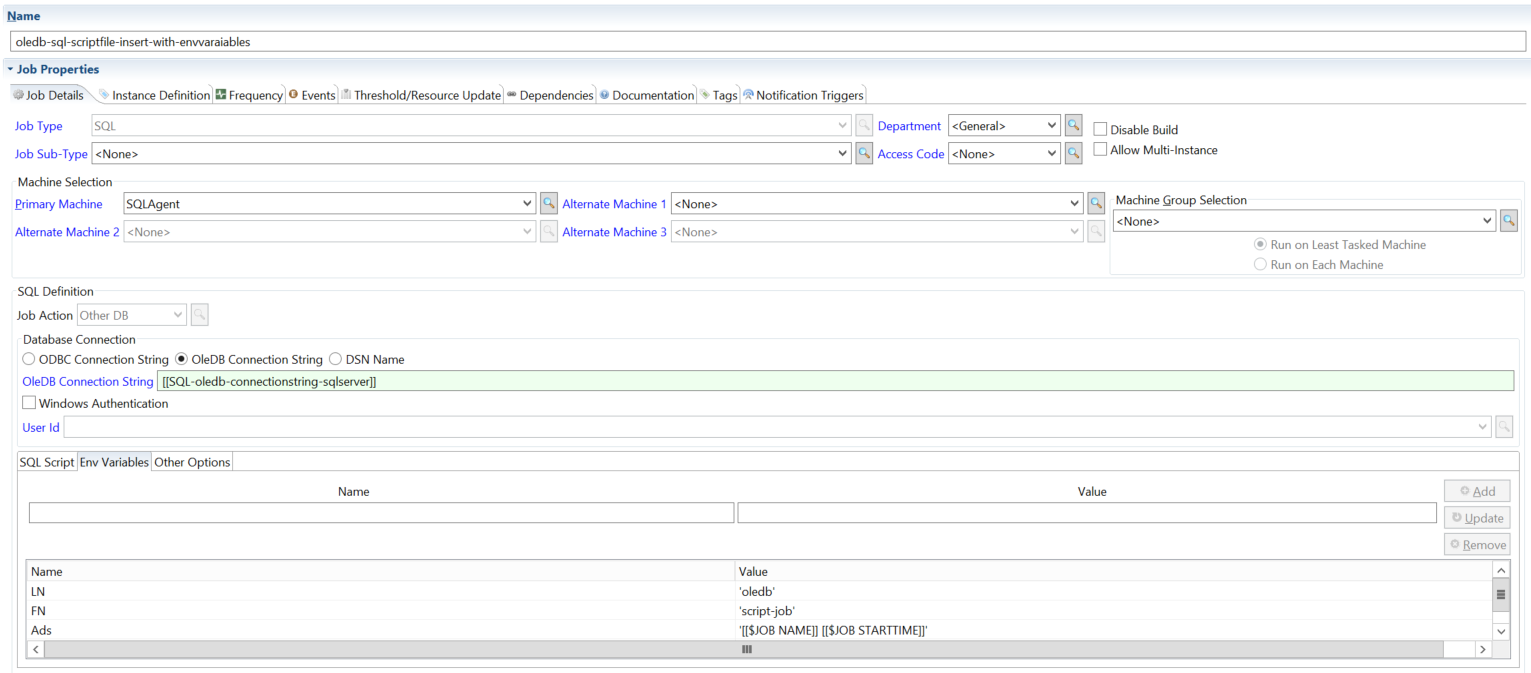
OleDB connection string with environment variables.
ODBC Connection String
Connect by supplying a full ODBC connection string in the job definition.
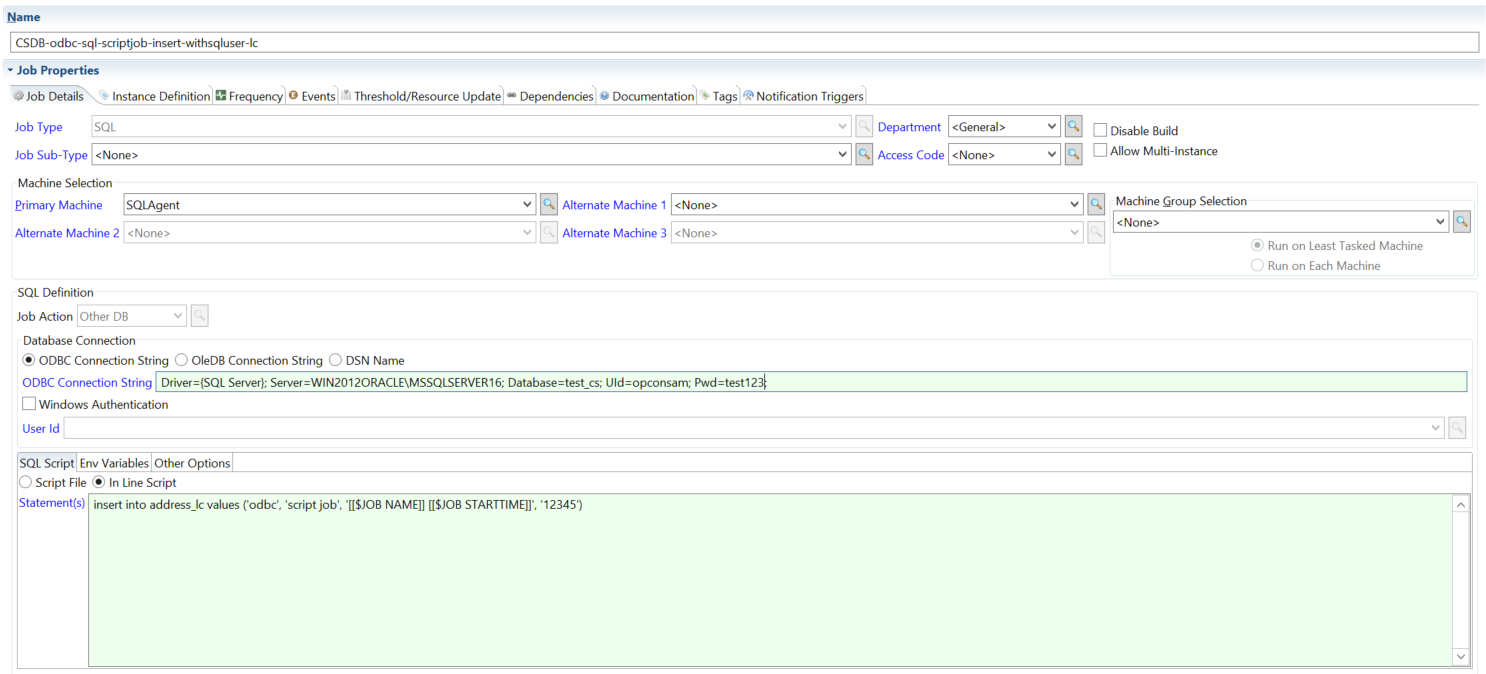
ODBC connection string with an in-line script.
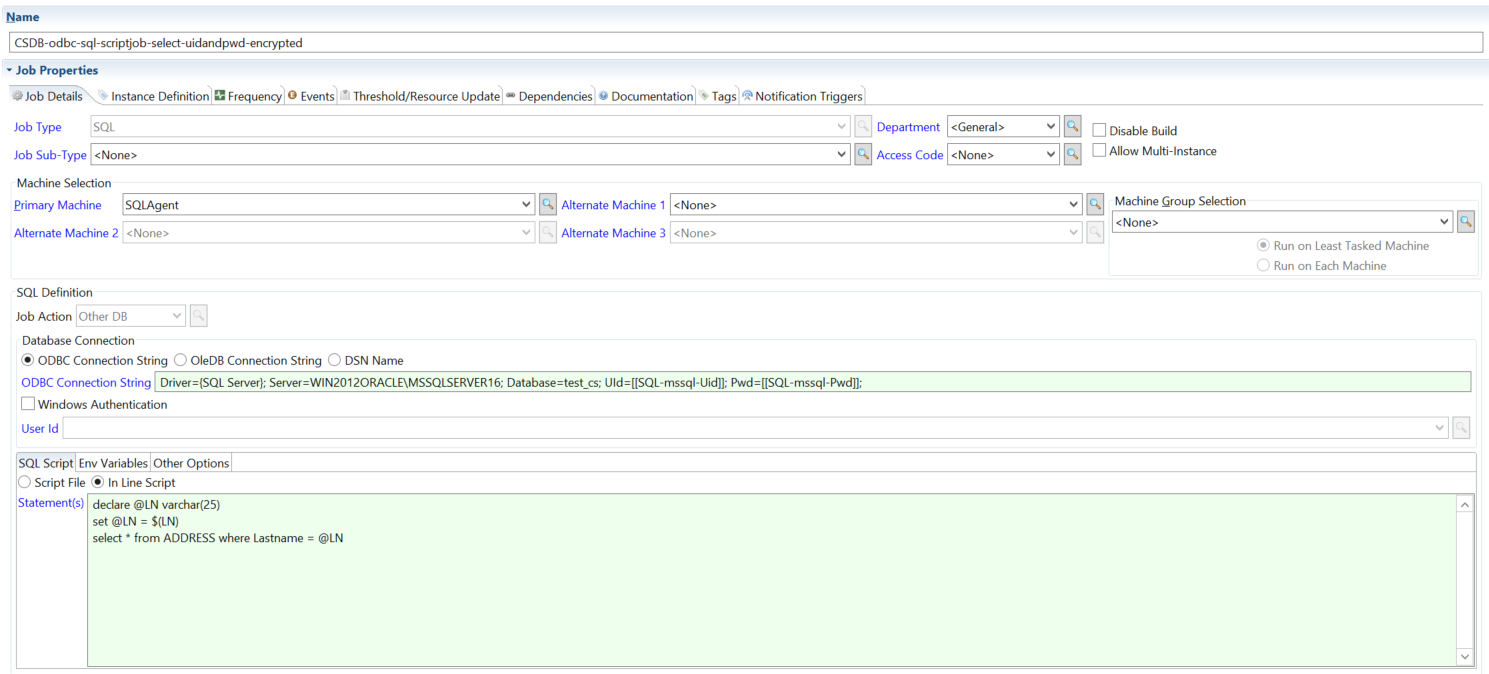
ODBC connection string with an in-line script and environment variables.
FAQs
What is the difference between MS SQL Job and MS SQL Script?
Use MS SQL Job to trigger and monitor a pre-existing SQL Server Agent job. Use MS SQL Script to run T-SQL directly via sqlcmd — either an in-line script or a .sql file. MS SQL Script does not require a pre-existing SQL Server Agent job.
How does the agent retry a failed connection? Retry behavior is configured per job in the job definition's Retry Attempts field (default: 0). When a retry is triggered, the agent waits 5 minutes between each attempt. The retry count and sleep interval are job-level settings, not agent-level settings.
What port does MySQL use if I leave the port field blank? The agent connects on the MySQL default port 3306 when no port is specified in the job definition.
What does "Use Script Exit Code" do for MS SQL Script jobs?
When enabled and the job uses an inline script statement, the agent wraps that statement in EXIT(statement) when calling sqlcmd, causing sqlcmd's process exit code to reflect the query result. When disabled, or when the job uses a script file path, the agent uses its own internal exit code logic.