Machine Groups
Theme: Configure
Who Is It For? System Administrator, Automation Engineer
What Is It?
Available Machine Groups in OpCon are shown in the grid under Library > Machine Groups.
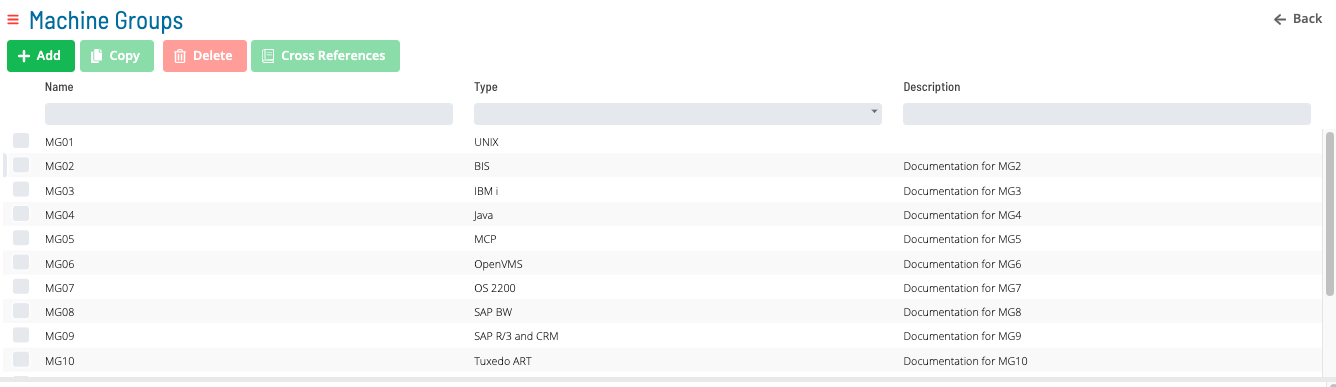
Select Add, Copy, or a record in the grid to enable the bottom panel:
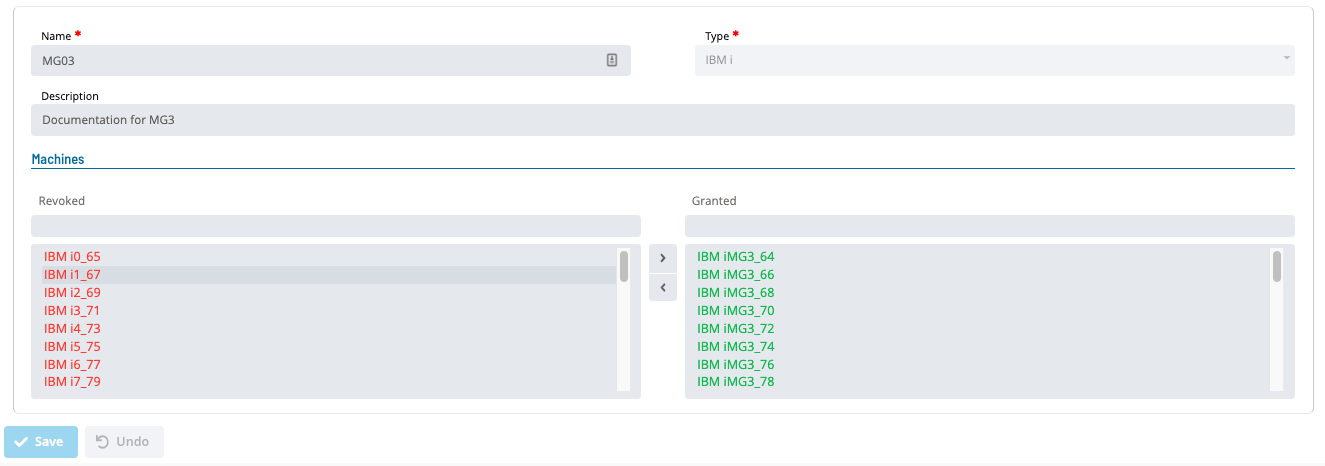
The Name field must be unique when adding or copying a machine group.
Select the Cross References button to view master and daily jobs that use a particular Machine Group.
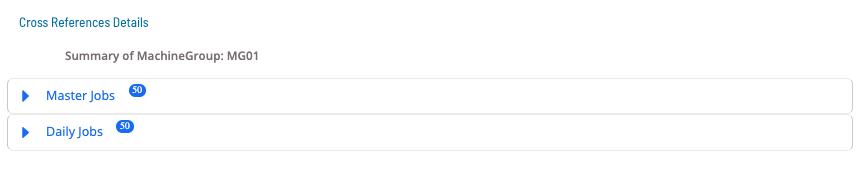
Select the expansion arrow for Master Job to view master jobs using the selected machine group.

Select the expansion arrow for Daily Job to view daily jobs using the selected machine group.

Configuration Options
| Setting | What It Does | Default | Notes |
|---|
FAQs
Q: What does Machine Groups do?
title: Machine Groups
Q: Where can you find Machine Groups in OpCon?
Access Machine Groups through the appropriate section in the Enterprise Manager or Solution Manager navigation.
Glossary
Enterprise Manager (EM): OpCon's rich client graphical user interface for Windows and Linux, used to define schedules and jobs, manage automation data, and perform operational tasks.
Solution Manager: OpCon's browser-based graphical user interface for managing automation data, performing operational actions, and administering the system.
Resource: A numeric variable in OpCon representing a finite pool. Jobs can be configured to require a set number of resource units to run, limiting concurrent executions and preventing resource contention.
Machine: A platform defined in the OpCon database that has an agent installed. OpCon routes job execution requests to machines via SMANetCom, and machines report job completion status back to SAM.
Job: The fundamental unit of work in OpCon. A job defines what to run, on which machine, when to start, and what conditions must be met. Job results are tracked and can trigger events and notifications.
OpCon: Continuous' workflow automation platform. The OpCon server includes the database, SAM and Supporting Services (SAM-SS), and graphical user interfaces. agents installed on target platforms run jobs and report results.