Resources
Theme: Configure
Who Is It For? System Administrator, Automation Engineer
What Is It?
Available Resources in OpCon are shown in the following Grid under Library -> Resources.
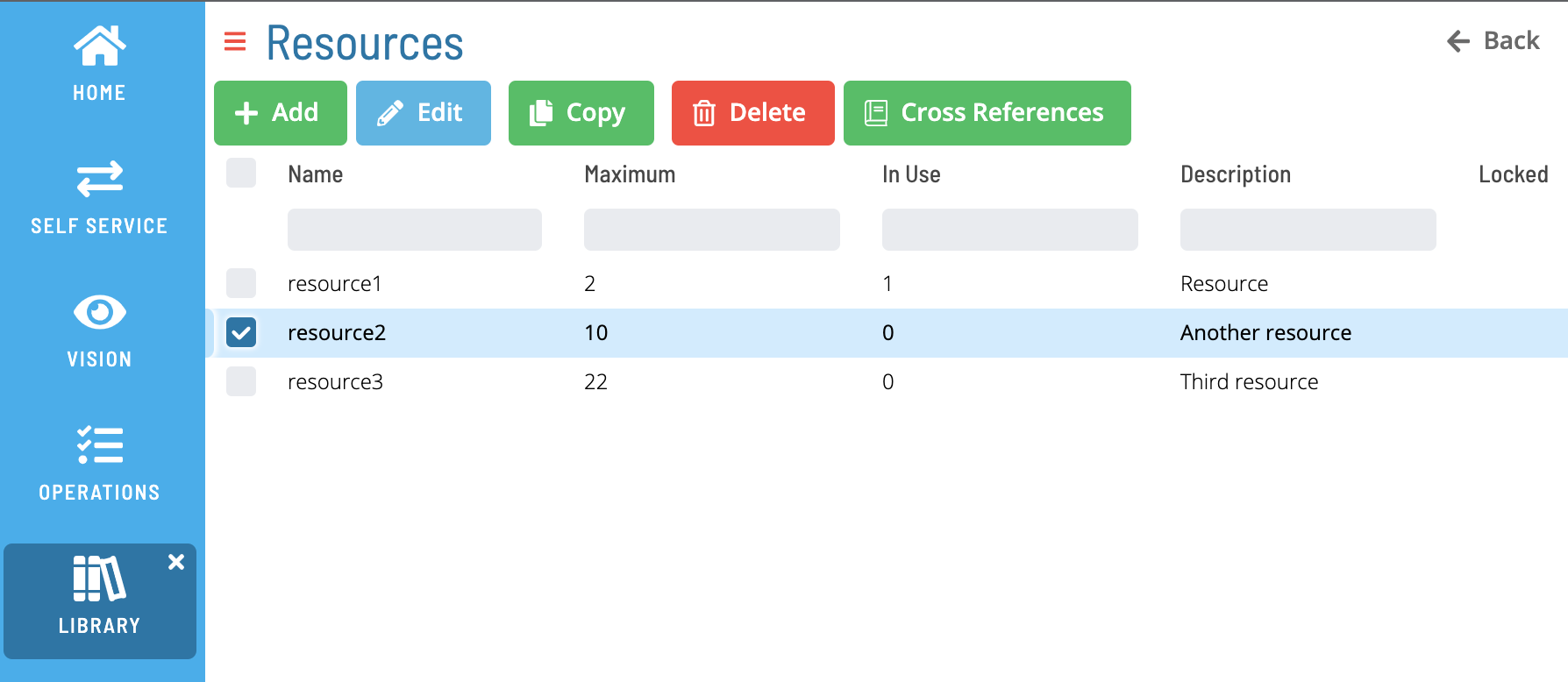
Select Add or Edit to open the following screen:
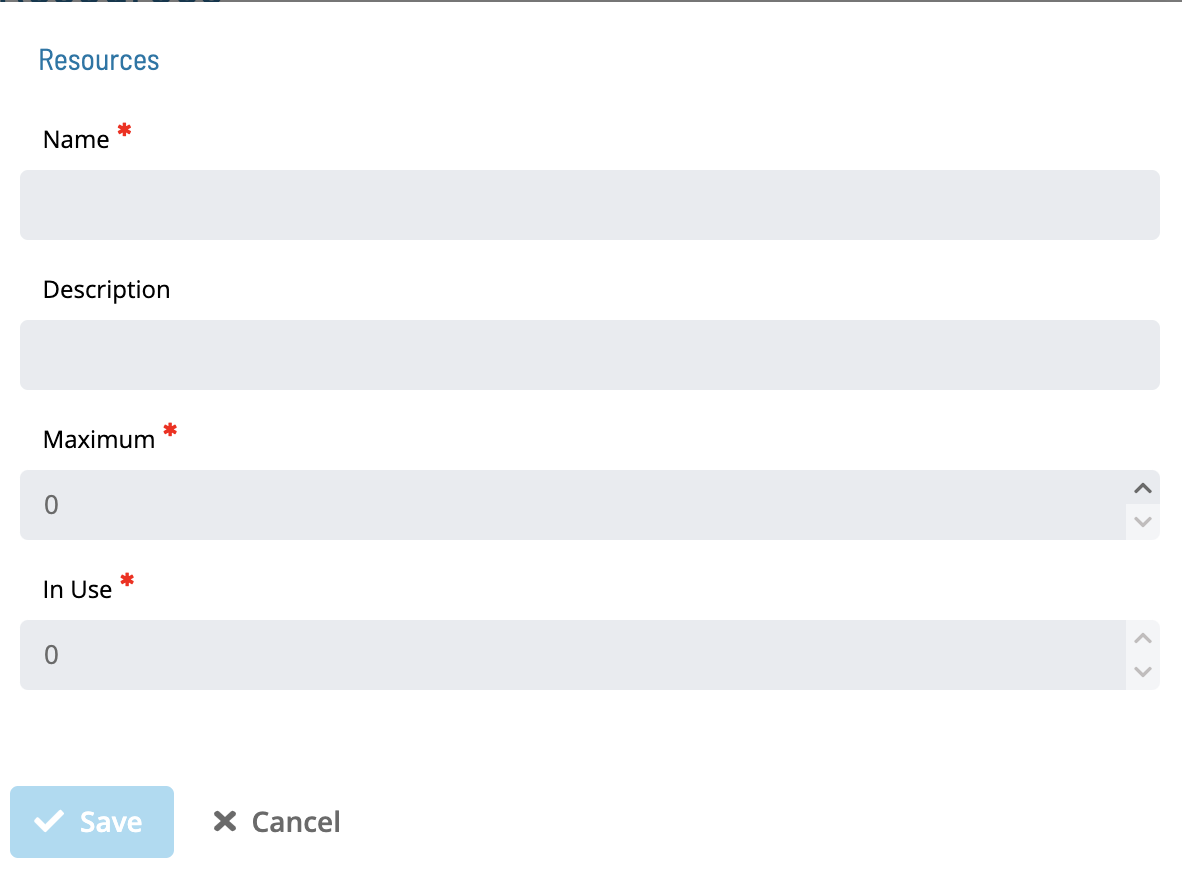
The Name field is unique across Resources and Thresholds
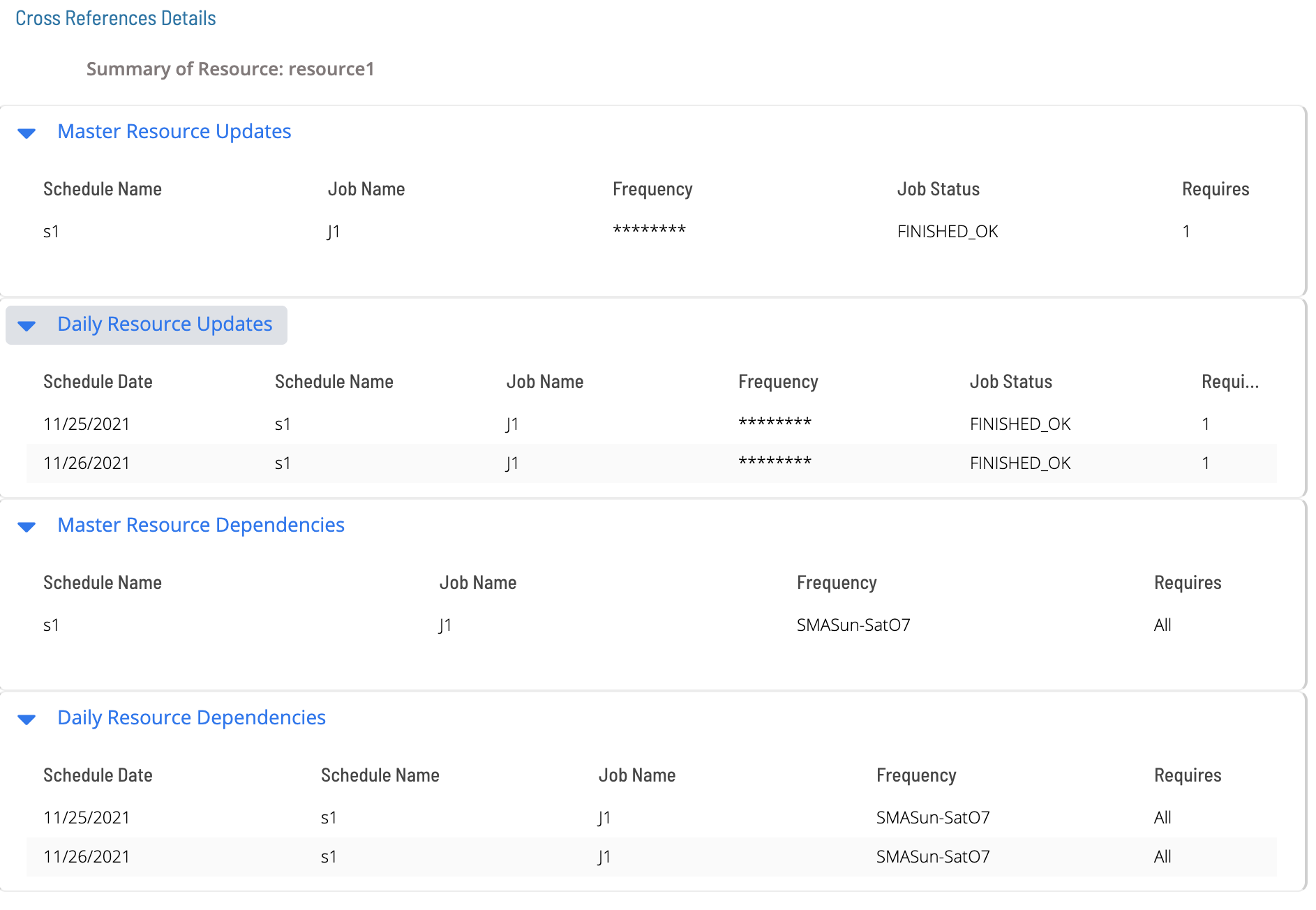
Select Cross References to see the list of master and daily jobs that use a particular resource:
Configuration Options
| Setting | What It Does | Default | Notes |
|---|
FAQs
Q: What does Resources do?
viewport: width=device-width, initial-scale=1.0
Q: Where can you find Resources in OpCon?
Access Resources through the appropriate section in the Enterprise Manager or Solution Manager navigation.
Glossary
Enterprise Manager (EM): OpCon's rich client graphical user interface for Windows and Linux, used to define schedules and jobs, manage automation data, and perform operational tasks.
Solution Manager: OpCon's browser-based graphical user interface for managing automation data, performing operational actions, and administering the system.
Resource: A numeric variable in OpCon representing a finite pool. Jobs can be configured to require a set number of resource units to run, limiting concurrent executions and preventing resource contention.
Job: The fundamental unit of work in OpCon. A job defines what to run, on which machine, when to start, and what conditions must be met. Job results are tracked and can trigger events and notifications.
OpCon: Continuous' workflow automation platform. The OpCon server includes the database, SAM and Supporting Services (SAM-SS), and graphical user interfaces. agents installed on target platforms run jobs and report results.