Departments
Theme: Configure
Who Is It For? System Administrator, Automation Engineer
What Is It?
A Department is an organizational grouping in OpCon that you use to assign jobs to logical divisions. A Department has a name that identifies it. You can scope user roles to specific Departments, which controls the jobs and schedules a user can view and manage.
Departments are available in both Solution Manager and Enterprise Manager.
How It Works
Each role in OpCon grants a set of function privileges per Department. When you assign Department function privileges to a role, you control exactly which actions members of that role can perform against the jobs and schedules in each Department. For example, separate roles can be limited to maintaining schedules, modifying jobs in daily schedules, or releasing jobs only within the Departments they are responsible for.
Maintaining Departments is itself controlled by a function privilege, so only roles that have been granted the Maintain Departments privilege can add, copy, edit, or remove Departments.
Adding, copying, and editing a Department
Selecting Add, Copy, or Edit opens the corresponding dialog:
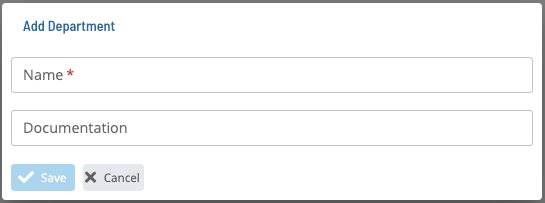
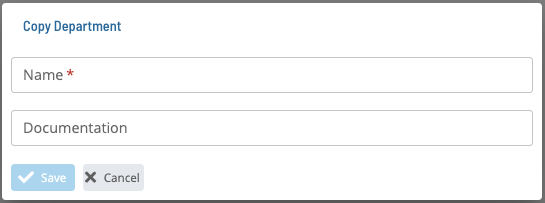
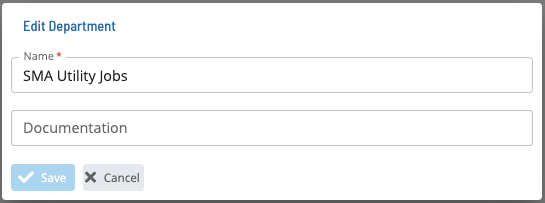
A Department is identified by its Name.
Viewing where a Department is used
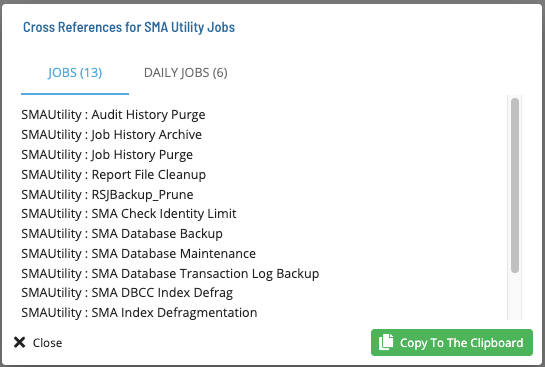
Select the Cross References button to view the master and daily jobs that use a particular Department.
FAQs
Q: Where can you find Departments in OpCon?
You can manage Departments in Solution Manager or Enterprise Manager.
Q: Who can add or change Departments?
Only users whose role includes the Maintain Departments function privilege can add, copy, edit, or remove Departments.
Glossary
Enterprise Manager (EM): OpCon's rich client graphical user interface for Windows and Linux, used to define schedules and jobs, manage automation data, and perform operational tasks.
Solution Manager: OpCon's browser-based graphical user interface for managing automation data, performing operational actions, and administering the system.
Department: An organizational grouping in OpCon used to assign jobs to logical divisions. User roles can be scoped to specific Departments, controlling which jobs a user can manage.
Job: The fundamental unit of work in OpCon. A job defines what to run, on which machine, when to start, and what conditions must be met. Job results are tracked and can trigger events and notifications.
Role: A named set of permissions in OpCon. A role grants function privileges per Department, which determines the actions its members can perform within each Department.
OpCon: Continuous' workflow automation platform. The OpCon server includes the database, SAM and Supporting Services (SAM-SS), and graphical user interfaces. Agents installed on target platforms run jobs and report results.