Thresholds
Theme: Configure Who Is It For? System Administrator, Automation Engineer
What Is It?
A threshold is a numeric variable stored in the OpCon database that controls whether jobs run. You make a job dependent on a threshold value, and OpCon updates the threshold value at run time. When the value meets the condition the job requires, the job is eligible to run.
You manage thresholds from the Thresholds grid. The grid lists each threshold by Name and Description.
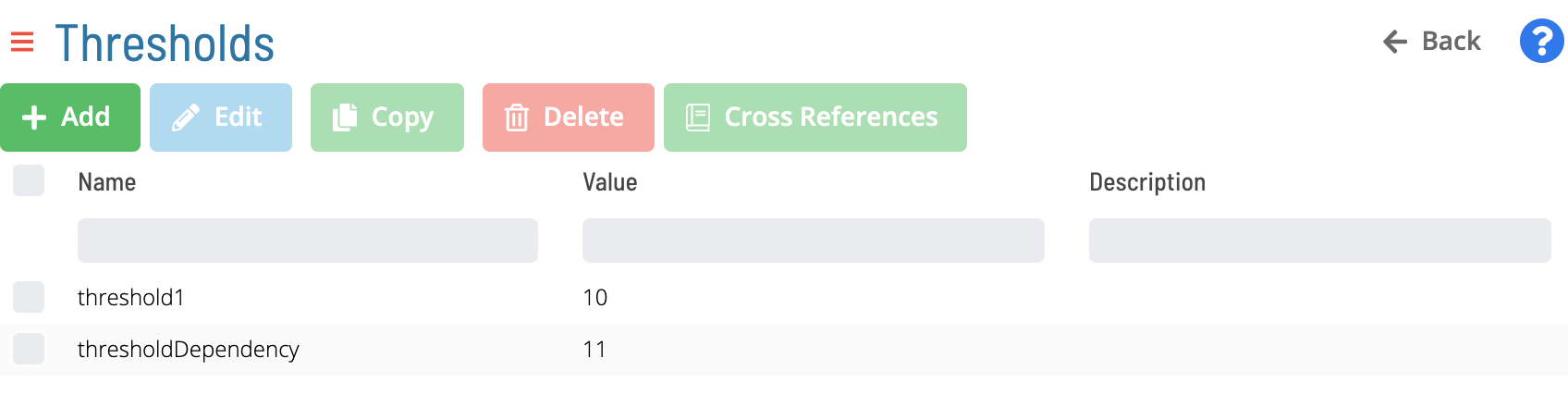
To open the add or edit screen, select the Add or Edit button.
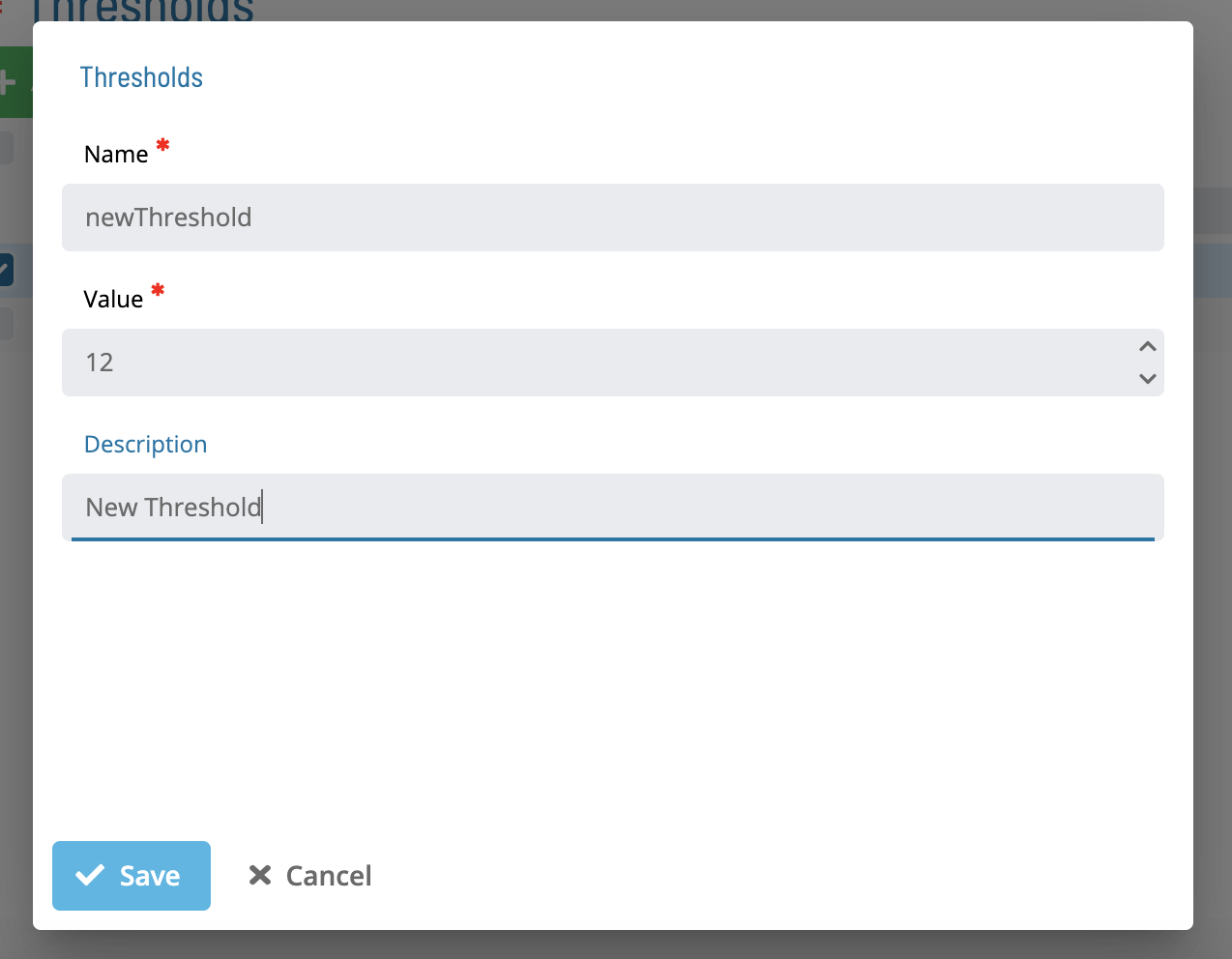
The add and edit screen contains the following fields:
| Field | Description |
|---|---|
| Name | The unique name of the threshold. The name is required and can be up to 20 characters. |
| Description | An optional description of the threshold, up to 4000 characters. |
| Value | The current numeric value of the threshold. The value is required and must be a whole number from 0 to 999999999. |
The Name field is unique across both Resources and Thresholds.
How It Works
A threshold tracks a single numeric value that any number of jobs can read or update:
- Jobs can be made dependent on a threshold, so that a job becomes eligible to run only when the threshold value satisfies the condition defined on that job.
- Jobs can update a threshold value at run time, which can in turn release other jobs that depend on that threshold.
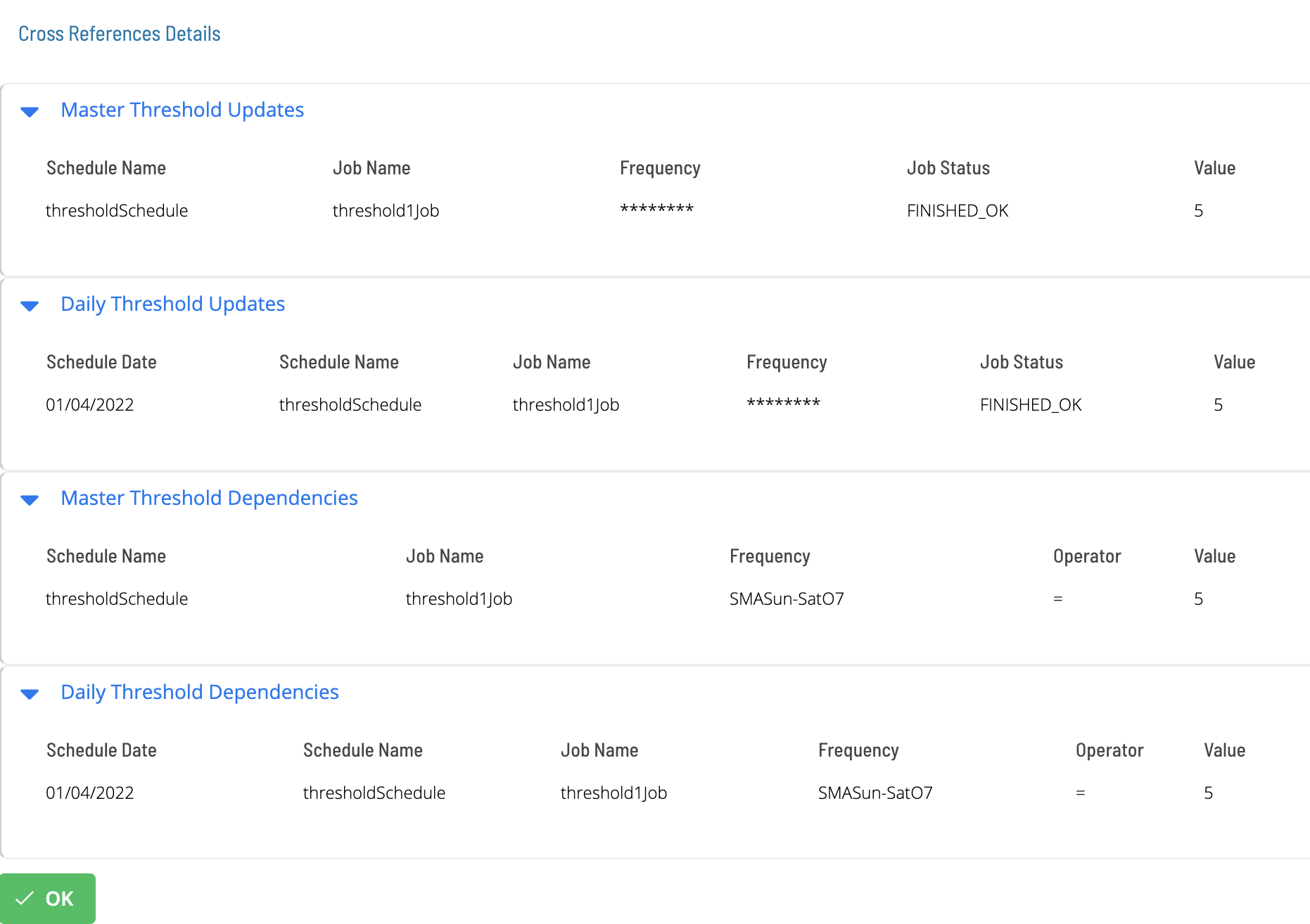
To see which jobs reference a threshold, select the Cross References button. The cross-references list shows the master and daily jobs that use the selected threshold.
Thresholds Compared With Resources
Thresholds and resources are both numeric variables in the OpCon database, and they share the same name space, but they serve different purposes:
- A threshold controls whether a job runs based on the threshold's current value.
- A resource represents a finite pool of units. A job can be configured to require a set number of resource units to run, which limits concurrent runs and prevents resource contention.
FAQs
Q: Where do you find thresholds in OpCon?
You can manage thresholds in Solution Manager and in Enterprise Manager.
Q: What values can a threshold hold?
A threshold holds a whole number from 0 to 999999999.
Glossary
Enterprise Manager (EM): OpCon's rich client graphical user interface for Windows and Linux, used to define schedules and jobs, manage automation data, and perform operational tasks.
Solution Manager: OpCon's browser-based graphical user interface for managing automation data, performing operational actions, and administering the system.
Threshold: A numeric variable stored in the OpCon database used to control whether jobs run. Jobs can be made dependent on threshold values, and OpCon can update threshold values at run time.
Resource: A numeric variable in OpCon representing a finite pool. Jobs can be configured to require a set number of resource units to run, limiting concurrent runs and preventing resource contention.
Job: The fundamental unit of work in OpCon. A job defines what to run, on which machine, when to start, and what conditions must be met. Job results are tracked and can trigger events and notifications.
OpCon: Continuous' workflow automation platform. The OpCon server includes the database, SAM and Supporting Services (SAM-SS), and graphical user interfaces. Agents installed on target platforms run jobs and report results.