Reset Settings
Theme: Configure
Who Is It For? System Administrator, Automation Engineer
What Is It?
Reset Settings in Solution Manager's Server Options lets administrators restore server option values to their system defaults — either for all options at once or for just the current tab — without manually reverting each setting individually.
Administration
Required Privileges
To reset settings, you must have one of the following:
- Role: Role_ocadm
- Function Privilege: Maintian server options
To access reset options, select the vertical ellipsis icon.
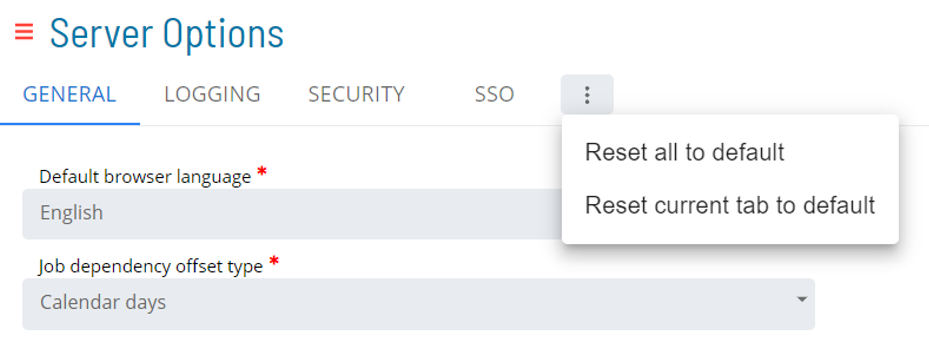
- Reset all to default: Resets all server options to system default settings
- Reset current tab to default: Resets all changes in the current tab to system default settings

- Save: Saves current changes
- Undo: Undoes changes made in the current session before saving
Configuration Options
| Setting | What It Does | Default | Notes |
|---|---|---|---|
| Function Privilege | Maintian server options | settings | — |
| Reset all to default | Resets all server options to system default settings | settings | — |
| Reset current tab to default | Resets all changes in the current tab to system default settings | settings | — |
| Undo | Undoes changes made in the current session before saving | — | — |
FAQs
Q: What does Reset Settings cover?
This page covers Required Privileges.
Glossary
Resource: A numeric variable in OpCon representing a finite pool. Jobs can be configured to require a set number of resource units to run, limiting concurrent executions and preventing resource contention.
Role: A named security profile in OpCon that groups privileges together. Roles are assigned to user accounts to control which features, schedules, jobs, machines, and administrative functions a user can access.
Privilege: A specific permission granted through an OpCon role that controls access to a feature, function, or object type. Privileges are organized into categories such as Function Privileges, Machine Privileges, Schedule Privileges, and Access Codes.