SAP Data Services global property
What is it?
The SAP Data Services Connector jobs use the path to the connector multiple times. It is best practice to set up a Global Property for this path so that the path can be updated in one place and referenced by every job.
Global Property setup
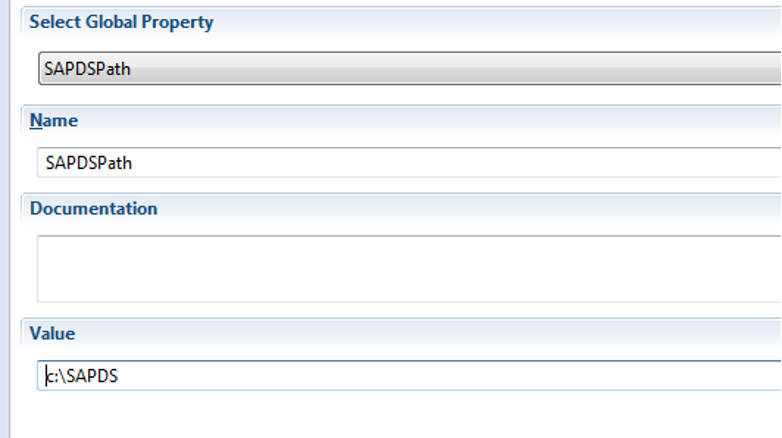
Create a Global Property that points to the SAPDataServices directory that was created during the extraction process.
For new implementations, create a new Global Property with the path to the SAP Data Services Connector as the value.
Name: SAPDSPath
Value: C:\Program Files\OpConxps\SAPDataServices
FAQs
Why use a Global Property for the connector path? A Global Property lets you reference the connector path from many job definitions. If the path changes, you update it once in the Global Property instead of editing every job.
What value should the Global Property contain?
The full path to the directory created during extraction, for example, C:\Program Files\OpConxps\SAPDataServices. If you extracted the package somewhere else, use that path instead — the value must match wherever the connector files actually are.
Glossary
Global Property — A named OpCon value that can be referenced by many job definitions and resolved at runtime.
SAPDataServices directory — The directory created when the connector is extracted; it contains the connector executable, configuration, embedded Java, and WSDL files.