List Application Logs
Theme: Configure
Who Is It For? System Administrator, Automation Engineer
What Is It?
The Application Logs tab displays current log files. To view this tab, you must be a member of a role with at least one of the following privileges:
- All Function Privileges
- View Application Logs
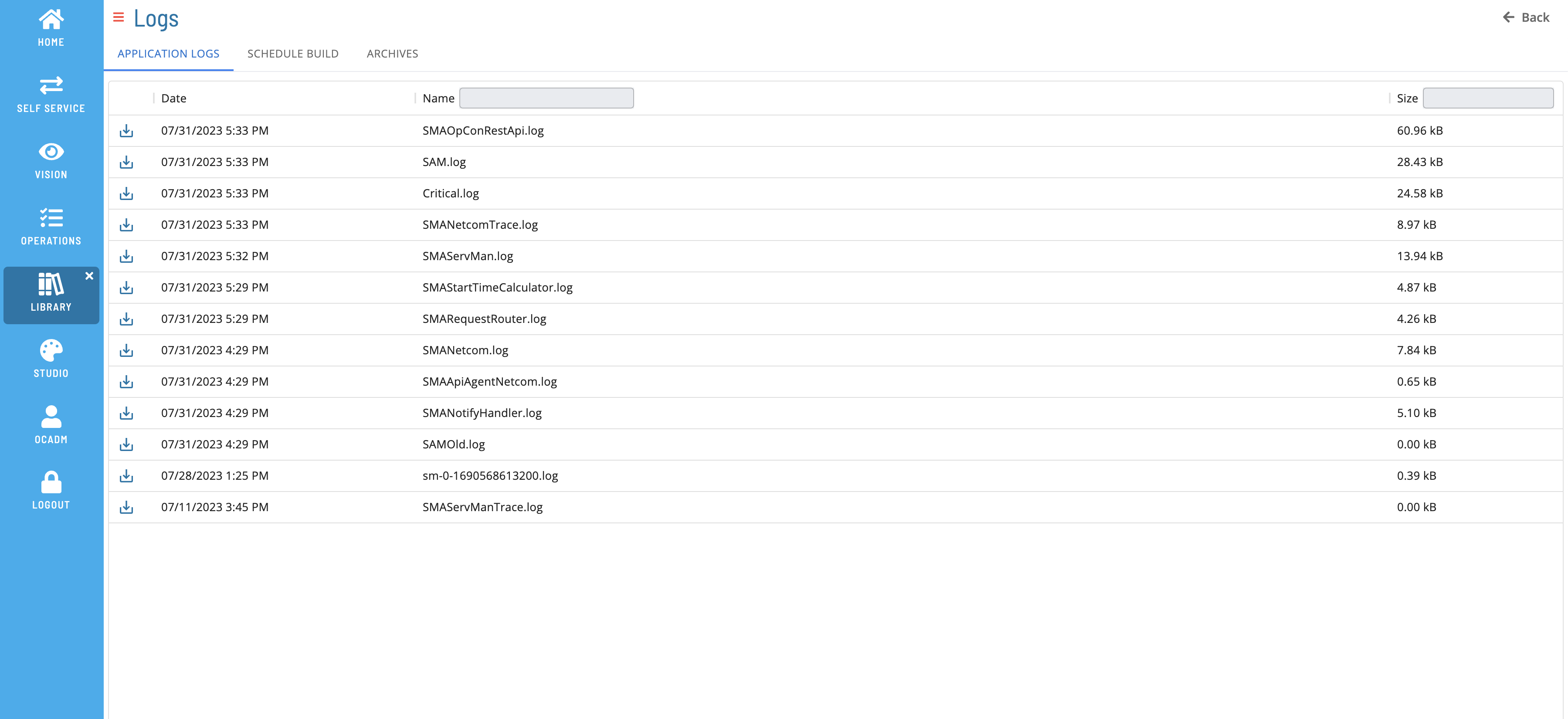
Filtering & Sorting
Filter and sort log files using the column headers. Filter by text in the Name or Size field (case insensitive).
Log File Details
Select a row to open the Log File Details page.
Download File
Select the download  button to download a copy of the log file.
List of collected logs:
The following logs are available in the Application Logs tab. This list does not represent all available logs.
- SAM – Logs Schedule and Job starts, completions, Event processing, and configuration information on startup or regeneration
- Critical – Logs processing errors such as machine communication failures, database connection problems, event processing failures, and license expiration notifications
- Netcom – Logs configuration parameters, basic communication information, and agent machine configuration. Changed parameters show the default value in parentheses
- NetcomTrace – Logs all SMANetCom processing information, including detailed TCP/IP messages and socket connection errors for debugging
- ServMan – Logs management information for all listed applications
- ServManTrace –
- RequestRouter – Logs all request routing information
- SMAOpConRestAPI – Logs activity with the OpCon REST API
- SMAApiAgentNetcom –
- SMALsamDataRetriever – Logs requests from the Job Output Retrieval System (JORS)
- NotifyHandler (ENS) – Logs all notification processing (SMANotifyHandler.log)
- StartTimeCalculator – Logs recalculated start times for active jobs
- SMABIRTProcessor.log – Logs general program errors in the SMA Processor handler
- SM and SM-API trace logs (sm-.log or sm-api-.log)
Configuration Options
| Setting | What It Does | Default | Notes |
|---|---|---|---|
| Critical | Logs processing errors such as machine communication failures, database connection problems, event processing failures, and license expiration notific... | value in parentheses | — |
| Netcom | Logs configuration parameters, basic communication information, and agent machine configuration. | value in parentheses | — |
| NetcomTrace | Logs all SMANetCom processing information, including detailed TCP/IP messages and socket connection errors for debugging | — | — |
| ServMan | Logs management information for all listed applications | — | — |
| RequestRouter | Logs all request routing information | — | — |
| SMAOpConRestAPI | Logs activity with the OpCon REST API | — | — |
| SMALsamDataRetriever | Logs requests from the Job Output Retrieval System (JORS) | — | — |
| NotifyHandler (ENS) | Logs all notification processing (SMANotifyHandler.log) | — | — |
| StartTimeCalculator | Logs recalculated start times for active jobs | — | must be a member of a role with at least one of the following privileges: |
| SMABIRTProcessor.log | Logs general program errors in the SMA Processor handler | — | must be a member of a role with at least one of the following privileges: |
FAQs
Q: What does List Application Logs do?
The Application Logs tab displays current log files. To view this tab, you must be a member of a role with at least one of the following privileges:
Q: Where can you find List Application Logs in OpCon?
Access List Application Logs through the appropriate section in the Enterprise Manager or Solution Manager navigation.
Glossary
JORS (Job Output Retrieval System): The system used to retrieve and display job output — logs and reports — from agent machines directly within the OpCon graphical interfaces.
SMANetCom (SMA Network Communications Module): Handles TCP/IP communication of platform-specific automation information between SAM and all agents. Uses database tables to maintain reliable communication and data integrity.
SAM (Schedule Activity Monitor): The logical processor for OpCon workflow automation. SAM monitors schedule and job start times, dependencies, and user commands to determine job execution timing, and processes OpCon events.
Agent: An agent installed on a target platform that runs jobs in the native language of that platform and communicates results back to SAM via SMANetCom over TCP/IP.
Enterprise Manager (EM): OpCon's rich client graphical user interface for Windows and Linux, used to define schedules and jobs, manage automation data, and perform operational tasks.
Solution Manager: OpCon's browser-based graphical user interface for managing automation data, performing operational actions, and administering the system.
TCP/IP: The network communication protocol used for all data exchange between SMANetCom on the OpCon server and agents on target machines.
Notification: A message sent by the SMA Notify Handler when a Machine, Schedule, or Job changes to a specific status. Notifications can be delivered as emails, text messages, Windows Event Log entries, SNMP traps, or other formats.