Managing Calendars
The Calendars page in Solution Manager displays a list of all OpCon calendars and provides toolbar actions to add, edit, copy, delete, and clean up calendars.
OpCon supports two types of calendars:
- Holiday Calendars — store non-working days and are identified by the
(HC:)prefix in the calendar name. Each schedule has its own individual Holiday Calendar created automatically at schedule creation. - Annual Plan Calendars — store user-defined date collections used by schedules and frequencies to determine when automation runs or is excluded.
For conceptual information about calendar types and how OpCon uses them, see Calendars.
Calendars Page
The Calendars page lists all defined calendars. Each row displays the calendar Name and Description.
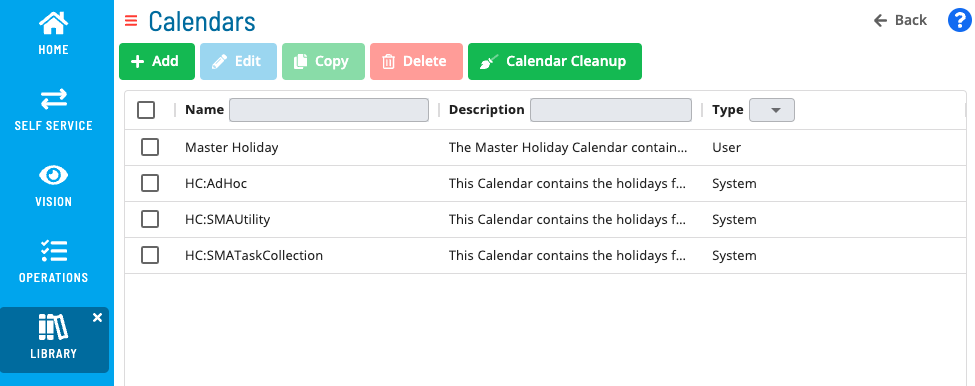
Use the toolbar buttons to perform the following actions:
| Action | Description |
|---|---|
| Add | Create a new user-defined calendar. |
| Edit | Modify the selected calendar's name, description, or dates. |
| Copy | Duplicate the selected calendar as a starting point for a new calendar. |
| Delete | Permanently remove the selected calendar. |
| Cleanup | Remove past dates from calendars to keep the date list current. |