Managing Master Jobs
What Is It?
A master job is the stored definition of a job that belongs to a master schedule. OpCon stores master jobs in its master tables. When a master schedule is built for a specific date, OpCon copies the master job definitions into the daily tables to create the daily jobs that run on that date.
Changes you make to a master job apply to future schedule builds. They do not affect daily jobs that are already in the queue.
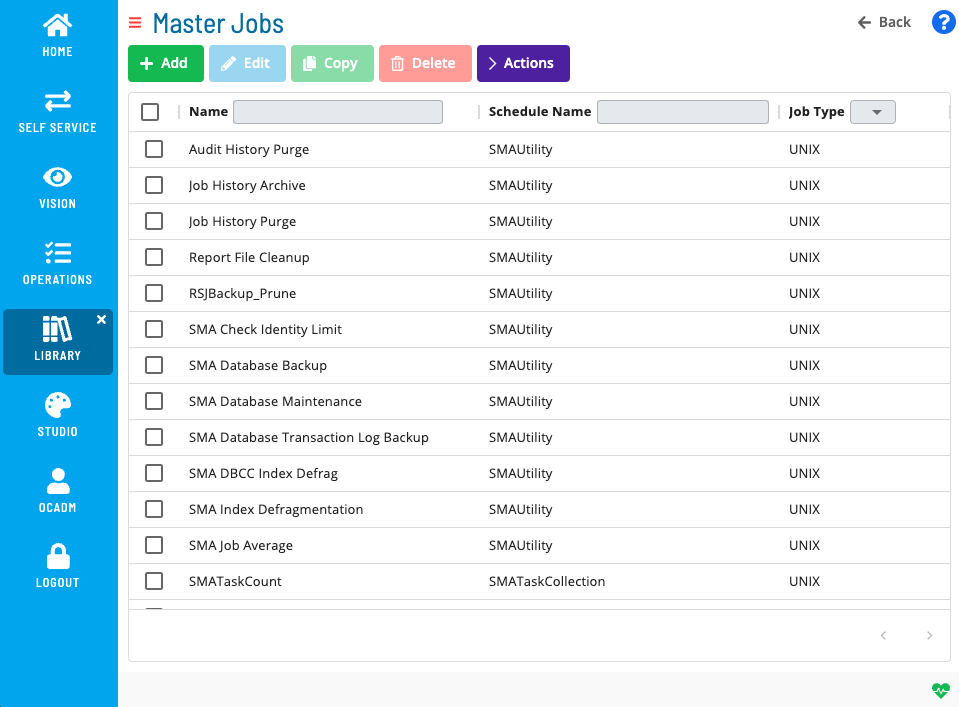
Use the Master Jobs section of the Solution Manager Library to add new jobs, copy or move existing jobs, delete jobs you no longer need, and update job settings such as task details, frequencies, dependencies, and notifications.
Required Privileges
Access to master jobs is controlled by departmental function privileges. To work with master jobs, your role must have the relevant privilege for each action:
| Action | Required privilege |
|---|---|
| View master jobs | View Jobs in Master Schedules |
| Add a master job | Add Jobs to Master Schedules |
| Edit a master job | Modify Jobs in Master Schedules |
| Delete a master job | Delete Jobs from Master Schedules |
Your role must also have access to the master schedule that contains the job. Contact your OpCon administrator if you cannot see a schedule or job.
What Is in This Section?
| Page | Description |
|---|---|
| Add Jobs Overview | Overview of the master job management tasks available in the Library. |
| Adding Master Jobs | Add a new job definition to a master schedule. |
| Copying Master Jobs | Duplicate an existing job to create a similar definition with minimal rework. |
| Moving Master Jobs | Move a job from one master schedule to another. |
| Deleting Master Jobs | Permanently remove a job definition from a master schedule. |
| Viewing Master Job Cross-References | See all schedules and jobs that reference the selected job before deleting it. |
| Viewing and Updating Master Jobs | Update task details, frequencies, dependencies, events, notifications, tags, and documentation for an existing master job. |
FAQs
Q: Where do you find the Master Jobs section?
In Solution Manager, go to Library and select Master Jobs from the selection bar on the left.
Q: Do changes to a master job affect jobs that are already running?
No. Changes to a master job apply to future schedule builds. Daily jobs already in the queue are not affected. Rebuild or re-add the affected schedule to apply the changes to daily jobs.
Q: What is the difference between a master job and a daily job?
A master job is the stored template definition. A daily job is an instance that OpCon creates from the master job during schedule build for a specific date.
Related Topics
Glossary
| Term | Definition |
|---|---|
| Daily Job | An instance of a master job that OpCon places in the daily queue during schedule build for a specific date. |
| Departmental Function Privilege | A privilege that controls what actions a role can perform on jobs within a specific department. Master job privileges include View, Add, Modify, and Delete Jobs in Master Schedules. |
| Master Job | The stored template definition of a job that belongs to a master schedule. OpCon copies master job definitions into the daily tables during schedule build. |
| Master Schedule | The stored template definition of a schedule. Changes to a master schedule affect future builds but not daily schedules that are already built. |
| Schedule Build | The process by which OpCon creates daily schedule instances from master schedule definitions, applying frequencies, calendars, and job definitions. |
| Solution Manager | OpCon's browser-based graphical user interface for managing automation data, performing operational actions, and administering the system. |