Generating External Tokens
Theme: Configure
Who Is It For? System Administrator, Automation Engineer
What Is It?
An external token and a valid OpCon User Login ID are required to run an external event. External tokens can be generated in Solution Manager as either API tokens or Custom Length tokens.
To generate external tokens, complete the following steps:
- Log into Solution Manager
- Select the user profile button in the Navigation menu
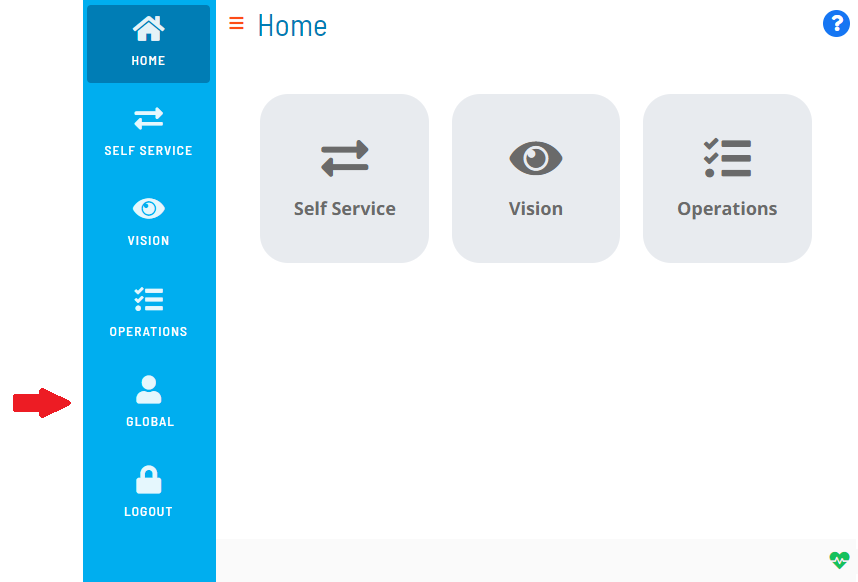
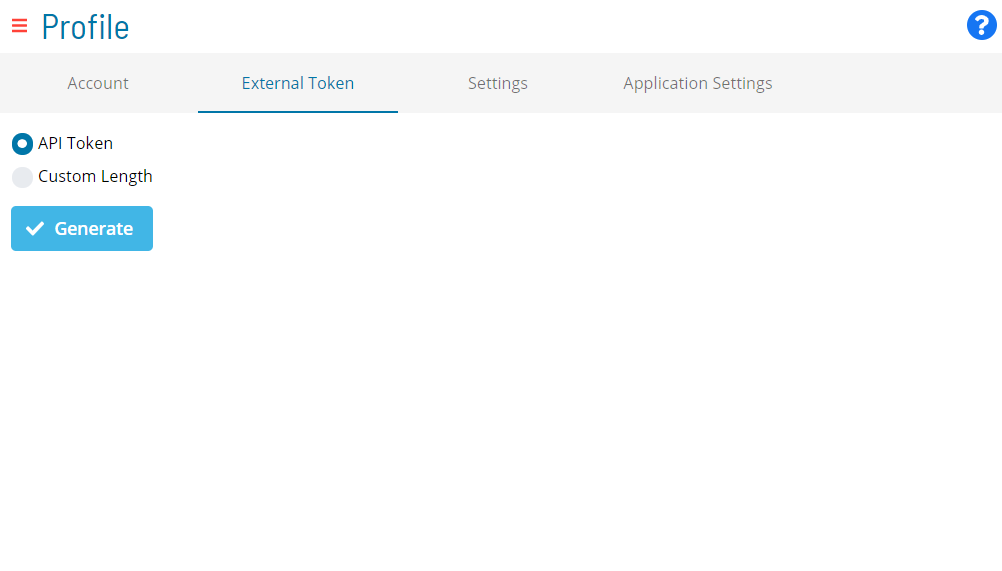
- Select the External Token tab on the Profile page
-
Select a token type:
- API Token: Generates a token that can also be used for API authentication
- Custom Length: Sets the token length (8–35 characters). This token cannot be used for API authentication
-
Select Generate
FAQs
Q: How many steps does the Generating External Tokens procedure involve?
The Generating External Tokens procedure involves 5 steps. Complete all steps in order and save your changes.
Glossary
Solution Manager: OpCon's browser-based graphical user interface for managing automation data, performing operational actions, and administering the system.
Token (Global Property): A named value stored in the OpCon database, referenced in job definitions and events using [[PropertyName]] syntax. Tokens pass dynamic values — such as dates, file paths, or counts — into automation workflows.
Resource: A numeric variable in OpCon representing a finite pool. Jobs can be configured to require a set number of resource units to run, limiting concurrent executions and preventing resource contention.
OpCon: Continuous' workflow automation platform. The OpCon server includes the database, SAM and Supporting Services (SAM-SS), and graphical user interfaces. agents installed on target platforms run jobs and report results.