Isolate Dependency Chain
Theme: Configure
Who Is It For? System Administrator, Automation Engineer
What Is It?
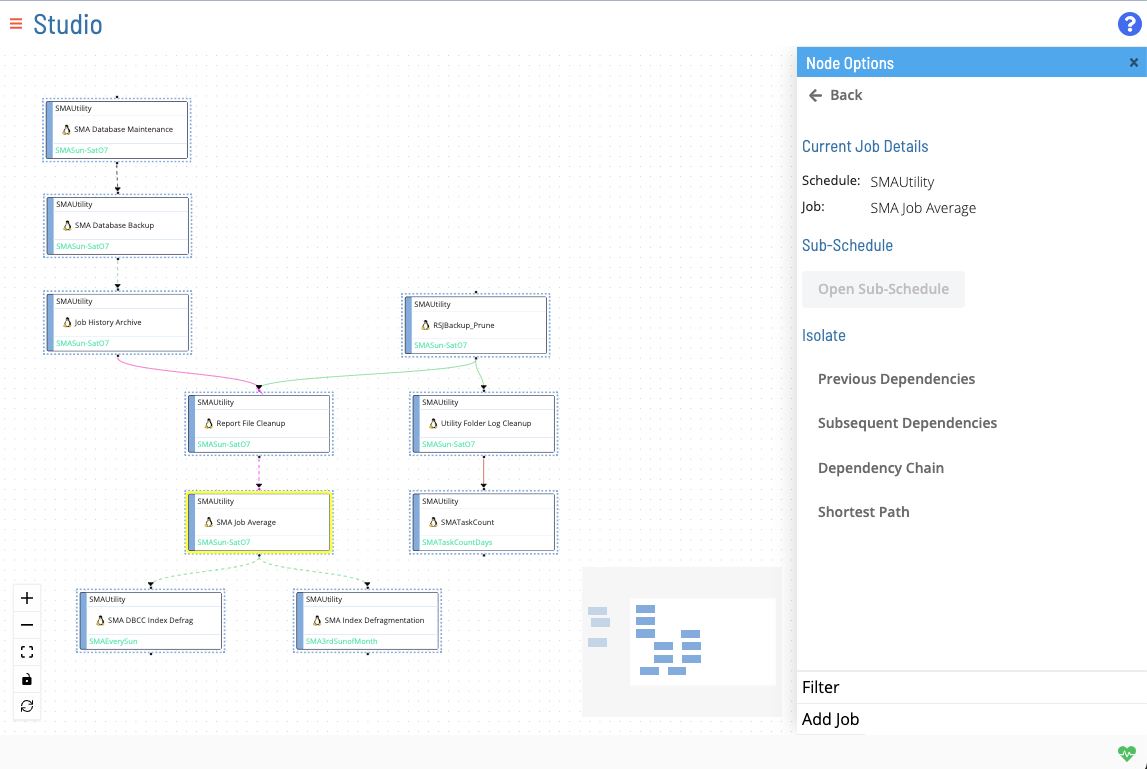
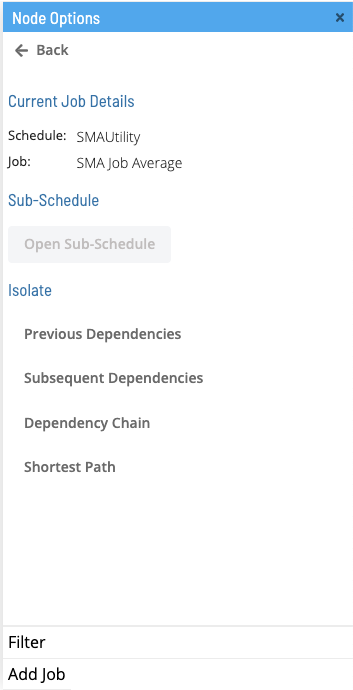
right-clicking a node opens the Node Options menu in the right panel. The isolation options allow you to configure the display of nodes and dependencies from a given start node.
Previous Dependencies
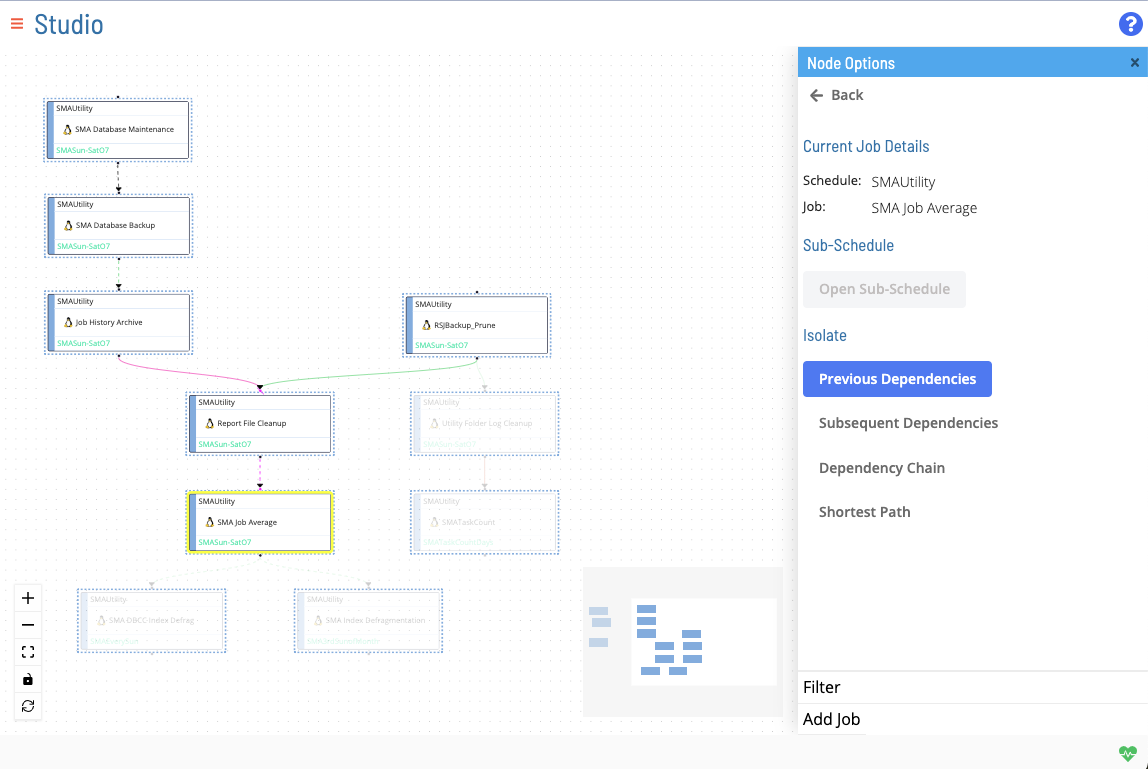
Displays all preceding jobs in a dependent chain.
Subsequent Dependencies
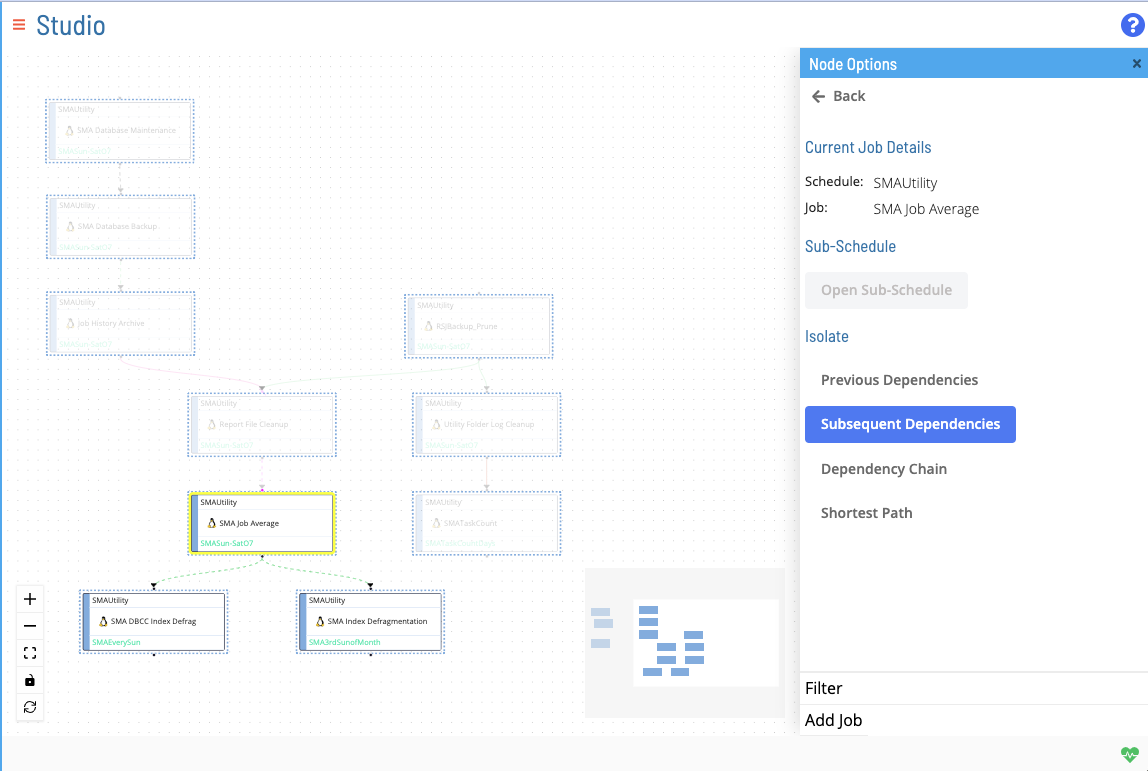
Displays all subsequent jobs in a dependent chain.
Dependency Chain
Displays an entire dependency chain (preceding and subsequent jobs).
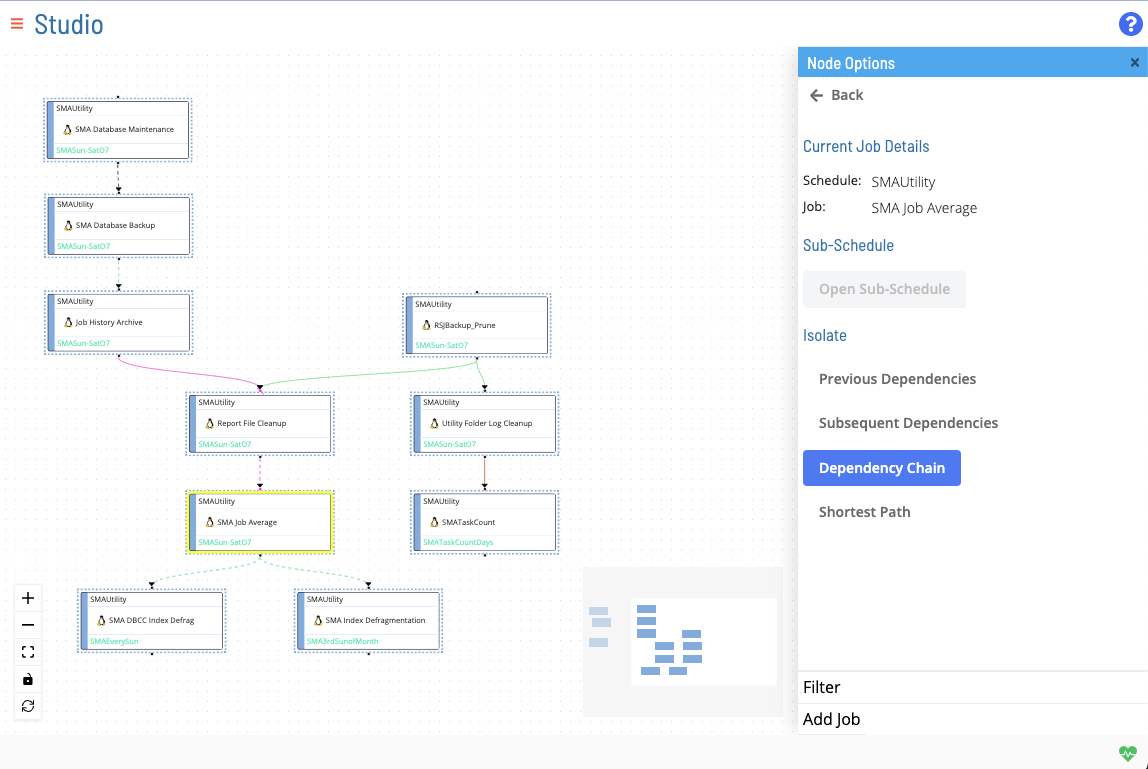
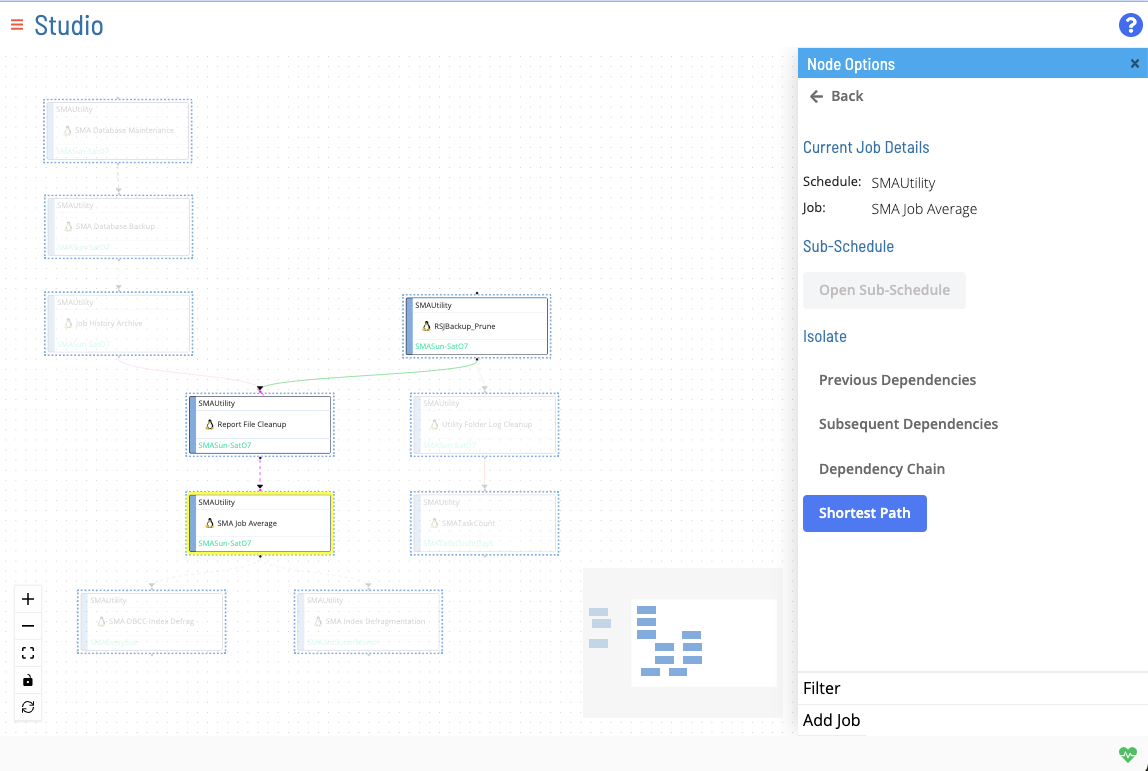
Shortest Path
Shows the shortest path among all dependency chains to the selected job (its shortest terminal previous dependency path).
FAQs
Q: What does Isolate Dependency Chain cover?
This page covers Previous Dependencies, Subsequent Dependencies, Dependency Chain.
Glossary
Resource: A numeric variable in OpCon representing a finite pool. Jobs can be configured to require a set number of resource units to run, limiting concurrent executions and preventing resource contention.
Job: The fundamental unit of work in OpCon. A job defines what to run, on which machine, when to start, and what conditions must be met. Job results are tracked and can trigger events and notifications.