Status (STATUS)
What is it?
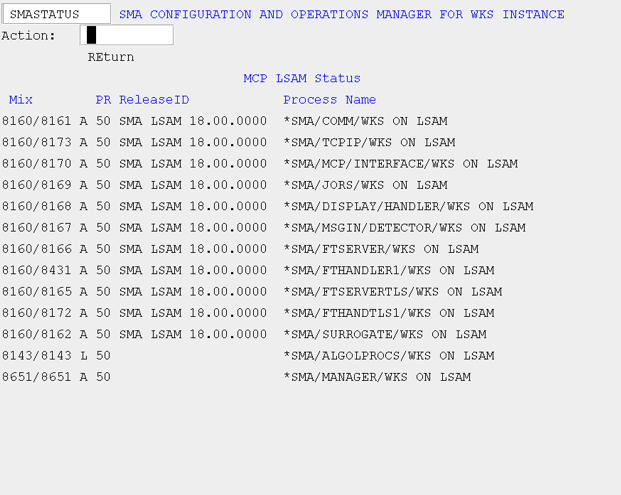
The STATUS screen displays a real-time list of all MCP Agent module processes for this instance, showing each process's mix number, status (Active, Library, Scheduled, or Waiting), priority, release ID, and name. Use it to confirm that the Agent started successfully or to verify which modules are currently running.
- Check the STATUS screen after using INITLSAM or INITRM to confirm that the expected processes are active.
- Review process status values to identify any module that is not yet active or is waiting, indicating a potential startup issue.
The STATUS screen shows the current status of all agent modules relative to this instance. There are five columns of information:
- Mix: Defines the job and task mix number of the process.
- Process type/status: Defines the process status. The possible values for this field are A(ctive), L(ibrary), S(cheduled), and W(aiting).
- PR (Priority): Defines the priority.
- ReleaseID: Defines the release ID.
- Process Name: Defines the process name.
SMA Configuration and Operations Manager: SMASTATUS