Role Resources
Theme: Configure
Who Is It For? System Administrator, Automation Engineer
What Is It?
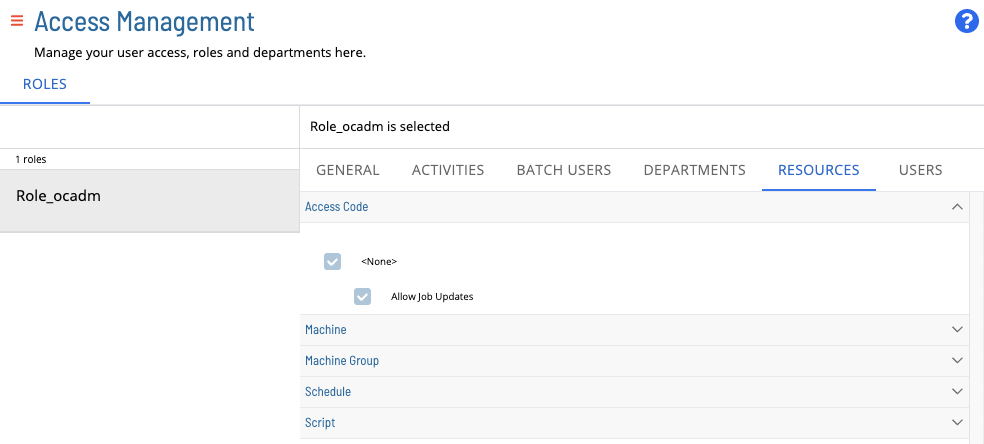
The Resources tab (Library > Access Management > Roles) displays the resources granted to the selected role, including access codes, machines, machine groups, schedules, and scripts. Edit the fields and select Save to modify them.
If a role has Inherit all privileges selected for Machines, Machine Groups, Schedules, or Scripts, the Resources tab shows this and does not allow granting or revoking privileges for specific resources. See Roles for details.
For more information see:
For conceptual help, see:
FAQs
Q: Where can I find the Role Resources tab in OpCon?
Go to Library > Access Management > Roles in Solution Manager, select a role, and select the Resources tab.
Q: What does "Inherit all" mean on the Resources tab?
When Inherit all is selected for a resource category (such as Machines or Schedules), the role automatically receives privileges for all current and future resources of that type. Individual grant or revoke controls are disabled while Inherit all is active.
Glossary
Solution Manager: OpCon's browser-based graphical user interface for managing automation data, performing operational actions, and administering the system.
Role: A named security profile in OpCon that groups privileges together. Roles are assigned to user accounts to control which features, schedules, jobs, machines, and administrative functions a user can access.
Privilege: A specific permission granted through an OpCon role that controls access to a feature, function, or object type. Privileges are organized into categories such as Function Privileges, Machine Privileges, Schedule Privileges, and Access Codes.
Machine: A platform defined in the OpCon database that has an agent installed. OpCon routes job execution requests to machines via SMANetCom, and machines report job completion status back to SAM.
Schedule: A named container for jobs in OpCon, built for a specific date to create that day's automation. Schedules define build settings, frequencies, and the jobs that run within them.
OpCon: Continuous' workflow automation platform. The OpCon server includes the database, SAM and Supporting Services (SAM-SS), and graphical user interfaces. Agents installed on target platforms run jobs and report results.