User Roles
Theme: Configure
Who Is It For? System Administrator, Automation Engineer
What Is It?
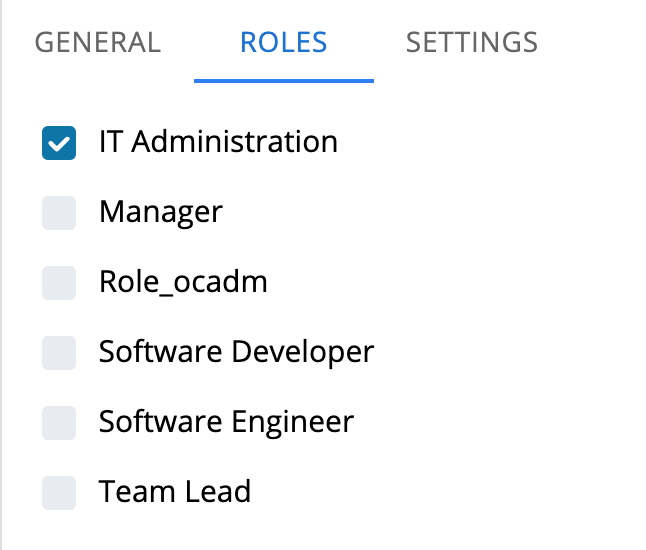
The Users page is found in Library > Access Management > Users. The Roles tab displays all roles in the system and indicates which roles the selected user is assigned to.
To modify a user, edit the preferred fields and select Save.
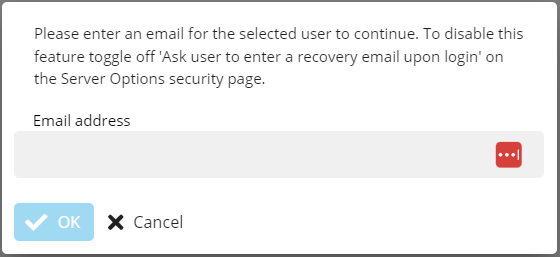
Email Dialog
If Server Options -> Security -> "Ask user to enter a recovery email address upon login" is enabled.
When saving, an email dialog appears if the user has no email set and no SSO role. Enter an email to continue. Selecting Cancel cancels the save.
For more information see:
For conceptual help, see:
FAQs
Q: What does User Roles cover?
This page covers Email Dialog.
Glossary
Resource: A numeric variable in OpCon representing a finite pool. Jobs can be configured to require a set number of resource units to run, limiting concurrent executions and preventing resource contention.
Role: A named security profile in OpCon that groups privileges together. Roles are assigned to user accounts to control which features, schedules, jobs, machines, and administrative functions a user can access.