Managing Operations
Theme: Configure
Who Is It For? System Administrator, Automation Engineer
What Is It?
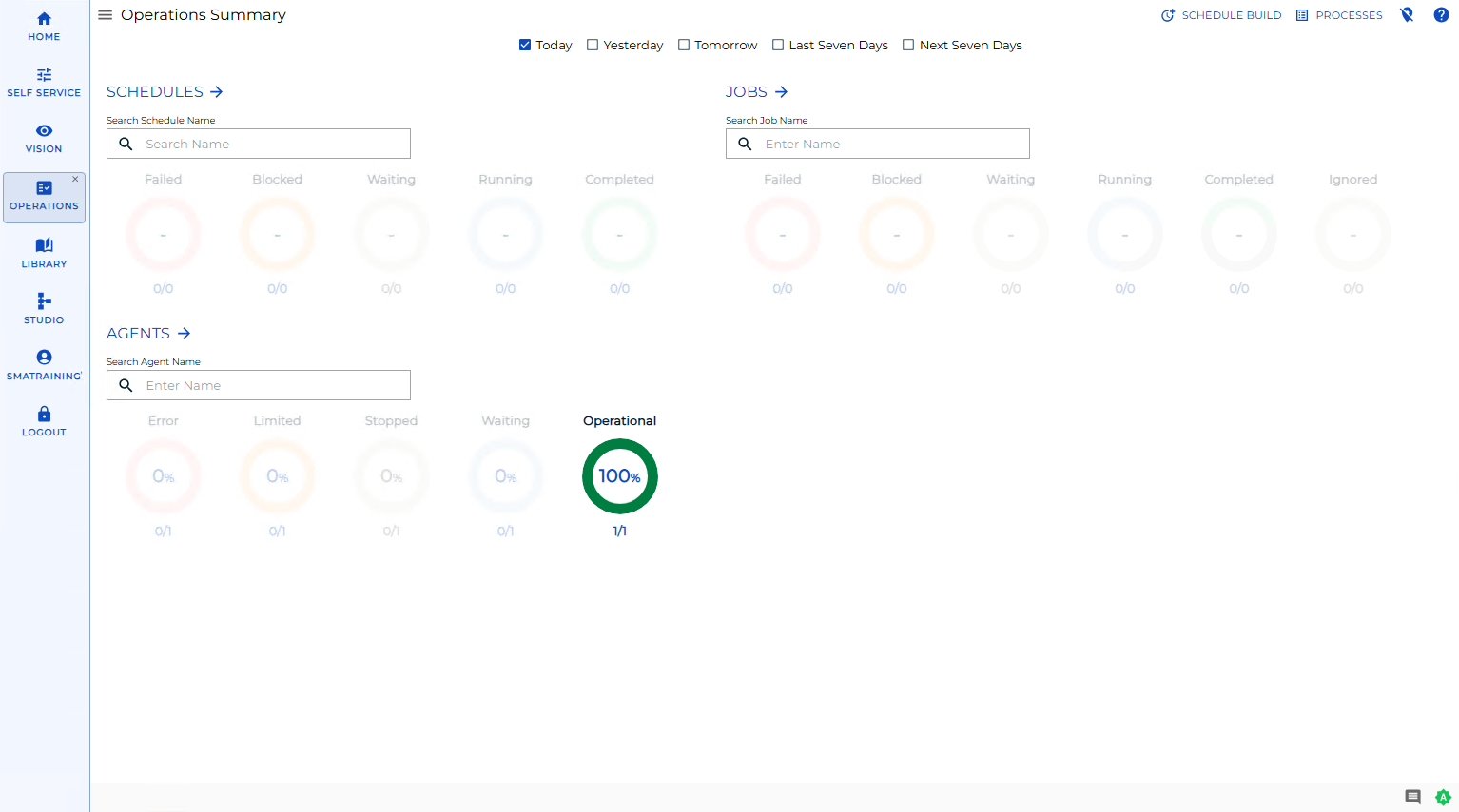
The Operations Summary page is the operational home page in Solution Manager. It shows the current status of your schedules, jobs, and Agents as donut cards, and gives you quick access to work with all schedules, jobs, and Agents.
From the Operations Summary page, the Build button opens the Schedule Build page, where you build daily schedules from your master schedules for a range of dates. The Schedule Build page guides you through three steps: Selection, Instance(s) Definition, and Build.
Required Privileges
To build daily schedules, your role must include the Build Daily Schedules function privilege. Without this privilege, the Schedule Build page is not available.
Build Daily Schedules
To build daily schedules from the Operations Summary page, complete the following steps:
- On the Operations Summary page, select Build to open the Schedule Build page.
- On the Selection step, set the From and To dates for the range of days you want to build.
- Select the build state for the new schedules: On Hold or Released. New schedules are set to On Hold by default.
- To replace schedules that already exist for the selected dates, turn on Overwrite Existing Schedules. This option is off by default.
- In the schedule grid, select one or more master schedules to build. You can filter the grid by the Name, Auto-build, and Multi Instance columns. You must select at least one schedule to continue.
- Select Next to go to the Instance(s) Definition step.
- On the Instance(s) Definition step, review or adjust the instances to build for each selected schedule, then select Next.
- On the Build step, monitor the build progress for each schedule. Solution Manager reports the number of jobs built and shows a status of Building, Failed, or completed for each request.
Result: Solution Manager submits the build request and creates the daily schedules for the selected dates. Built schedules appear in the Build step with their progress, and you can open the build log for any request from this step.
Schedule Build Queue
The Schedule Build page toolbar includes a Queue button that opens the Schedule Build Queue page, where you can review build requests. Use the Back button to return to the page you came from.
FAQs
Q: What does the Build button do?
The Build button on the Operations Summary page opens the Schedule Build page, where you select master schedules and a date range and build the corresponding daily schedules.
Q: Are new schedules held or released when they are built?
By default, new schedules are built On Hold. You can choose Released instead on the Selection step before you build.
Q: Who can build schedules in OpCon?
Users whose role includes the Build Daily Schedules privilege can build schedules. Contact your OpCon system administrator if you do not have access.
Glossary
Schedule: A named container for jobs in OpCon, built for a specific date to create that day's automation. Schedules define build settings, frequencies, and the jobs that run within them.
Master schedule: The reusable definition that the daily schedule for a given date is built from. Selecting a master schedule on the Schedule Build page determines which daily schedules are created.
Role: A named security profile in OpCon that groups privileges together. Roles are assigned to user accounts to control which features, schedules, jobs, Agents, and administrative functions a user can access.
Privilege: A specific permission granted through an OpCon role that controls access to a feature, function, or object type. Privileges are organized into categories such as Function Privileges, Machine Privileges, Schedule Privileges, and Access Codes.
Solution Manager: OpCon's browser-based graphical user interface for monitoring and managing automation, including operations such as building schedules and updating schedule, job, and Agent statuses.