Managing Escalation Groups
The Escalation Manager module allows you to add, edit, delete, and check cross-references for escalation groups.
Creating Escalation Group
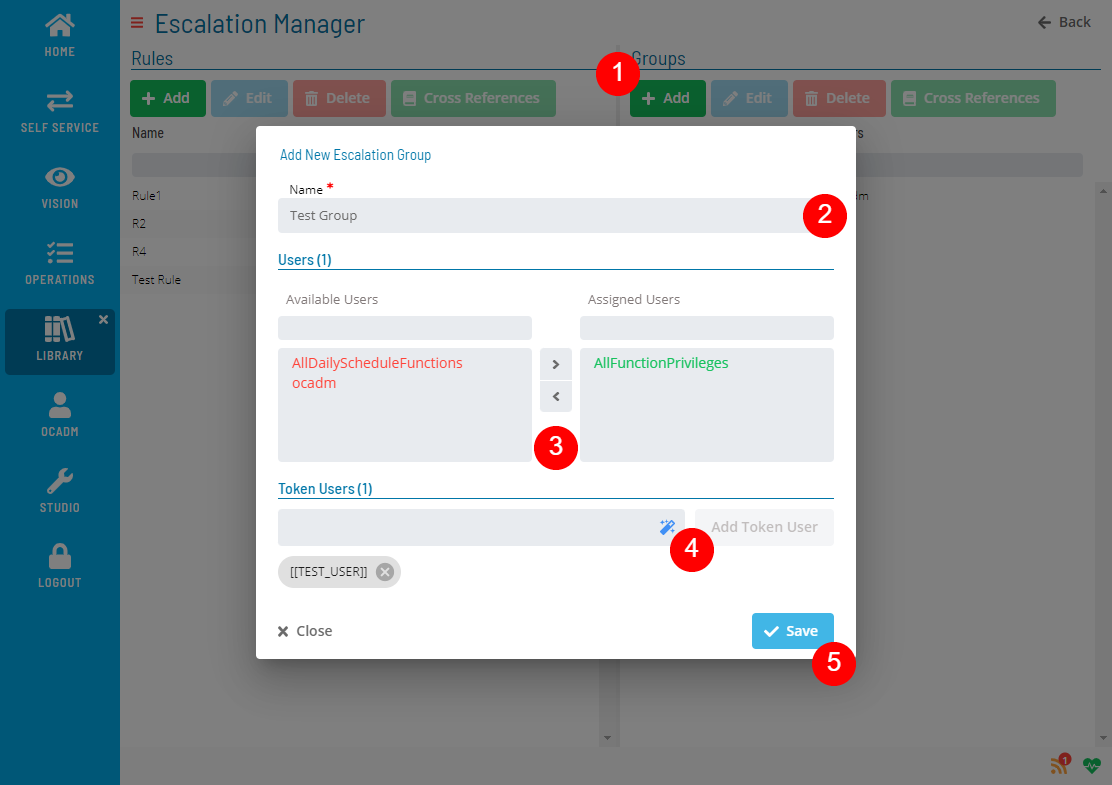
Click the Add button above the list and fill out the Escalation Group form
note
Escalation group must have at least one user or token user.
Editing Escalation Group
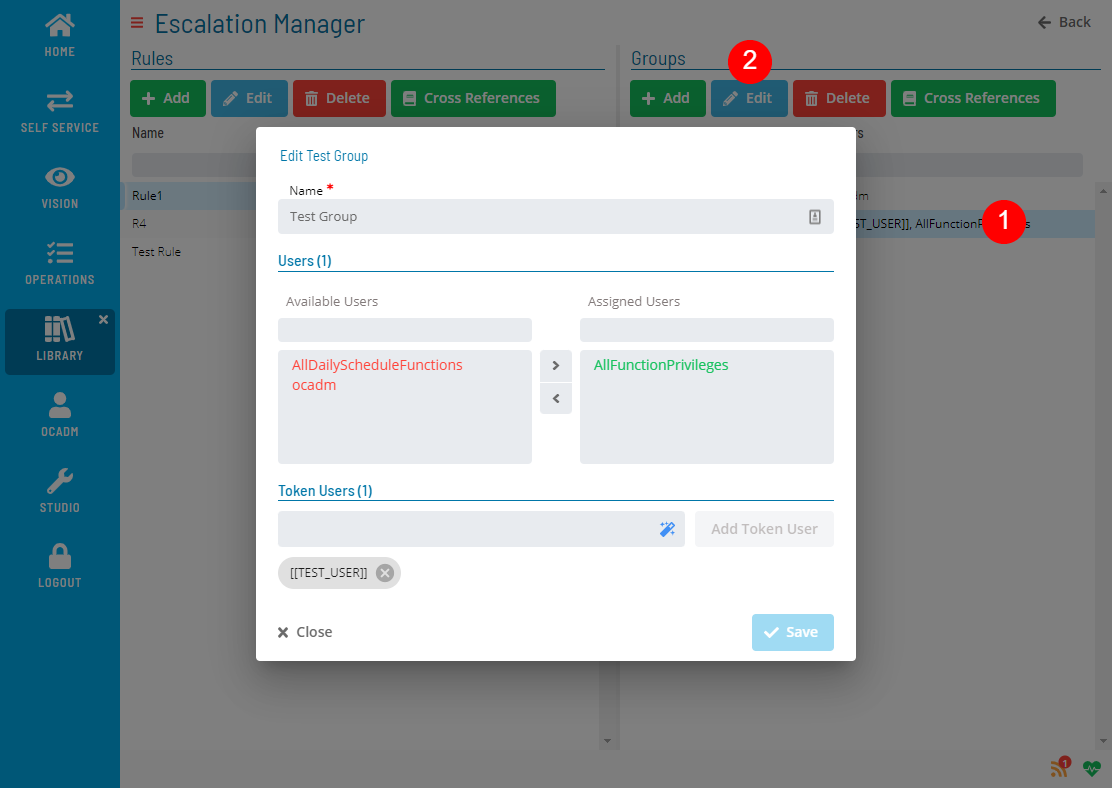
Select an Escalation Group and click the Edit button above the list and fill out the Escalation Group form
Deleting Escalation Group
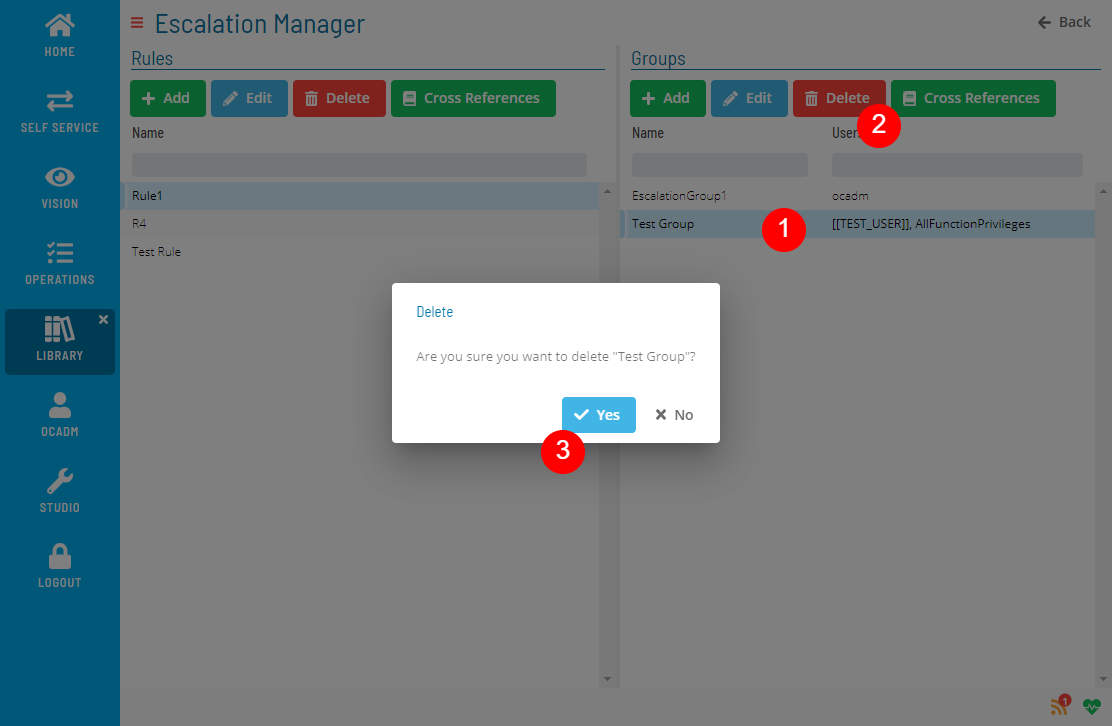
Select an Escalation Group and click the Delete button above the list
note
Delete operation is not allowed if Escalation Group has any cross-references.
Checking Cross References
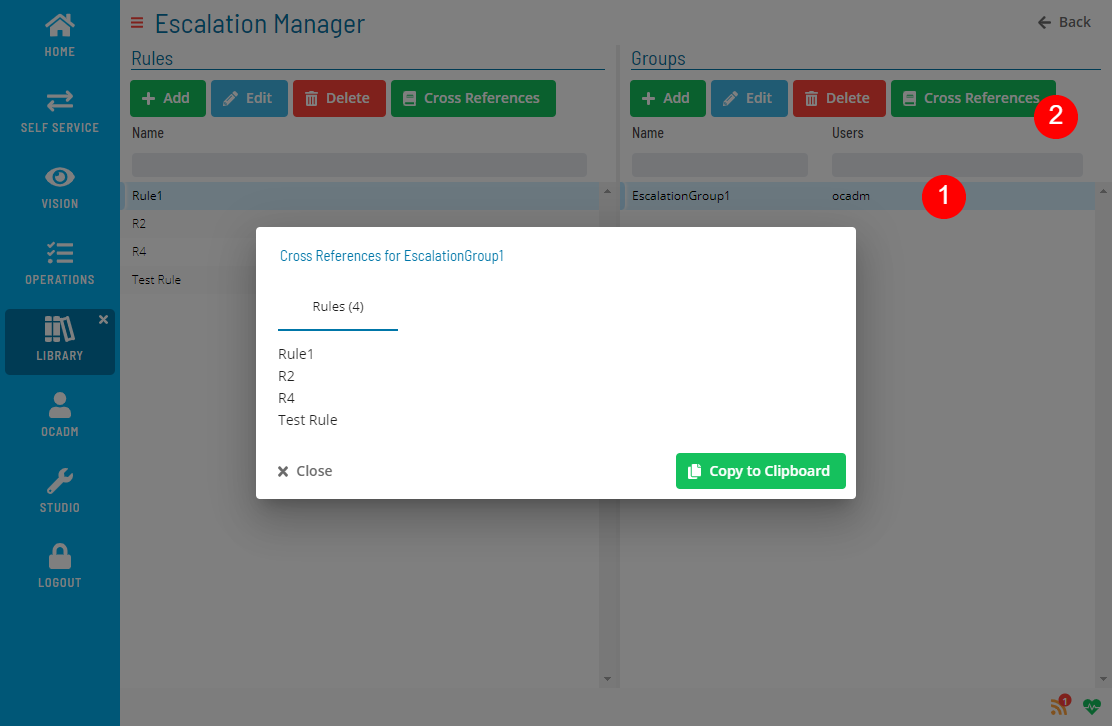
Select an Escalation Group and click the Cross References button above the list
 Related Topics