Managing Script Versions
The Script Versions module allows you to add, edit, delete, deploy, and check cross-references for script versions.
Creating Script Versions
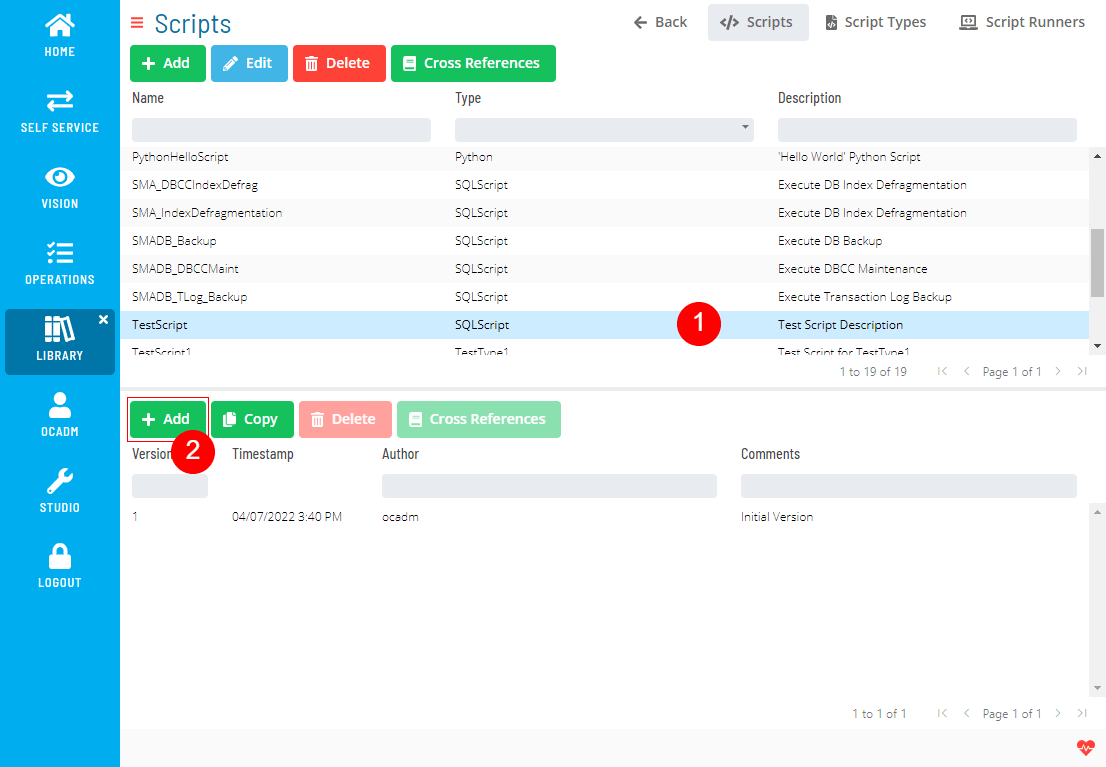
- Select a Script and click the Add button above the Script Version list
- Fill out the Script Version form
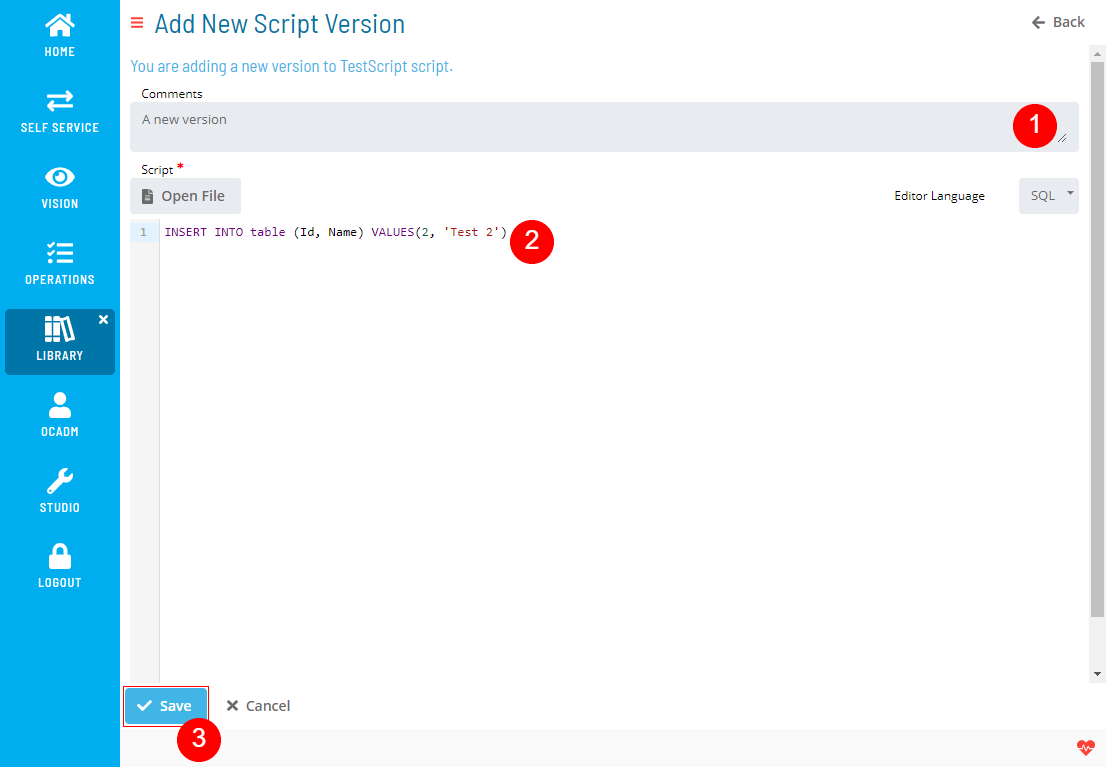 note
noteEditor Language is only for formatting the syntax highlighter. It won't have any effect on the Script itself.
Copying Script Versions
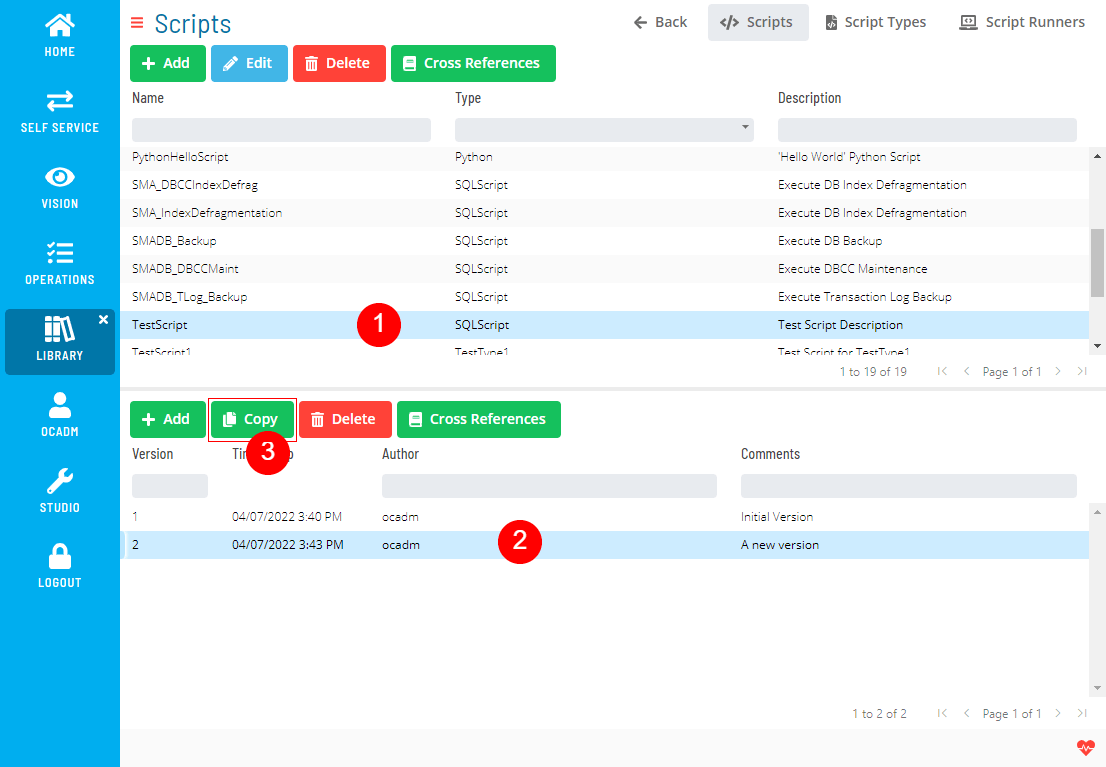
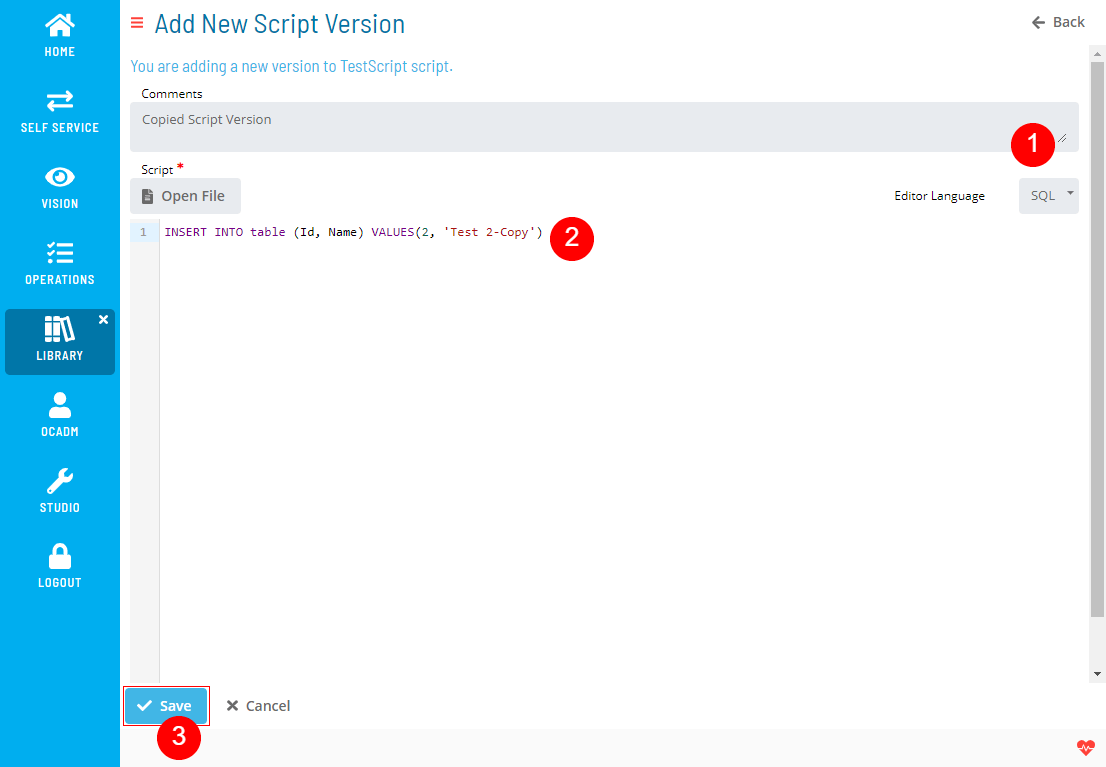
You can create a new script version based on an existing version.
- Select a Script, select a Script Version and click the Copy button above the Script Version list
- Fill out the Script Version form
Deleting Script Versions
-
Select a Script, select a Script Version and click the Delete button above the Script Version list
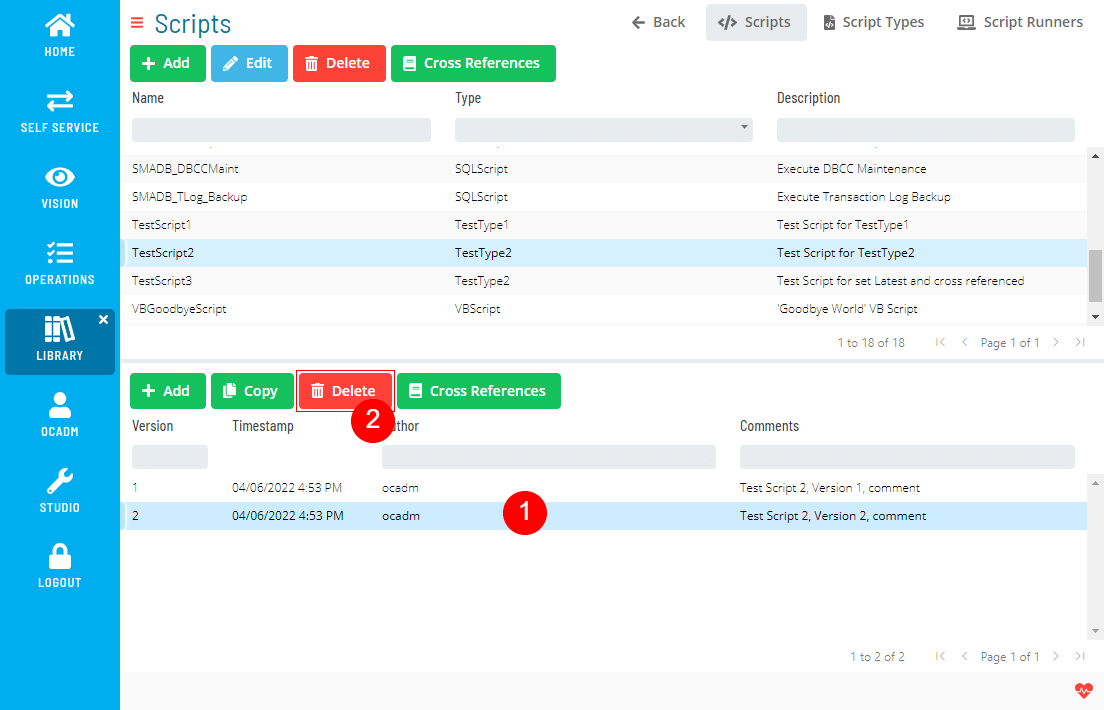
-
Click Yes to confirm the delete operation
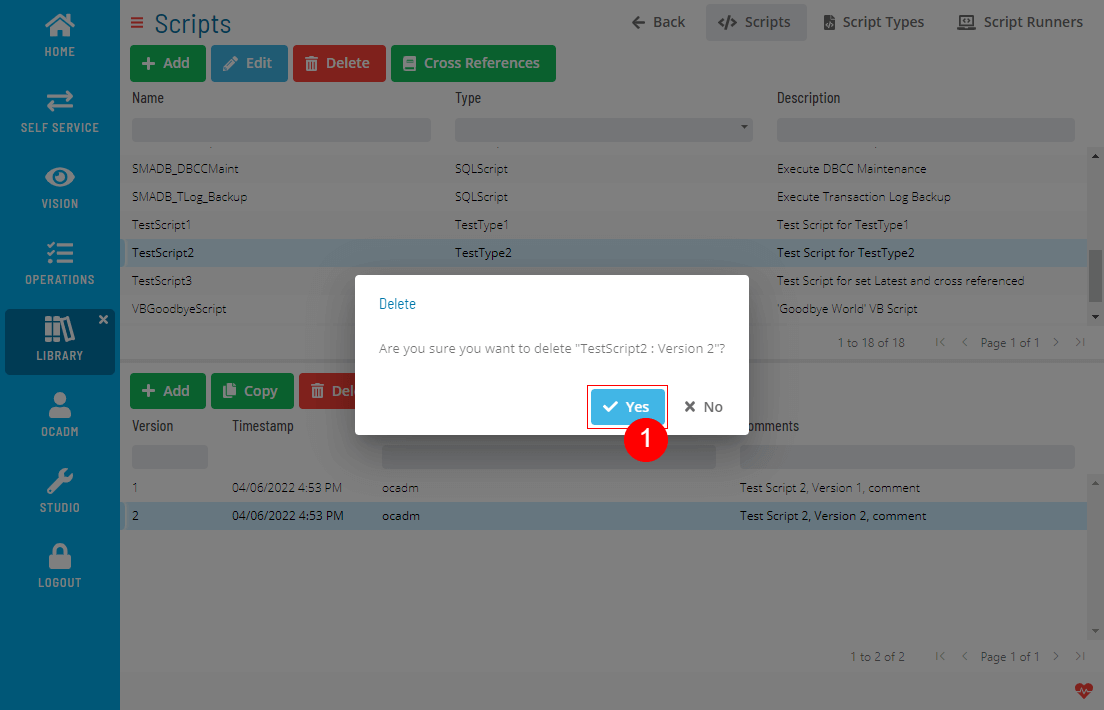 note
noteThe delete operation is not allowed;
- If the script version has cross-references,
- If the script version is the only version for the script,
noteIf you are deleting the Latest Version of a deployed Script, the version before the latest will become a new Latest version.
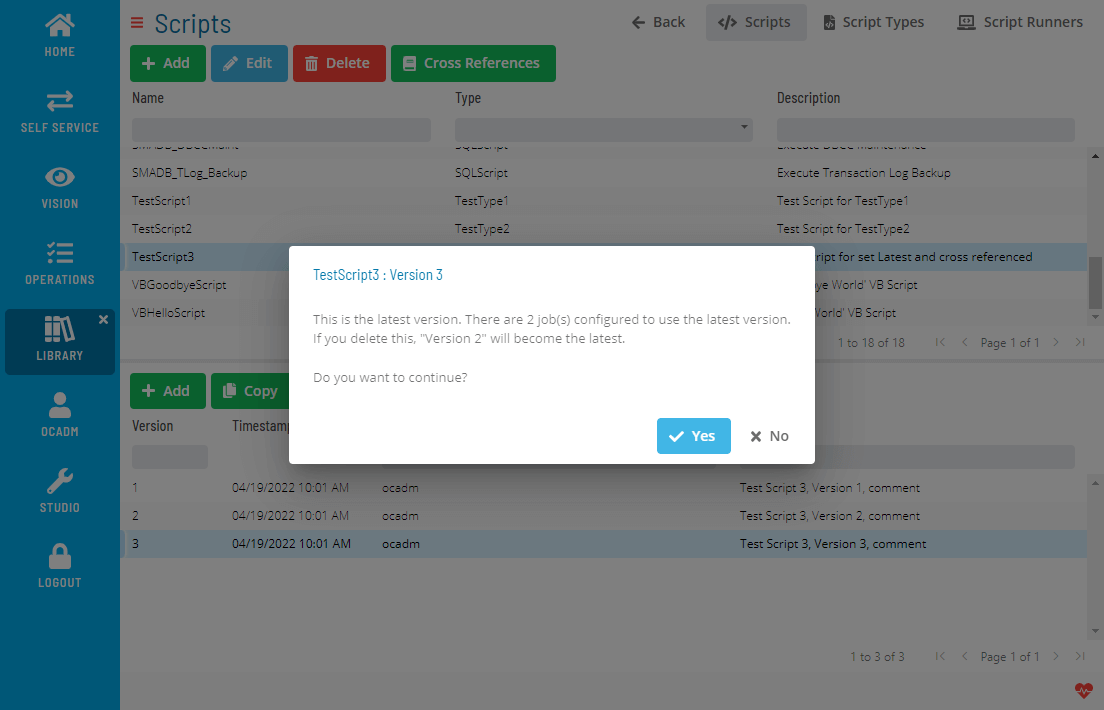
Deploying Script Versions
- Select a Script, select a Script Version and click the Deploy button above the Script Version list
- Repeat the 2nd step in Deploying a Script
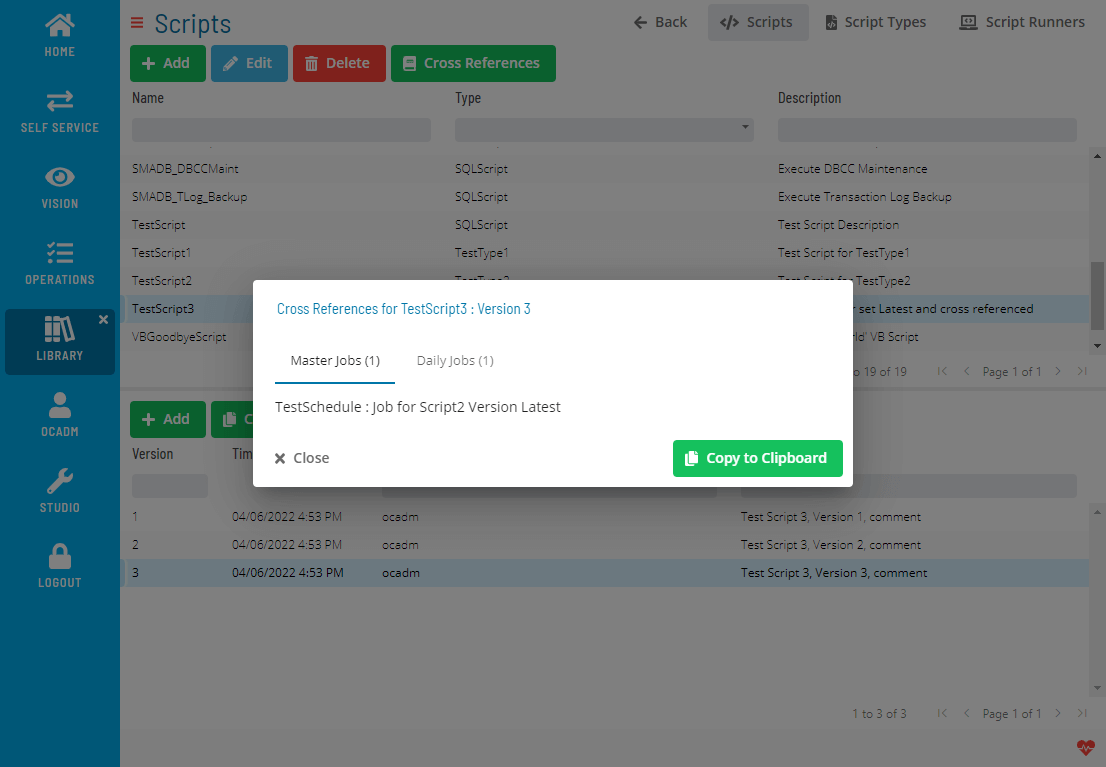
Checking Cross References
- Select a Script, select a Script Version and click the Cross References button above the Script Version list
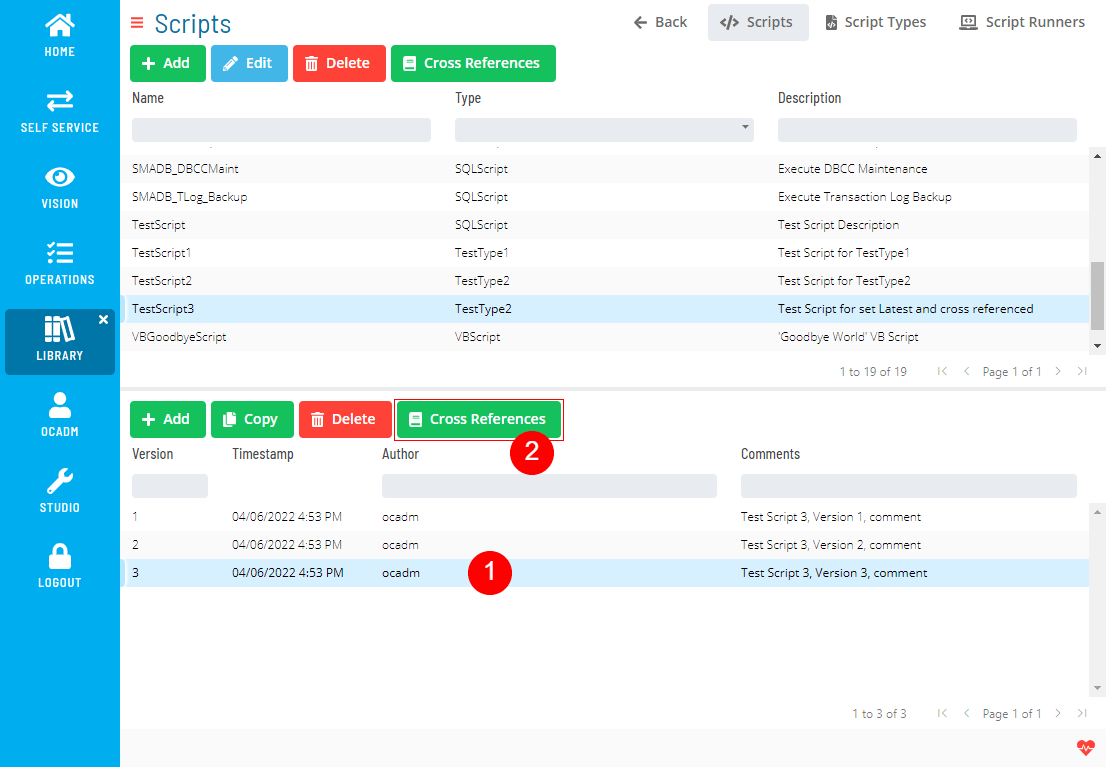
- A dialog will show the Cross References
 Related Topics