Deleting Schedules and Jobs
Theme: Configure
Who Is It For? System Administrator, Automation Engineer
What Is It?
Use this procedure to delete Schedules and Jobs in Solution Manager.
Delete Schedule(s)
To delete Schedule(s), complete the following steps:
-
Select one or more dates or schedules from the grid and right-click
-
On the right-side panel, select the
 icon
icon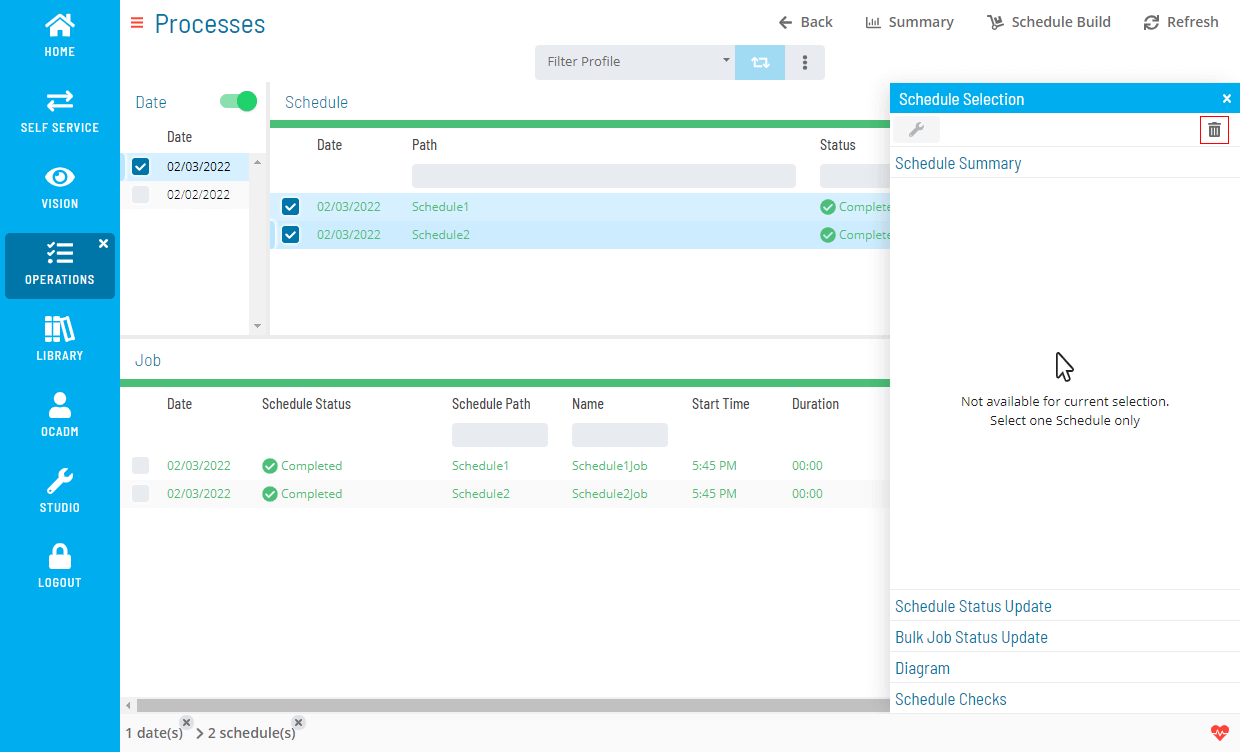
This icon is disabled if the schedule has a running job.
-
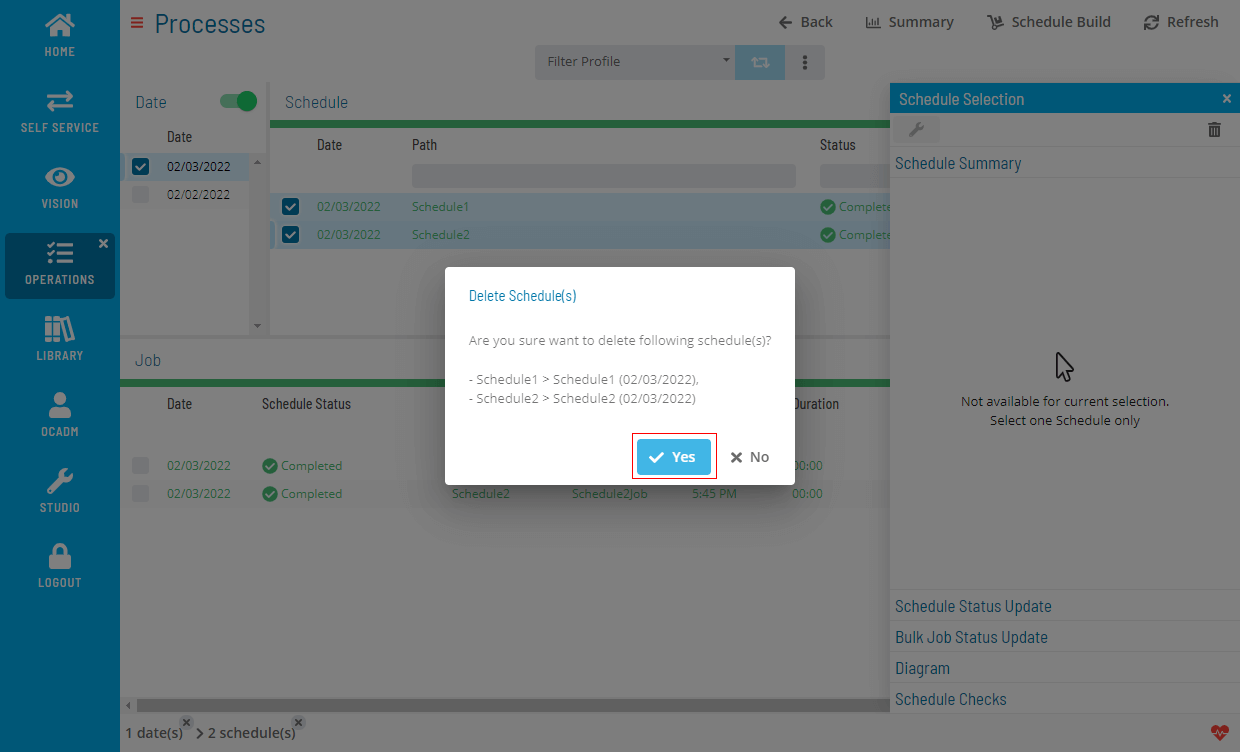
Select Yes to confirm deletion
Delete Job(s)
- Select one or more jobs from the grid and right-click
The delete icon is disabled if the job is in the Running state.
To delete Job(s), complete the following steps:
- Repeat steps 2 and 3 above
 Related Topics
FAQs
Q: Can a schedules and jobs record be recovered after deletion?
No. Deleting a schedules and jobs record permanently removes it from OpCon. Verify the record is no longer needed before deleting it.
Q: How many schedules and jobs records can you delete at once?
Select the specific schedules and jobs record you want to delete, then select the Delete button on the toolbar. Confirm the deletion when prompted.
Glossary
Resource: A numeric variable in OpCon representing a finite pool. Jobs can be configured to require a set number of resource units to run, limiting concurrent executions and preventing resource contention.
Schedule: A named container for jobs in OpCon, built for a specific date to create that day's automation. Schedules define build settings, frequencies, and the jobs that run within them.
Job: The fundamental unit of work in OpCon. A job defines what to run, on which machine, when to start, and what conditions must be met. Job results are tracked and can trigger events and notifications.
OpCon: Continuous' workflow automation platform. The OpCon server includes the database, SAM and Supporting Services (SAM-SS), and graphical user interfaces. agents installed on target platforms run jobs and report results.