Adding Jobs to Daily Schedules
Theme: Configure
Who Is It For? System Administrator, Automation Engineer
What Is It?
The Operations module allows you to add jobs to daily schedules.
To add a job to a Daily Schedule, complete the following steps:
-
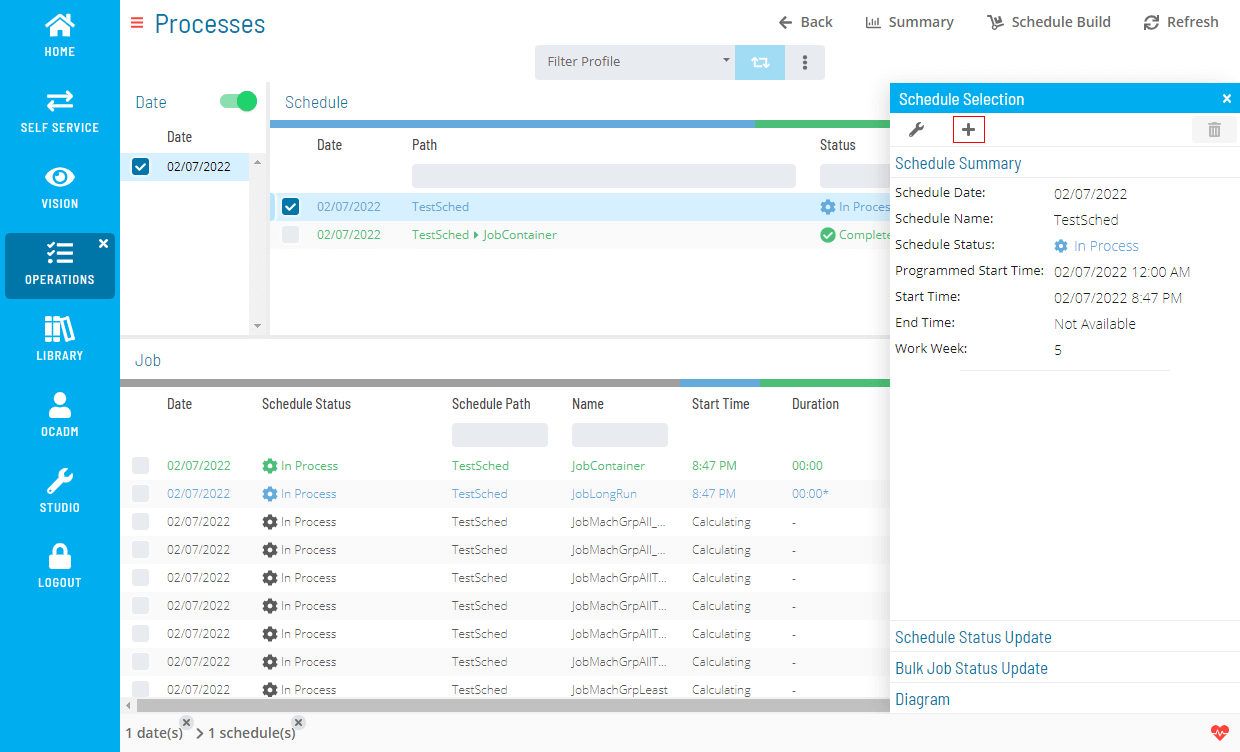
Right-click on a Schedule record and select the + icon to open the Add Job(s) dialog
-
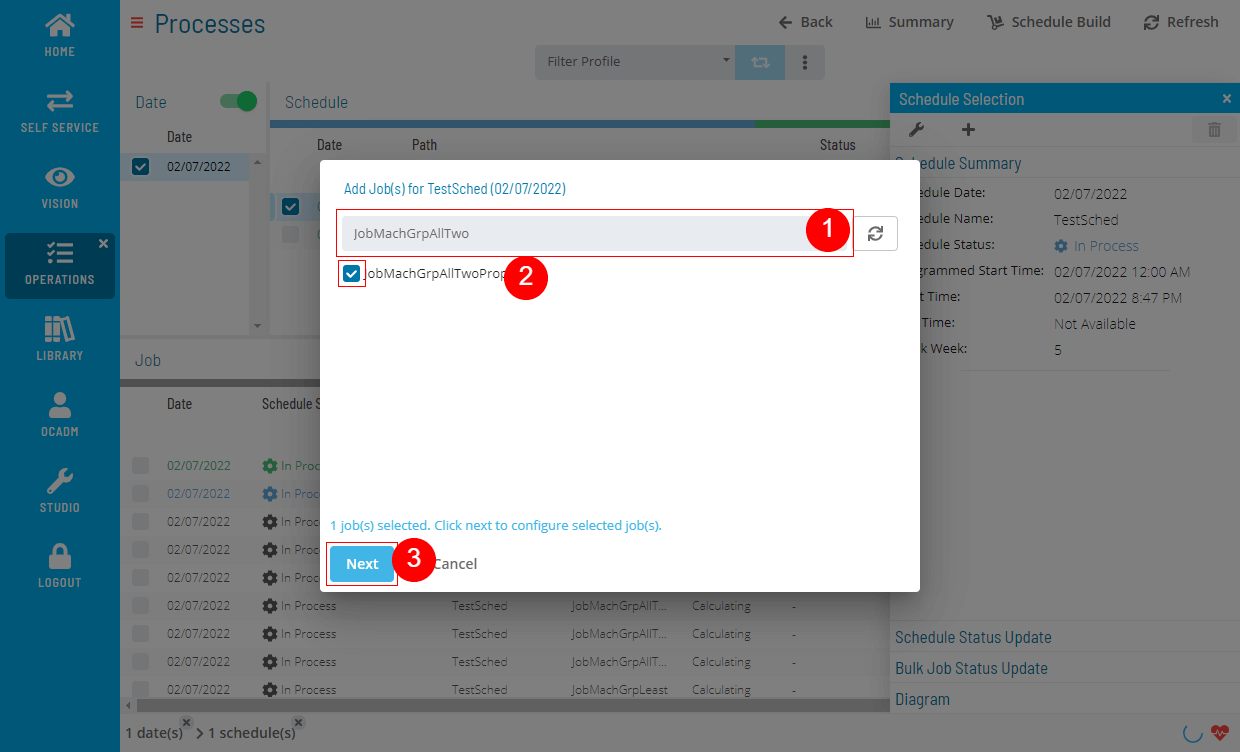
Find and select job(s) by searching or browsing
-
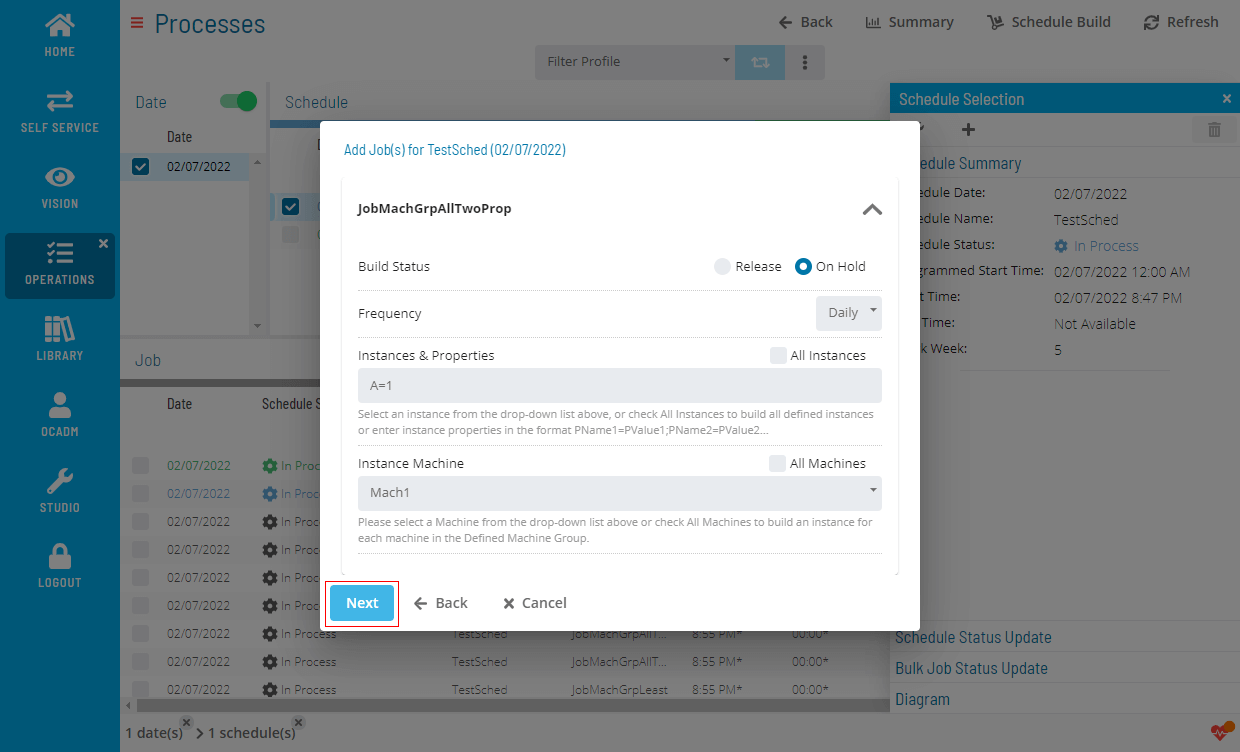
Configure the selected job(s)
-
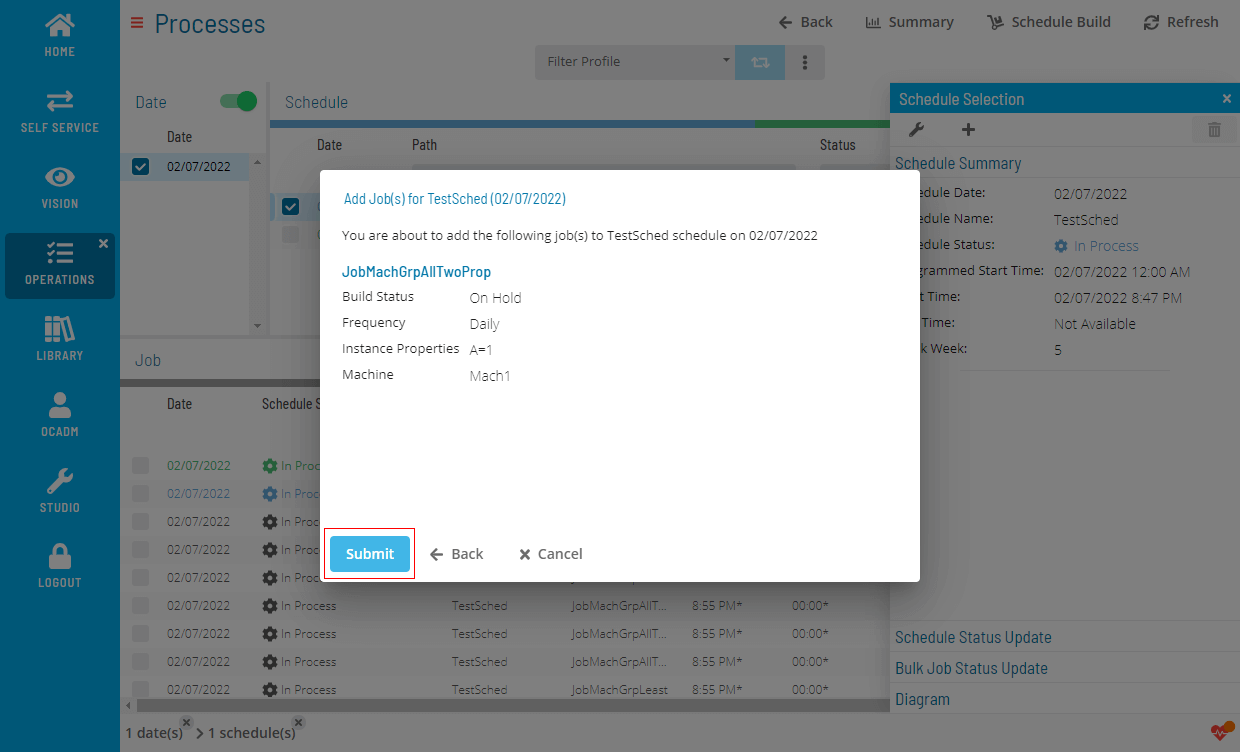
Review the configured job(s) before submitting
-
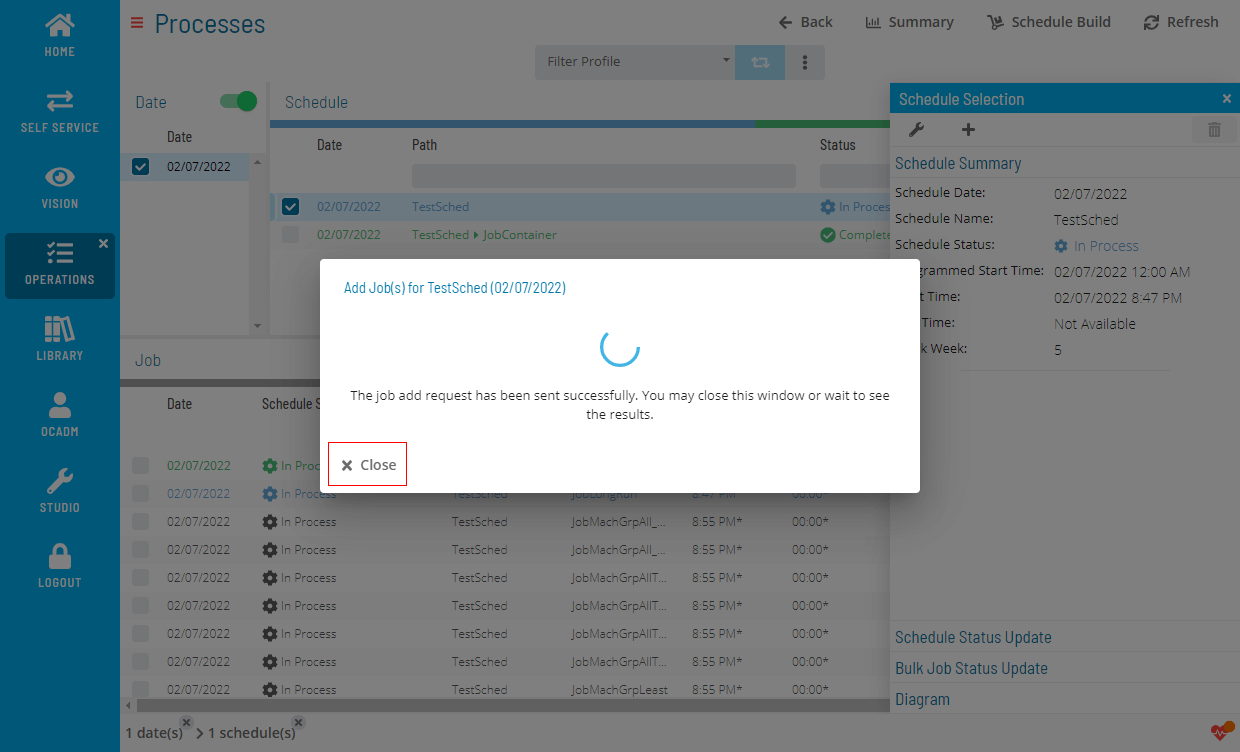
Wait for the results
-
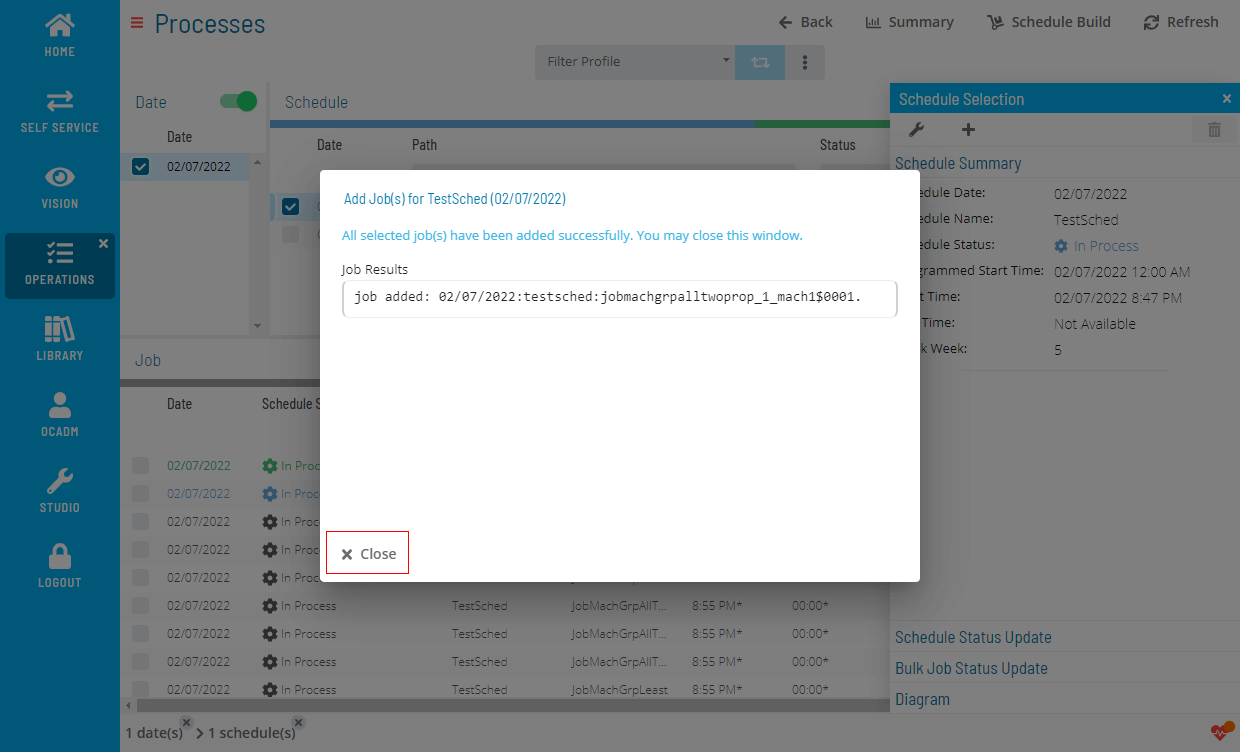
Review the results
 Related Topics
FAQs
Q: How do you save a new jobs to daily schedules record?
After completing the required fields, select the Save button on the toolbar to save the jobs to daily schedules record.
Glossary
Resource: A numeric variable in OpCon representing a finite pool. Jobs can be configured to require a set number of resource units to run, limiting concurrent executions and preventing resource contention.
Schedule: A named container for jobs in OpCon, built for a specific date to create that day's automation. Schedules define build settings, frequencies, and the jobs that run within them.
Job: The fundamental unit of work in OpCon. A job defines what to run, on which machine, when to start, and what conditions must be met. Job results are tracked and can trigger events and notifications.