Working with Operations
Theme: Configure
Who Is It For? System Administrator, Automation Engineer
What Is It?
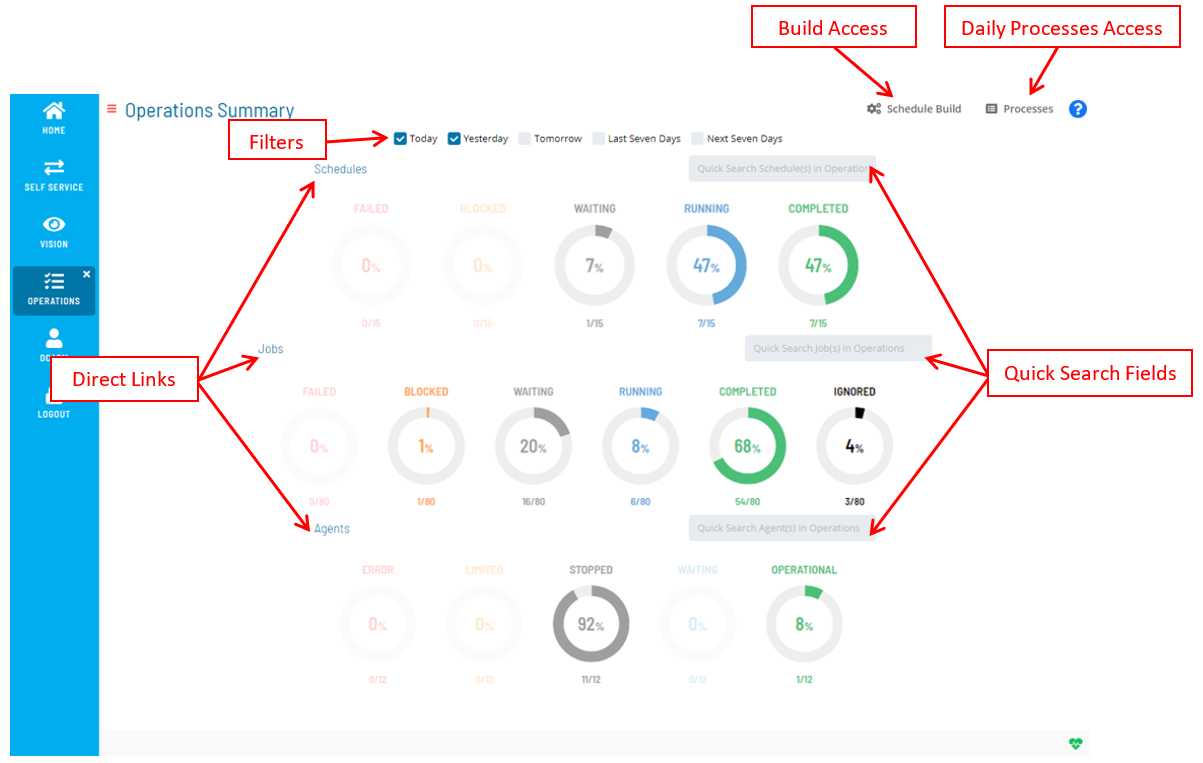
Operations is an SMA Solution Manager module that shows high-level summary information (by way of graphical dials) for schedules, jobs, and Agent machines in operation. Each dial has drill-down capability to view the details or processes on which the summary information is based.
Solution Manager Operations
Filtering
The Filter bar at the top of the page can be used to filter the schedules, jobs, and Agent machines based on what is stored in the system for the current day, the day before, the day after, the last seven days, and/or the next seven days.
Filtering Options

Quick Search
For each of the OpCon object types (schedules, jobs, and Agent machines), a Quick Search field is provided. You simply type in the keyword in the appropriate field and select Enter to access the search criteria results.
Quick Search

Direct Links
Clicking on any of these links grants you direct access to the Processes page for the OpCon object type.
- Select the Schedules link to access all schedules. Any filter selection(s) made on the main Operations page before clicking on the link may be reflected in the initial data that is displayed.
- Select the Jobs link to access all jobs. Any filter selection(s) made on the main Operations page before clicking on the link may be reflected in the initial data that is displayed.
- Select the Agents link to access all Agent machines.
Daily Processes Access
The  button takes you to the page where you can view and manage the Daily processes in
operation.
button takes you to the page where you can view and manage the Daily processes in
operation.
Schedule Build Access
The  button takes you to the page where you can view and build schedules.
Filter Profiles
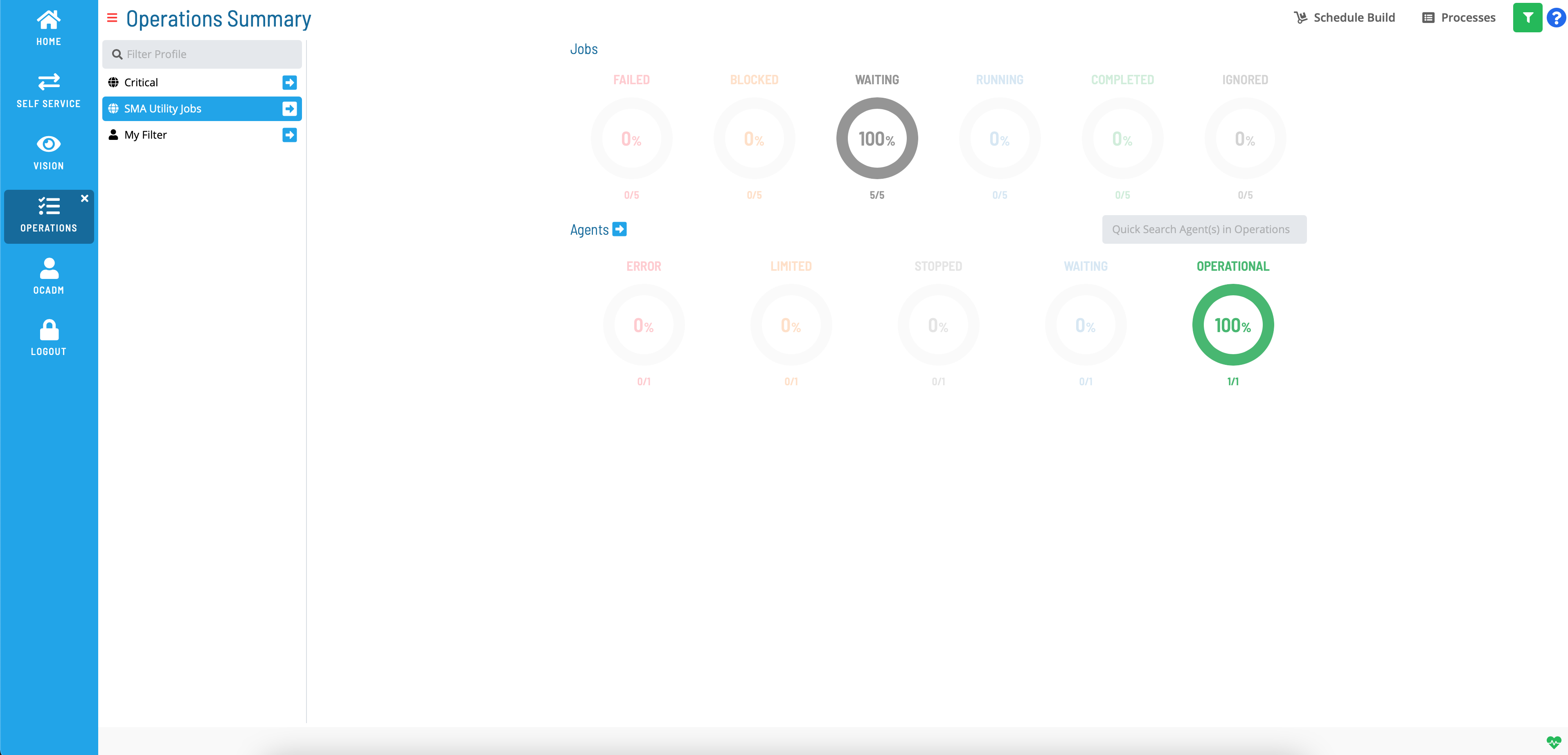
The  Filter Profile button allows users to apply stored filters on the
Operations Summary screen. When selected, the ability to Go to the
Processes page with filtering is limited to the direct link next to
the profile name. This button will only be displayed in the top toolbar
if at least one profile is defined.
Filter Profile button allows users to apply stored filters on the
Operations Summary screen. When selected, the ability to Go to the
Processes page with filtering is limited to the direct link next to
the profile name. This button will only be displayed in the top toolbar
if at least one profile is defined.
Solution Manager Operations with Filter Profiles
 Related Topics
- Performing Schedule Status Changes
- Performing Job Status Changes
- Performing Bulk Status Job Updates (Schedule Level)
- Performing Agent Status Updates
- Viewing Job Output
- Viewing Job Configuration
- Using PERT View
- Managing Daily Processes
- Using Schedule Build :::
FAQs
Q: What does Working with Operations cover?
This page covers Filtering, Quick Search, Direct Links.
Glossary
Solution Manager: OpCon's browser-based graphical user interface for managing automation data, performing operational actions, and administering the system.
Resource: A numeric variable in OpCon representing a finite pool. Jobs can be configured to require a set number of resource units to run, limiting concurrent executions and preventing resource contention.
Machine: A platform defined in the OpCon database that has an agent installed. OpCon routes job execution requests to machines via SMANetCom, and machines report job completion status back to SAM.
Schedule: A named container for jobs in OpCon, built for a specific date to create that day's automation. Schedules define build settings, frequencies, and the jobs that run within them.
Job: The fundamental unit of work in OpCon. A job defines what to run, on which machine, when to start, and what conditions must be met. Job results are tracked and can trigger events and notifications.
OpCon: Continuous' workflow automation platform. The OpCon server includes the database, SAM and Supporting Services (SAM-SS), and graphical user interfaces. agents installed on target platforms run jobs and report results.