Adding Jobs to Daily Schedules
Use the Operations module in Solution Manager to add one or more jobs to a daily schedule that has already been built for a specific date.
Before You Begin
Your role must have the Add Jobs to Daily Schedules department function privilege for the relevant department. Users with the ocadm role have this privilege for all departments by default.
Add Jobs to a Daily Schedule
To add jobs to a daily schedule, complete the following steps:
-
Go to Operations in Solution Manager.
-
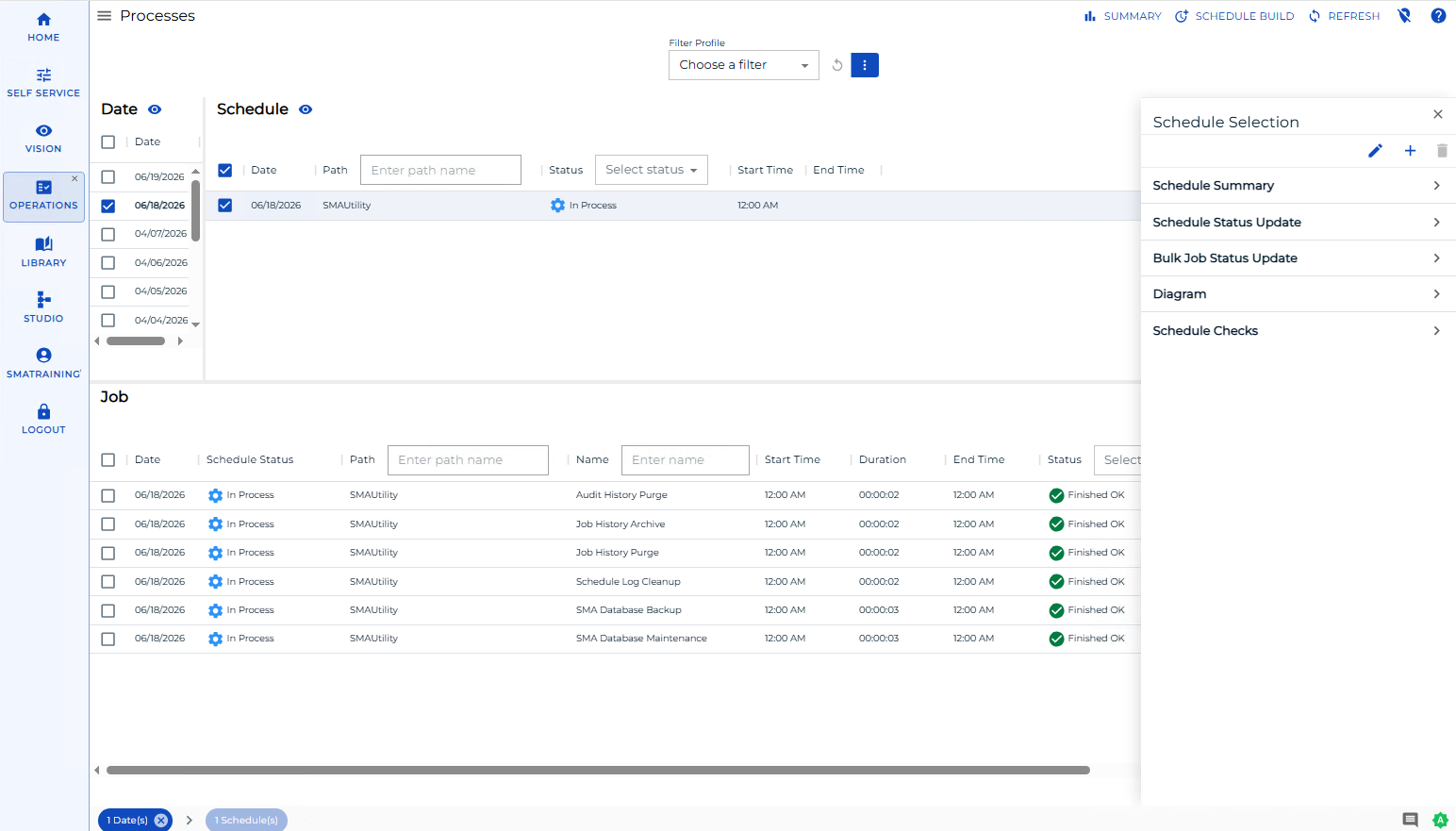
In the Schedules grid, right-click the Schedule record for the target date and select + to open the Add Job(s) dialog.
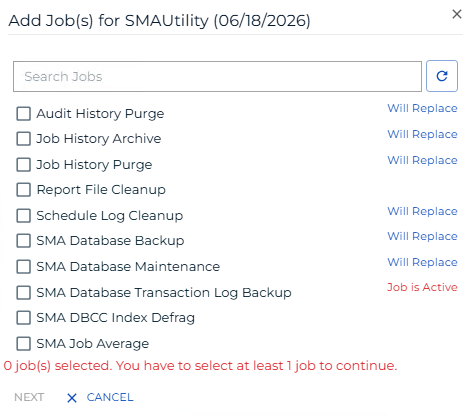
- Search for the jobs you want to add, or browse the available jobs, then select the jobs to add.
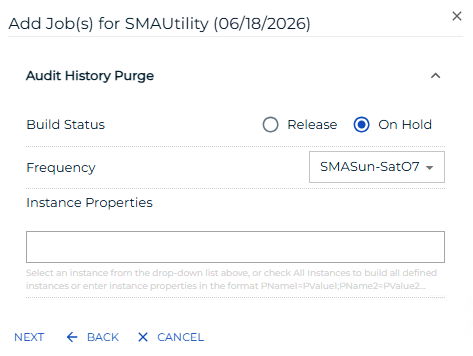
- Configure the selected jobs as required.
- Review the configured jobs, then select Submit.
- Wait for the operation to complete.
- Review the results to confirm that all jobs were added successfully.
Result: The selected jobs appear in the daily schedule for the target date and are available for processing.