Comparative Job Execution Statistics Report
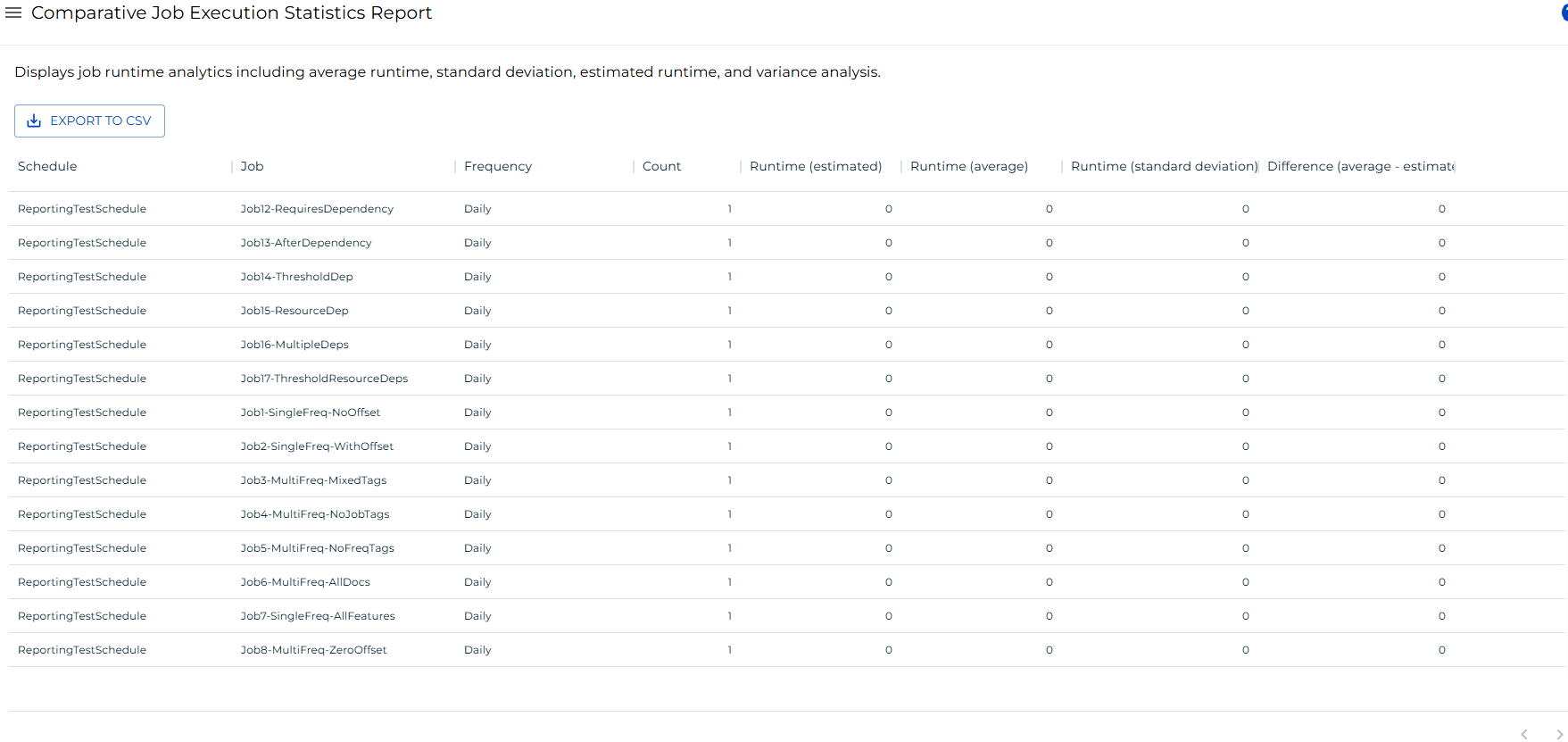
The Comparative Job Execution Statistics Report shows runtime analytics for every job in the OpCon history, grouped by schedule, job, and frequency. Use this report to compare a job's estimated runtime against its actual average runtime and identify jobs whose estimates are significantly off.
This report returns a maximum of 100,000 records.
Access requirements
To view this report, your user account must meet one of the following conditions:
- Assigned the ocadm (administrator) role, or
- Granted all function privileges, or
- Granted all administrative privileges and the View Reports privilege.
Report columns
The report displays the following columns for each job grouped by schedule and frequency.
| Column | Description |
|---|---|
| Schedule | Name of the schedule that contains the job. |
| Job | Name of the job. |
| Frequency | Name of the frequency under which the job ran. |
| Count | Number of times the job has run under this frequency. |
| Runtime (estimated) | Estimated runtime (in minutes) configured for the job. |
| Runtime (average) | Average actual runtime (in minutes) across all recorded runs. |
| Runtime (standard deviation) | Standard deviation of the actual runtime across all recorded runs. A value of 0 indicates only one run exists. |
| Difference (average - estimated) | Difference between the average actual runtime and the estimated runtime. A positive value means the job runs longer than estimated; a negative value means it runs shorter. |
Results are sorted by Schedule ascending, then Job ascending, then Frequency ascending by default.
Filtering and sorting
You can filter and sort any column in the report. To open the filter options for a column, select the menu button (three dots) in that column header, then select Filter.
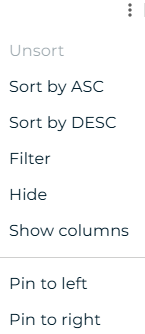
You can filter on both text columns (Schedule, Job, Frequency) and numeric columns (Count, Runtime (estimated), Runtime (average), Runtime (standard deviation), Difference (average - estimated)). Multiple filters combine with AND logic by default.
Exporting to CSV
Select the export  button to download the report data as a CSV file. The export applies any active filters and includes up to 100,000 records. The CSV columns follow this order by default: Schedule, Job, Frequency, Count, Runtime (estimated), Runtime (average), Runtime (standard deviation), Difference (average - estimated).