Reports
Theme: Configure
Who Is It For? System Administrator, Automation Engineer
What Is It?
The Reporting page contains two tabs: REPORTS and SETTINGS.
REPORTS Tab
The REPORTS tab lists all available reports. Users only see reports they have permission to view.
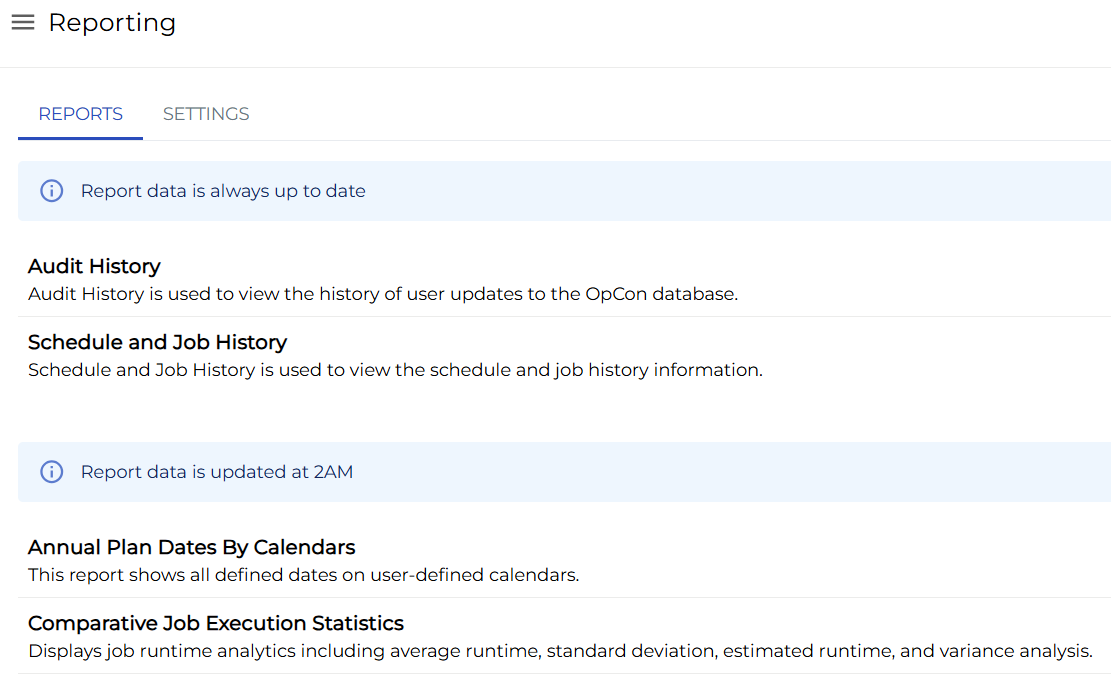
Report Details
Select a report to open it and view detailed information.
SETTINGS Tab
The SETTINGS tab displays configuration settings related to standard report configuration values, including:
- Scheduling configuration for cloud users
- Database, file logging, and maximum download records configuration for all users
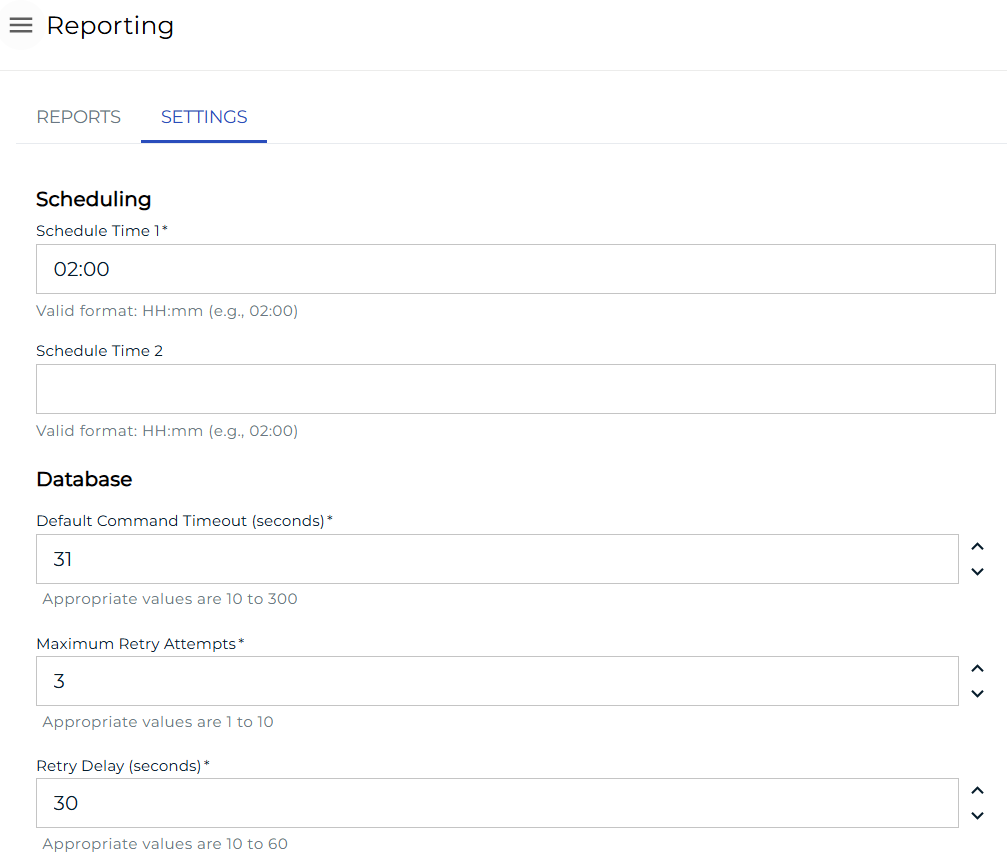
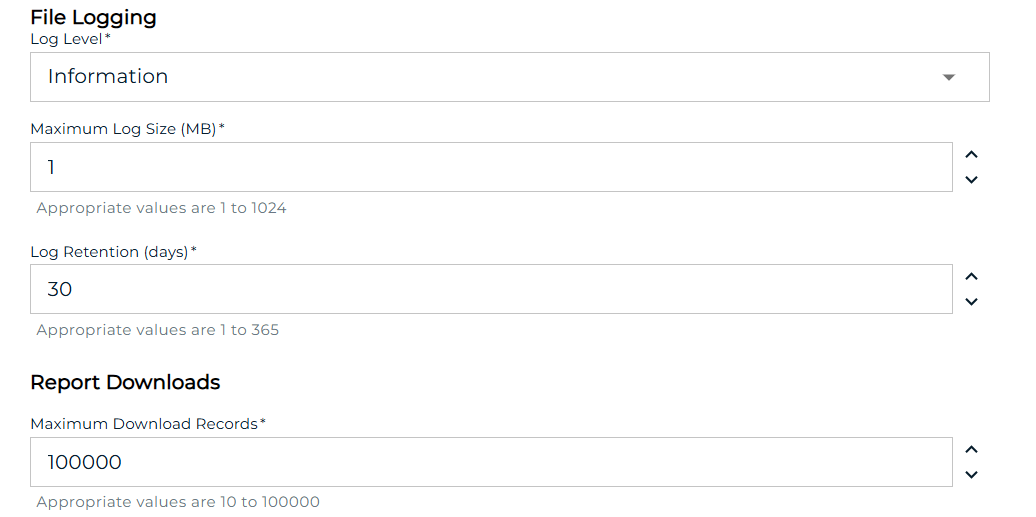
Users must have the Maintain Reports privilege or be in the ocadm role to view the SETTINGS tab.
Configuration Options
| Setting | What It Does | Default | Notes |
|---|
FAQs
Q: What does Reports cover?
This page covers REPORTS Tab, SETTINGS Tab.
Glossary
Resource: A numeric variable in OpCon representing a finite pool. Jobs can be configured to require a set number of resource units to run, limiting concurrent executions and preventing resource contention.
Role: A named security profile in OpCon that groups privileges together. Roles are assigned to user accounts to control which features, schedules, jobs, machines, and administrative functions a user can access.
Privilege: A specific permission granted through an OpCon role that controls access to a feature, function, or object type. Privileges are organized into categories such as Function Privileges, Machine Privileges, Schedule Privileges, and Access Codes.