Master Job Information Report
The Master Job Information Report provides a comprehensive view of master job configurations in OpCon, including job details, schedules, machines, departments, frequencies, access codes, tags, timing, and documentation notes.
The maximum number of records returned in a single download is 100,000. On-screen results use a default page size of 50 records.
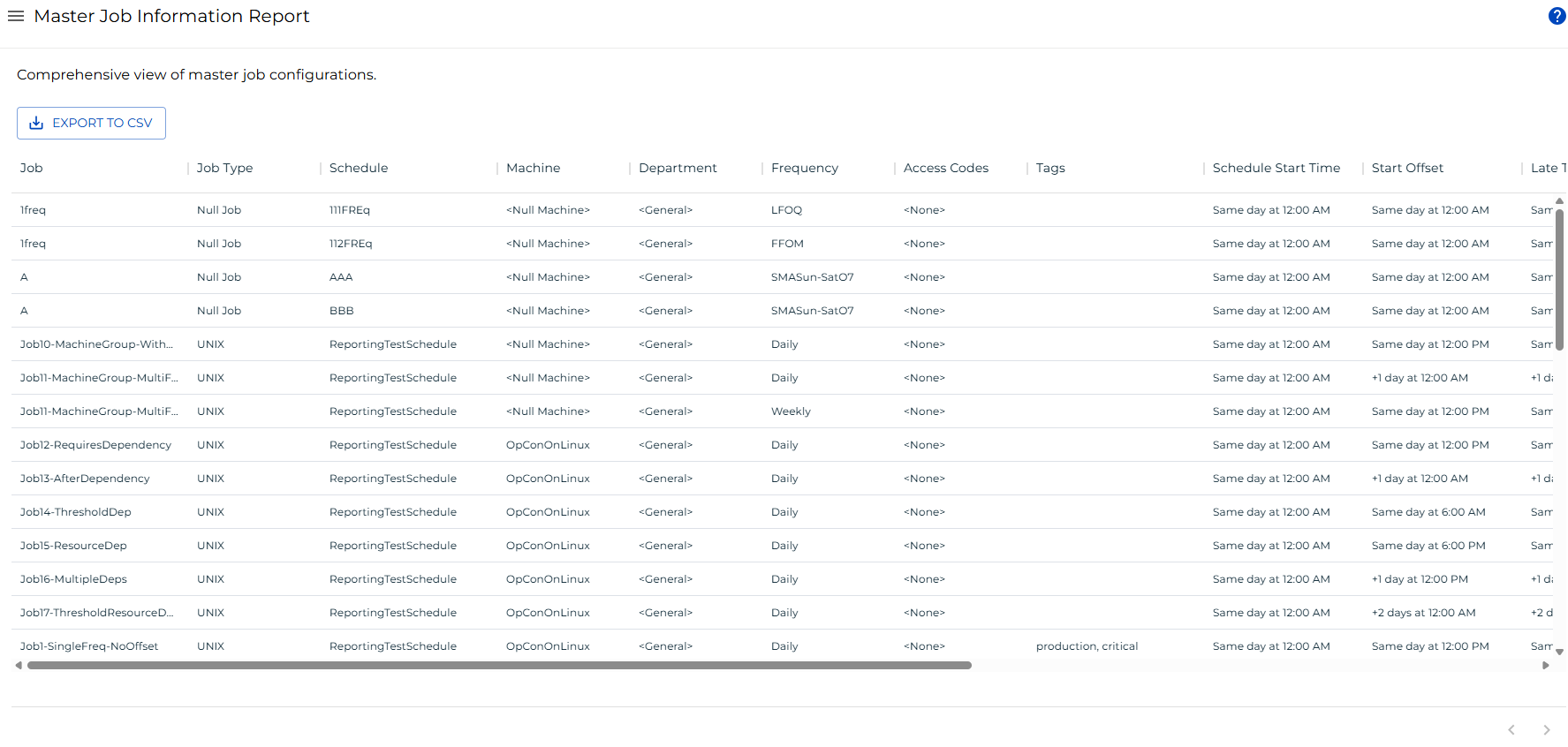
Access
Go to Library > Reporting in Solution Manager and select Master Job Information.
Your role must have the View Standard Reports function privilege. Results are further filtered based on your View Jobs in Master Schedules department-level privilege; jobs in departments you do not have access to are excluded from the results.
Columns
| Column | Description |
|---|---|
| Job | Name of the master job. |
| Job Type | Platform type of the job (for example, Windows, UNIX). |
| Schedule | Name of the schedule that contains the job. |
| Machine | Primary agent assigned to the job. |
| Department | Department the job belongs to. |
| Frequency | Frequency assigned to the job. |
| Access Codes | Access codes assigned to the job. |
| Tags | Tags assigned to the job. |
| Schedule Start Time | Scheduled start time for the job, expressed as a day offset and time (for example, Same day at 6:00 AM). |
| Start Offset | Offset from the schedule start time before the job is eligible to start. |
| Late To Start Time | Time after which the job is considered late to start. |
| Est. Run Time (min) | Estimated run time in minutes. |
| Max Run Time (min) | Maximum allowed run time in minutes. |
| Documentation | General documentation notes attached to the job. |
| Frequency Documentation | Documentation notes specific to the assigned frequency. |
Filtering and Sorting
The report loads without default filters applied. To narrow results, open the filter panel by selecting the menu button in any column header and choosing Filter.
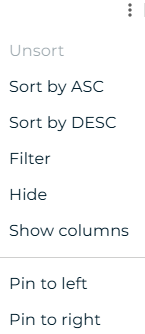
You can filter on any column. String columns support contains and equals operators. Time columns (Schedule Start Time, Start Offset, Late To Start Time) accept values in formats such as 6:00 AM, Same day at 6:00 AM, or raw minutes.
Exporting to CSV
Select the export  button to download the report as a CSV file. Any active filters are applied to the export. The CSV combines the Documentation and Frequency Documentation columns into a single Documentation column.