Roles and Privileges Report
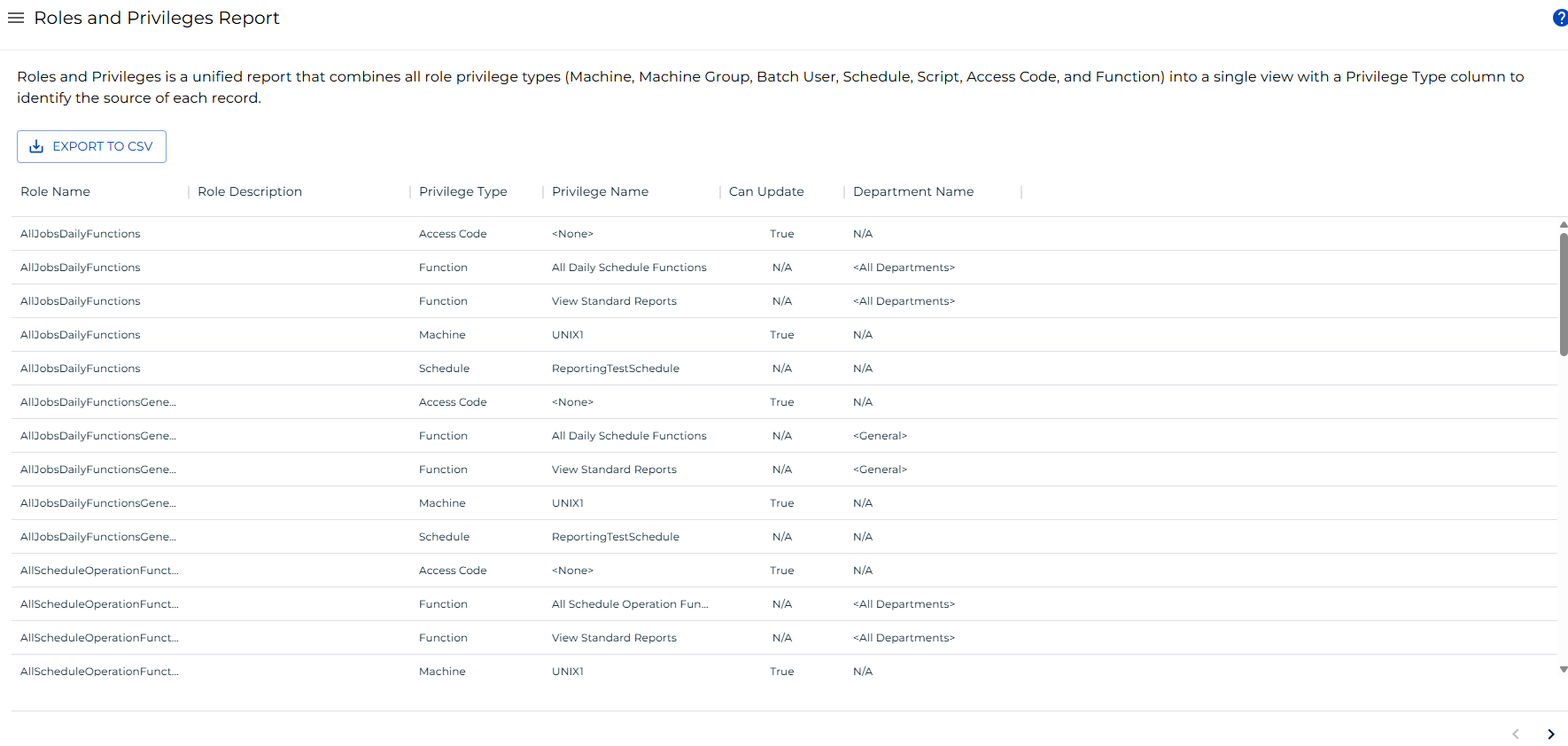
The Roles and Privileges Report combines all role privilege types — Machine, Machine Group, Batch User, Schedule, Script, Access Code, and Function — into a single view. A Privilege Type column identifies the source category of each record.
note
This report has a maximum return limit of 100,000 records.
Report Columns
| Column | Description |
|---|---|
| Role Name | The name of the role the privilege belongs to. |
| Role Description | The description configured for the role. |
| Privilege Type | The category of privilege: Machine, Machine Group, Batch User, Schedule, Script, Access Code, or Function. |
| Privilege Name | The name of the specific object or function the privilege grants access to. |
| Can Update | Indicates whether the role has update permission for the privilege object. Applies to Machine, Machine Group, and Access Code privilege types. |
| Department Name | The department associated with the privilege, when applicable. |
Filtering
To filter the report, complete the following steps:
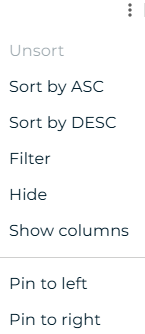
- Select the menu button (three dots) in any column header.
- Select Filter.
- Enter or select filter criteria for one or more columns: role name, role description, privilege type, privilege name, can update, or department name.
Result: The report updates to display only records that match the active filters.
Exporting to CSV
To export the report, select the export  button. The report downloads as a CSV file. Any active filters are applied to the export.