Updating SAP BW Job Details
Theme: Configure
Who Is It For? System Administrator, Automation Engineer
What Is It?
In Admin mode, SAP BW job type properties can be updated or defined.
For conceptual information, refer to SAP BW Job Details in the Concepts online help.
Only those with the appropriate permissions will have access to the Lock button and can update job properties. For details about privileges, refer to Required Privileges in the Accessing Daily Job Definition topic.
If you do not have the Machine Privilege, you will not be able to edit the daily job definition.
Changes made to job properties in the Daily Job Definition take place immediately. If the job has already run, changes take effect the next time the job runs.
Updating SAP BW Job Task Details
To perform this procedure:
-
Select the Processes button at the top-right of the Operations Summary page. The Processes page will display
-
Ensure that both the Date and Schedule toggle switches are enabled. Each switch will appear green when enabled
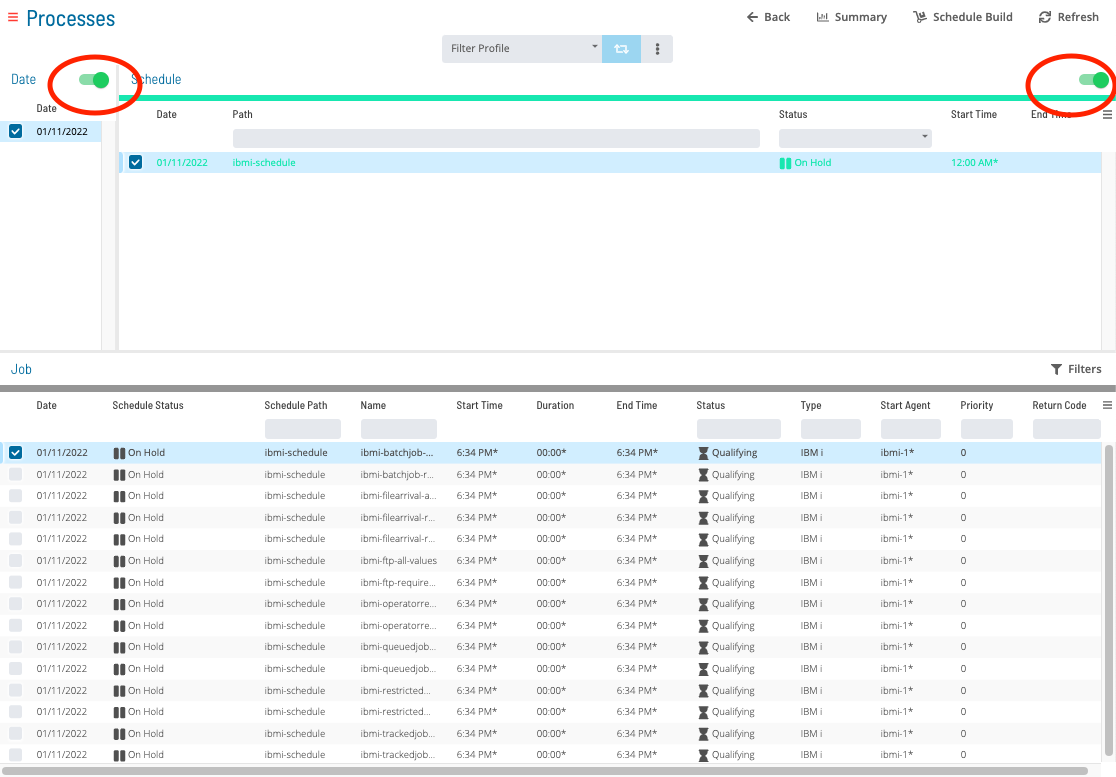
To update SAP BW Job Task Details, complete the following steps:
-
Select the desired date(s) to display the associated schedule(s)
-
Select one or more schedule(s) in the list
-
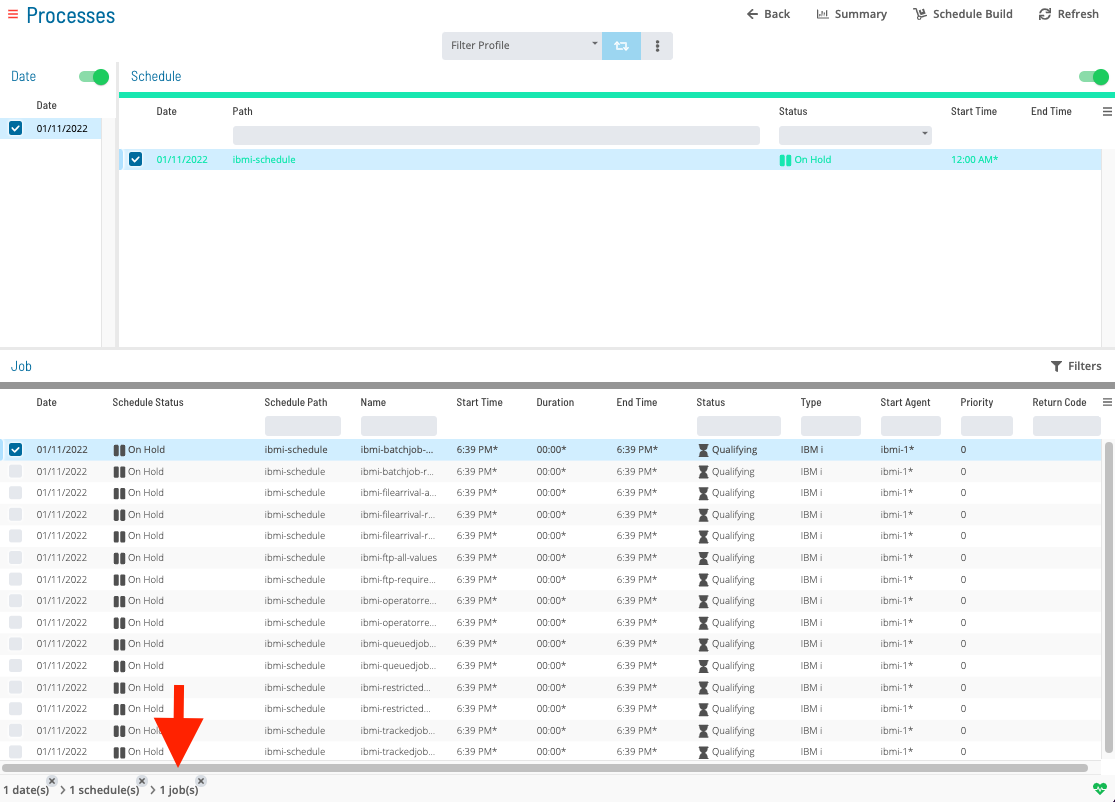
Select one job in the list. A record of your selection will display in the status bar at the bottom of the page as a breadcrumb trail
-
Select the job record (e.g., 1 job(s)) in the status bar to display the Selection panel
noteAs an alternative, you can right-click on the job selected in the list to display the Selection panel.
-48aeb60d47272f31681c7ac842437c7c.png "Job Summary Tab in Operations")
-
Select the Daily Job Definition button
 at the top-left corner of the panel. By default, this page will be in Read-only mode
 -
Select the Lock button
 at the top-right corner to place the page in Admin mode. The button will switch to a white lock on a green background
  when enablednote
The Lock button will not be visible to users who do not have the appropriate permissions.
-
Expand the Task Details panel to expose its content
-
From the Machines or Machine Group list, select the machine where the agent is installed. To specify a machine group instead, toggle the Machines switch to Machine Group and select the machine group from the list. When toggled to Machine Group, the button will appear green

In the SAP BW Definition frame:
- Process Chain Name: The name of the Business Warehouse job as defined in the SAP Business Warehouse system
- Select the search button
 to open the SAP Query dialog

In the SAP Query dialog:
- Machine: The SAP BW agent Machine name
- Language: The two-character language abbreviation (e.g., EN for English)
- Chain: Text matching the name of the desired Process Chain. Use wildcards (*) if the full process chain name is unknown
- Description: Text matching the description of the desired Process Chain. Use wildcards (*) if the full description is unknown
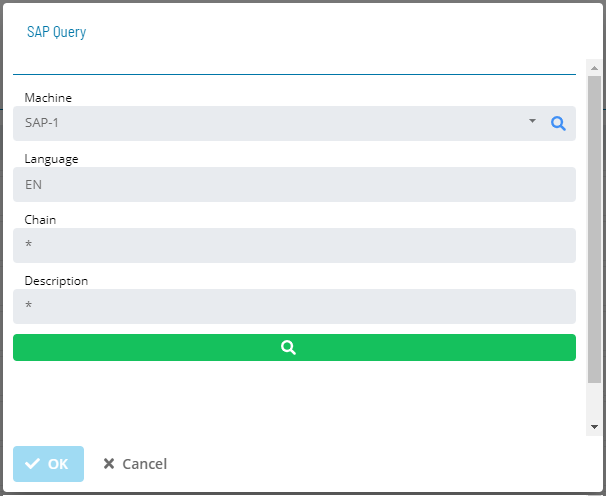
- Select the search button
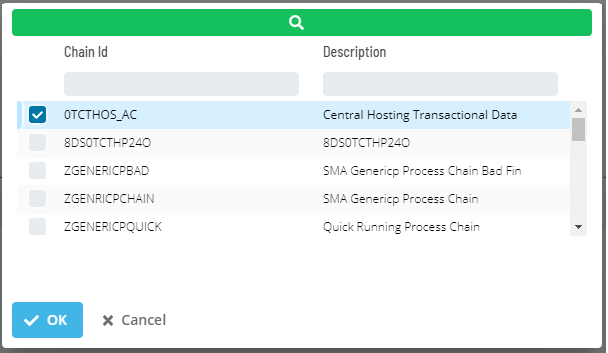
 to retrieve all Process Chain names matching the search criteria from the SAP BW system
 - Select a process chain from the list and select Ok to assign it to the process chain name in the SAP BW Daily Job Definition

Select the Undo button to undo any changes.
Select the Save button to save your changes.
Configuration Options
| Setting | What It Does | Default | Notes |
|---|---|---|---|
| Process Chain Name | The name of the Business Warehouse job as defined in the SAP Business Warehouse system | — | — |
| Language | The two-character language abbreviation (e.g., EN for English) | — | — |
| Chain | Text matching the name of the desired Process Chain. | — | — |
| Description | Text matching the description of the desired Process Chain. | — | — |
FAQs
Q: How many steps does the Updating SAP BW Job Details procedure involve?
The Updating SAP BW Job Details procedure involves 10 steps. Complete all steps in order and save your changes.
Q: What does Updating SAP BW Job Details cover?
This page covers Updating SAP BW Job Task Details.
Glossary
Agent: An agent installed on a target platform that runs jobs in the native language of that platform and communicates results back to SAM via SMANetCom over TCP/IP.
Resource: A numeric variable in OpCon representing a finite pool. Jobs can be configured to require a set number of resource units to run, limiting concurrent executions and preventing resource contention.
Privilege: A specific permission granted through an OpCon role that controls access to a feature, function, or object type. Privileges are organized into categories such as Function Privileges, Machine Privileges, Schedule Privileges, and Access Codes.
Machine: A platform defined in the OpCon database that has an agent installed. OpCon routes job execution requests to machines via SMANetCom, and machines report job completion status back to SAM.
Schedule: A named container for jobs in OpCon, built for a specific date to create that day's automation. Schedules define build settings, frequencies, and the jobs that run within them.
Job: The fundamental unit of work in OpCon. A job defines what to run, on which machine, when to start, and what conditions must be met. Job results are tracked and can trigger events and notifications.